> ## Documentation Index
> Fetch the complete documentation index at: https://launchdarkly.com/docs/llms.txt
> Use this file to discover all available pages before exploring further.
# Cloning and deleting API access tokens
This topic explains how to clone and delete API access tokens.
## Clone and delete access tokens
To clone or delete an access token:
1. Click the **gear** icon in the left sidebar to view Organization settings.
2. Click **Authorization**. The **Tokens** tab appears.
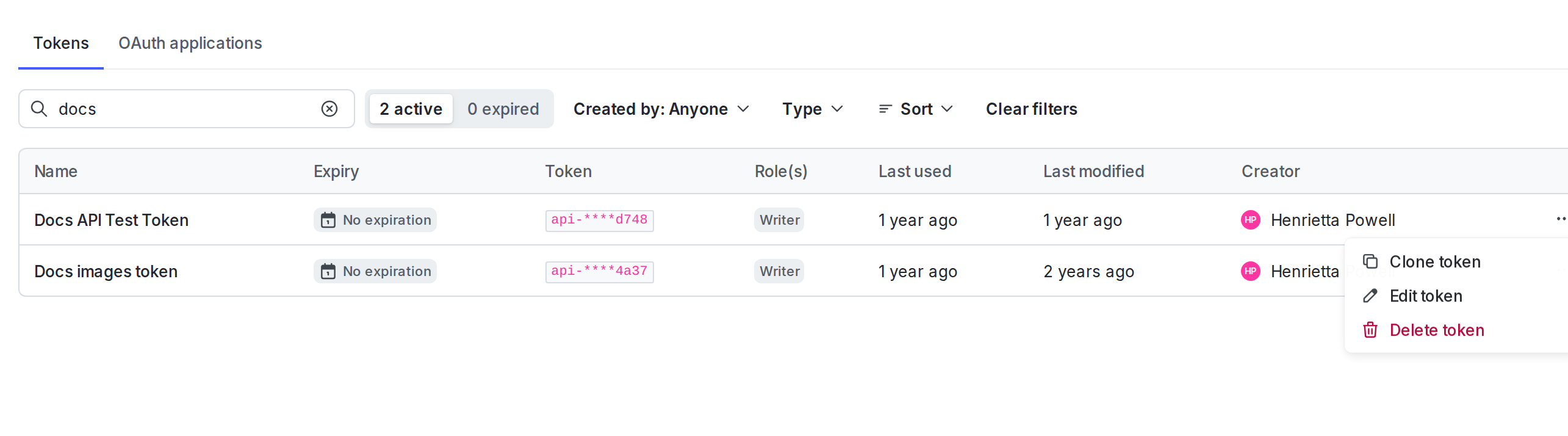
3. Find your token and click the **three-dote** overflow menu.
4. Select from the menu one of the following:
* **Clone token** lets you create multiple access tokens with the same set of permissions, rather than having to fill out each token's information in the "Create an access token" panel.
* **Edit token** lets you edit the name, [add an expiration date](/docs/home/account/api-reset), or change the API version.
* **Delete token** deletes the access token. If you delete a token, API calls made with that token return `401 Unauthorized` status codes.
Here is an example of the clone and delete options:
 You can also use the REST API: [Delete access token](/docs/api/access-tokens/delete-access-token)