> ## Documentation Index
> Fetch the complete documentation index at: https://launchdarkly.com/docs/llms.txt
> Use this file to discover all available pages before exploring further.
# Agents
This topic explains how to create and use agent-based configs to support structured, multi-step AI workflows with shared configuration, judge models that evaluate response quality, and performance monitoring.
Agent-based configs define workflow behavior through a single instructions field that describes how the model should operate across multiple coordinated steps. This structure is useful for tasks that require multi-step execution. The instructions define the goal of the task and how the model should proceed.
You can combine multiple agent-based configs into workflows where each agent performs a specific role. For example, one agent may analyze a request, another may validate input, and another may retrieve information. Your application coordinates these interactions while LaunchDarkly manages configuration for each agent.
Agent-based configs use a configuration model similar to other configs, including variations, targeting, approvals, and monitoring. However, LaunchDarkly evaluates agent-based configs differently to provide instructions, model details, provider information, attached tools, and a tracker instance for recording metrics.
Agent mode is optimized for structured, multi-step workflows. Completion mode and agent mode differ in how behavior is defined, but both can integrate with external tools depending on your SDK and model provider implementation.
As a result, using agent-based configs helps you manage workflow behavior safely and update logic without redeploying code. It also lets you observe performance across environments.
You can attach judges to agent-based config variations directly in the LaunchDarkly UI, just as you can with completion-mode variations. You can also invoke a judge programmatically using the AI SDK. To learn more, read [Online evaluations](/docs/home/agentcontrol/online-evaluations).
## Capabilities and use cases
Agent-based configs support structured workflows that involve multiple coordinated steps. Teams use them to define structured behavior and manage complex workflows through configuration rather than application code.
Tools are reusable, versioned resources defined at the project level and can be attached to config variations as needed.
You can use agent-based configs to:
* Guide models through multi-step tasks using structured instructions.
* Coordinate multi-step workflows that may interact with external systems.
* Reuse shared tools across multiple agents and variations.
* Monitor workflow performance and compare variations.
* Update workflow behavior safely using targeting rules, approvals, and guarded rollouts.
## Create and configure an agent
To create an agent-based config:
1. In the left sidebar, click **Agents**. The AgentControl menu appears.
2. Click **Configs**.
3. Click **Create config**. The "Create config" dialog appears.
4. Click **Agent**.
5. Enter a name for the config.
6. (Optional) Click **Edit key** to update the config key. You use the key to reference the config in your code.
7. (Optional) Select a maintainer.
8. Click **Create**. LaunchDarkly creates the config and displays the configuration panel.
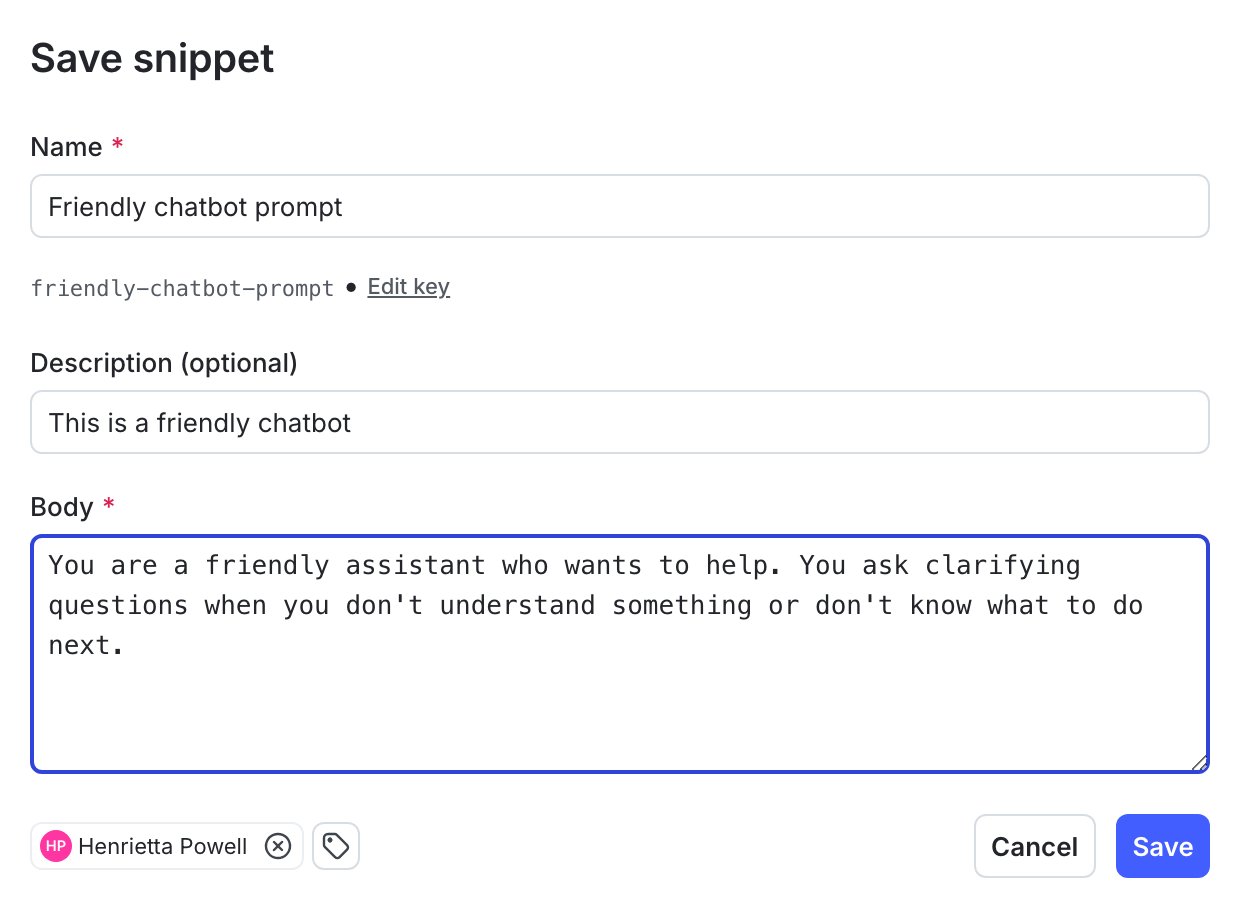 Each agent variation includes a description and an instructions field. The instructions define the goal and outline the reasoning steps the model should follow across multiple coordinated steps.
You can optionally attach tools, skills, and judges to a variation.
### Tools
Tools provide structured capabilities, such as retrieving data or calling an external service. Tools are reusable resources defined at the project level and can be attached to both agent-based and completion-based variations. To learn more, read [Tools](/docs/home/agentcontrol/tools).
To attach tools to a variation, open the variation, click **Attach tools**, then choose from the tools in your library.
### Skills
Skills let you attach short sets of instructions, scripts, and resources to an agent config. They extend agent capabilities with specialized knowledge and workflows.
To attach skills to a variation, open the variation, click **Attach skills**, then choose from the skills in your library.
### Judges
Judges are specialized AgentControl configs that evaluate responses and return numeric scores that represent quality signals related to accuracy, relevance, toxicity, or custom signals you define. To learn more, read [Judges](/docs/home/agentcontrol/judges).
To attach judges to a variation, open the variation, click **Attach judges**, then choose from the judges in your library.
## Retrieve and use agent-based configs in your application
Use the LaunchDarkly Node.js (server-side) AI SDK or Python AI SDK to retrieve agent-based configs for a context.
Agent-based configs are retrieved using the agent-specific SDK methods, such as `.agentConfig()` or `.agentConfigs()`. These methods return the evaluated agent, including its instructions, model configuration, provider information, attached tools, and a tracker instance for recording metrics.
This allows you to compose multi-agent workflows where each agent has a distinct role and can be evaluated independently.
These examples assume that you have already initialized the AI client and created a context. To learn how to do this, read [Quickstart for AgentControl](/docs/home/agentcontrol/quickstart).
```javascript title="Node.js: Retrieve multiple agents" lines wrap theme={null}
// Retrieve multiple agents
const agents = await aiClient.agentConfigs([
{
key: "my-agent-key",
defaultValue: { enabled: true },
variables: { parameters }
},
{
key: "backup-agent",
defaultValue: { enabled: true },
variables: { parameters }
}
], context);
const supervisor = agents["supervisor-agent"];
```
```javascript title="Node.js: Retrieve a single agent" lines wrap theme={null}
// Retrieve a single agent
const primaryAgent = await aiClient.agentConfig(
"email-summarizer",
context,
{ enabled: false },
{ parameters }
);
```
```python title="Python: Retrieve multiple agents" expandable lines wrap theme={null}
from ldai import AIAgentConfigDefault, AIAgentConfigRequest
# Retrieve multiple agents
agents = aiclient.agent_configs(
[
AIAgentConfigRequest(
key="email-summarizer",
default=AIAgentConfigDefault(enabled=False),
variables={"parameters": parameters}
),
AIAgentConfigRequest(
key="backup-agent",
default=AIAgentConfigDefault(enabled=False),
variables={"parameters": parameters}
),
],
context
)
supervisor = agents["supervisor-agent"]
```
```python title="Python: Retrieve a single agent" lines wrap theme={null}
from ldai import AIAgentConfigDefault
# Retrieve single agent config
primary_agent = aiclient.agent_config(
"email-summarizer",
context,
AIAgentConfigDefault(enabled=False),
{"parameters": parameters}
)
```
An evaluated agent includes model details, provider information, instructions, any attached tools, and a tracker instance for recording metrics.
Evaluating an agent returns an object similar to the following. The exact fields included depend on the agent configuration and SDK version.
```javascript title="Example evaluated agent (Node.js)" expandable lines wrap theme={null}
{
enabled: true,
instructions: "Analyze the input and determine the appropriate next step.",
model: {
name: "gpt-4o-mini",
parameters: {
temperature: 0.2
}
},
provider: {
name: "openai"
},
tools: [
{
key: "search-docs",
}
],
tracker: "[Tracker instance]"
}
```
## Agent configuration structure
Agent-based configs share the same overall configuration model as completion-mode AgentControl, but have a different variation structure. Each config includes a `mode` property that is set at creation time and determines which fields are required and how targeting, evaluation, and metrics are handled.
In agent-based configs, each variation requires a description and an instructions field. These fields define how the model should behave when evaluated. Agent-based variations do not use message roles or message history. Workflow behavior is defined through the instructions field and any configuration associated with the variation.
Because agent-based configs use an instructions-based structure rather than message-based prompts, the **Monitoring** tab may display metrics differently for agent-based workflows.
## Monitor agent performance
The **Monitoring** tab displays metrics for each variation of an agent-based config. Metrics include:
* Generations
* Time to generate
* Time to first token
* Token usage
* Costs
* Error rate
* Satisfaction, when instrumented
Monitoring helps you assess how structured workflows behave in production and identify where a variation may need adjustment.
To learn more, read [Monitor config performance](/docs/home/agentcontrol/monitor).
## Target and release agent-based variations
Use targeting rules to determine which users receive each variation of an agent-based config. You can release updated workflows gradually, apply segmentation rules, or test alternative workflow strategies.
Guarded rollouts let you introduce workflow changes safely while monitoring for regressions. Approvals ensure that changes receive review before becoming active.
To learn more, read [Config targeting](/docs/home/agentcontrol/target).
## Compatibility
Agent-based configs are supported in the [Node.js (server-side) AI SDK](/docs/sdk/ai/node-js) and [Python AI SDK](/docs/sdk/ai/python).
You can create AgentControl configs in either completion mode or agent mode. You cannot change the mode after creation.
Each agent variation includes a description and an instructions field. The instructions define the goal and outline the reasoning steps the model should follow across multiple coordinated steps.
You can optionally attach tools, skills, and judges to a variation.
### Tools
Tools provide structured capabilities, such as retrieving data or calling an external service. Tools are reusable resources defined at the project level and can be attached to both agent-based and completion-based variations. To learn more, read [Tools](/docs/home/agentcontrol/tools).
To attach tools to a variation, open the variation, click **Attach tools**, then choose from the tools in your library.
### Skills
Skills let you attach short sets of instructions, scripts, and resources to an agent config. They extend agent capabilities with specialized knowledge and workflows.
To attach skills to a variation, open the variation, click **Attach skills**, then choose from the skills in your library.
### Judges
Judges are specialized AgentControl configs that evaluate responses and return numeric scores that represent quality signals related to accuracy, relevance, toxicity, or custom signals you define. To learn more, read [Judges](/docs/home/agentcontrol/judges).
To attach judges to a variation, open the variation, click **Attach judges**, then choose from the judges in your library.
## Retrieve and use agent-based configs in your application
Use the LaunchDarkly Node.js (server-side) AI SDK or Python AI SDK to retrieve agent-based configs for a context.
Agent-based configs are retrieved using the agent-specific SDK methods, such as `.agentConfig()` or `.agentConfigs()`. These methods return the evaluated agent, including its instructions, model configuration, provider information, attached tools, and a tracker instance for recording metrics.
This allows you to compose multi-agent workflows where each agent has a distinct role and can be evaluated independently.
These examples assume that you have already initialized the AI client and created a context. To learn how to do this, read [Quickstart for AgentControl](/docs/home/agentcontrol/quickstart).
```javascript title="Node.js: Retrieve multiple agents" lines wrap theme={null}
// Retrieve multiple agents
const agents = await aiClient.agentConfigs([
{
key: "my-agent-key",
defaultValue: { enabled: true },
variables: { parameters }
},
{
key: "backup-agent",
defaultValue: { enabled: true },
variables: { parameters }
}
], context);
const supervisor = agents["supervisor-agent"];
```
```javascript title="Node.js: Retrieve a single agent" lines wrap theme={null}
// Retrieve a single agent
const primaryAgent = await aiClient.agentConfig(
"email-summarizer",
context,
{ enabled: false },
{ parameters }
);
```
```python title="Python: Retrieve multiple agents" expandable lines wrap theme={null}
from ldai import AIAgentConfigDefault, AIAgentConfigRequest
# Retrieve multiple agents
agents = aiclient.agent_configs(
[
AIAgentConfigRequest(
key="email-summarizer",
default=AIAgentConfigDefault(enabled=False),
variables={"parameters": parameters}
),
AIAgentConfigRequest(
key="backup-agent",
default=AIAgentConfigDefault(enabled=False),
variables={"parameters": parameters}
),
],
context
)
supervisor = agents["supervisor-agent"]
```
```python title="Python: Retrieve a single agent" lines wrap theme={null}
from ldai import AIAgentConfigDefault
# Retrieve single agent config
primary_agent = aiclient.agent_config(
"email-summarizer",
context,
AIAgentConfigDefault(enabled=False),
{"parameters": parameters}
)
```
An evaluated agent includes model details, provider information, instructions, any attached tools, and a tracker instance for recording metrics.
Evaluating an agent returns an object similar to the following. The exact fields included depend on the agent configuration and SDK version.
```javascript title="Example evaluated agent (Node.js)" expandable lines wrap theme={null}
{
enabled: true,
instructions: "Analyze the input and determine the appropriate next step.",
model: {
name: "gpt-4o-mini",
parameters: {
temperature: 0.2
}
},
provider: {
name: "openai"
},
tools: [
{
key: "search-docs",
}
],
tracker: "[Tracker instance]"
}
```
## Agent configuration structure
Agent-based configs share the same overall configuration model as completion-mode AgentControl, but have a different variation structure. Each config includes a `mode` property that is set at creation time and determines which fields are required and how targeting, evaluation, and metrics are handled.
In agent-based configs, each variation requires a description and an instructions field. These fields define how the model should behave when evaluated. Agent-based variations do not use message roles or message history. Workflow behavior is defined through the instructions field and any configuration associated with the variation.
Because agent-based configs use an instructions-based structure rather than message-based prompts, the **Monitoring** tab may display metrics differently for agent-based workflows.
## Monitor agent performance
The **Monitoring** tab displays metrics for each variation of an agent-based config. Metrics include:
* Generations
* Time to generate
* Time to first token
* Token usage
* Costs
* Error rate
* Satisfaction, when instrumented
Monitoring helps you assess how structured workflows behave in production and identify where a variation may need adjustment.
To learn more, read [Monitor config performance](/docs/home/agentcontrol/monitor).
## Target and release agent-based variations
Use targeting rules to determine which users receive each variation of an agent-based config. You can release updated workflows gradually, apply segmentation rules, or test alternative workflow strategies.
Guarded rollouts let you introduce workflow changes safely while monitoring for regressions. Approvals ensure that changes receive review before becoming active.
To learn more, read [Config targeting](/docs/home/agentcontrol/target).
## Compatibility
Agent-based configs are supported in the [Node.js (server-side) AI SDK](/docs/sdk/ai/node-js) and [Python AI SDK](/docs/sdk/ai/python).
You can create AgentControl configs in either completion mode or agent mode. You cannot change the mode after creation.