> ## Documentation Index
> Fetch the complete documentation index at: https://launchdarkly.com/docs/llms.txt
> Use this file to discover all available pages before exploring further.
# Viewing flags across environments
This topic explains how to view flags across multiple environments. Viewing a flag across multiple environments allows you to compare the targeting, variations served, default values when on, and default off variations of your feature flag.
## View flags across multiple environments
Viewing a flag across multiple environments allows you to compare the targeting and recent evaluations of your feature flag at a glance.
To view a flag across multiple environments:
1. In the left sidebar, click **Code**. The CodeControl menu appears.
2. Click **Flags**.
3. Click the **+** next to your current environment to display the list of environments, and select the environment you want:
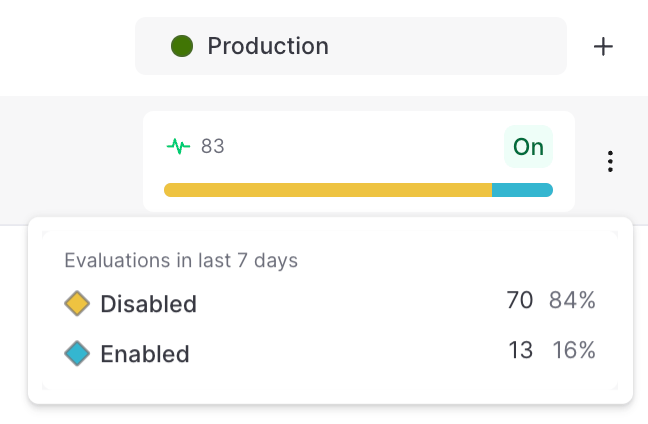
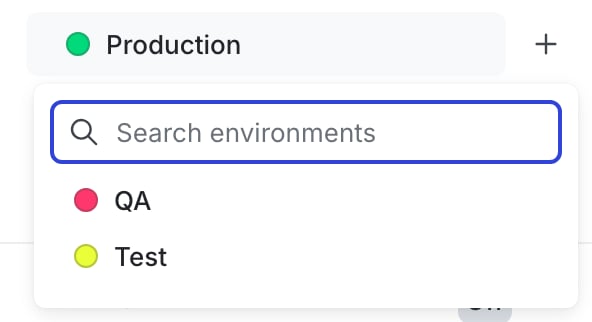 LaunchDarkly adds the selected environment to your **Flags** list. You can compare recent activity and whether the flag is toggled on or off. For each environment, you can also hover for additional details on the variations served:
 You can also use the REST API: [Get flag status across environments](/docs/api/feature-flags/get-flag-status-across-environments)