> ## Documentation Index
> Fetch the complete documentation index at: https://launchdarkly.com/docs/llms.txt
> Use this file to discover all available pages before exploring further.
# Engineering insights
**Engineering insights is not available in federal environments**
To learn more, read LaunchDarkly in federal environments.
**Engineering insights is not available in LaunchDarkly's European Union (EU) instance**
To learn more, read LaunchDarkly in the European Union (EU).
**Engineering insights is not available to all customers**
Engineering insights is only available to customers who already use it. It is not available for new members at this time.
This category contains documentation topics about LaunchDarkly's engineering insights feature.
## About engineering insights
Engineering insights lets you track key engineering metrics in one place to improve engineering efficiency and assess team performance. By incorporating data from first commit all the way through a fully-enabled release and subsequent flag cleanup, you can highlight bottlenecks and track long-term trends. This also lets you measure and improve metrics that focus on collective outcomes, specifically deployments and releases. It couples those metrics with data from code, build tools, incidents, and more to generate unique and useful insights for your engineering teams.
Engineering insights works with LaunchDarkly's core feature management platform to provide deployments data and code insights that make existing core product features like flag evaluations, the change history, and code references even better. To open engineering insights, click the **gear** icon in the left sidebar to view **Organization settings**. Then choose **Engineering insights** from the left sidebar.
To begin using engineering insights as part of your workflow, read [Get started with engineering insights](/docs/home/releases/get-started).
## Project metrics
Engineering insights project metrics are inspired by the original DevOps Research and Assessment (DORA) metrics of lead time to deployment, deployment frequency, mean time to recovery, and change failure rate. Together, these metrics were developed to show how your organization balances speed and stability.
However, if your engineering team uses feature management, this singular focus on deployments makes the DORA metrics incomplete. The most efficient engineering teams reduce risk by decoupling releases from deployments. To understand the full picture of how and when changes are going out to your customers, you need to track and measure both deployments and releases, so that you know when code changes are going out to customers and when feature flag changes are being enabled for them as well.
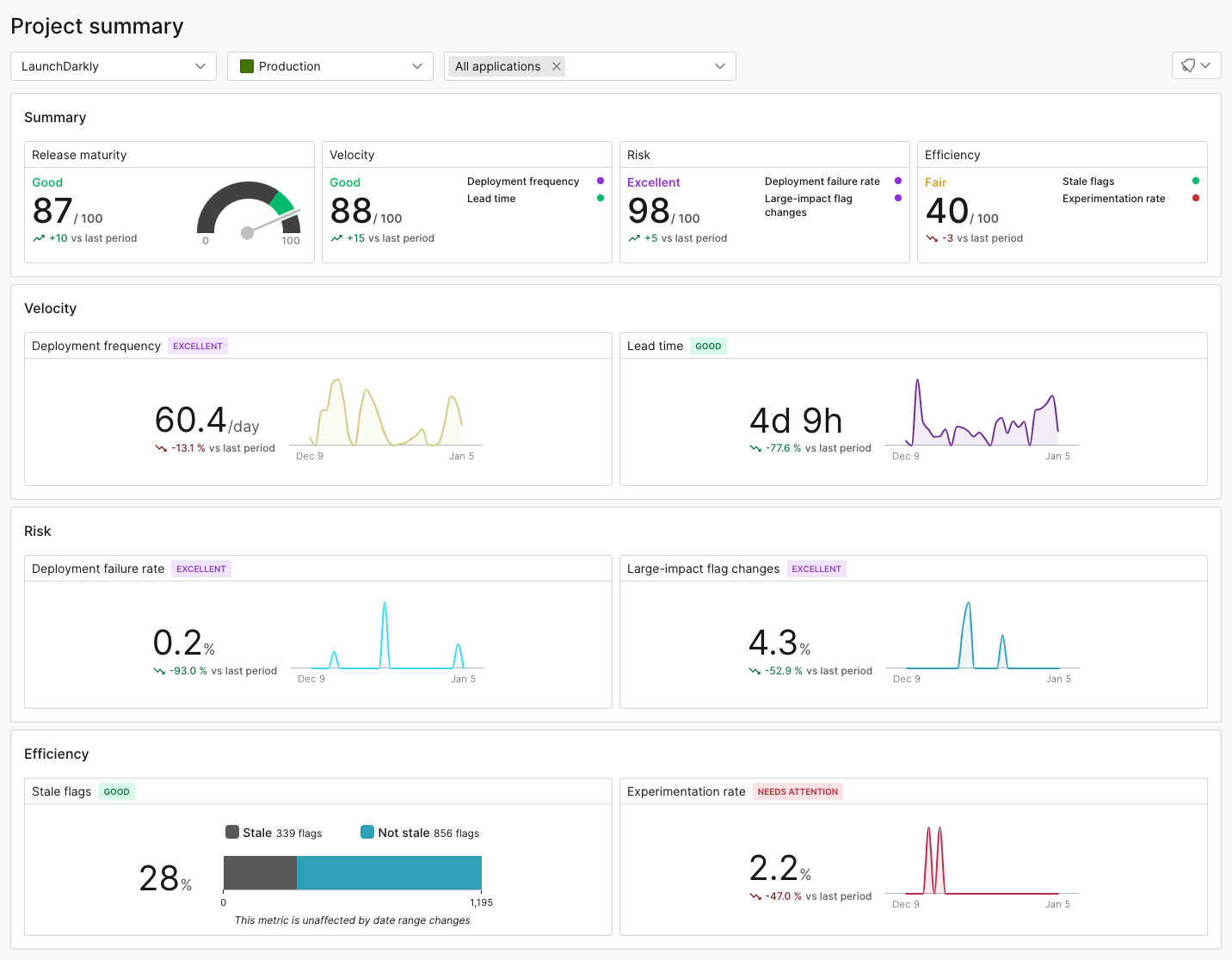 The project metrics summary can help you track and measure these and other important metrics. To learn more, read [Project metrics](/docs/home/releases/project-metrics).