Already using Datadog? Here’s how to gate and observe your AI agent skills with LaunchDarkly (without OpenTelemetry)
Already using Datadog? Here’s how to gate and observe your AI agent skills with LaunchDarkly (without OpenTelemetry)
Published September 23, 2026
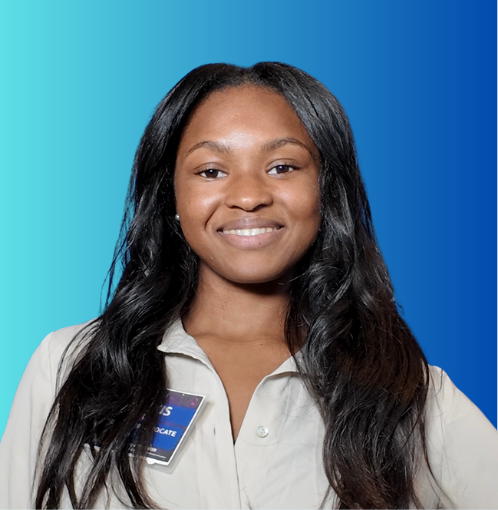
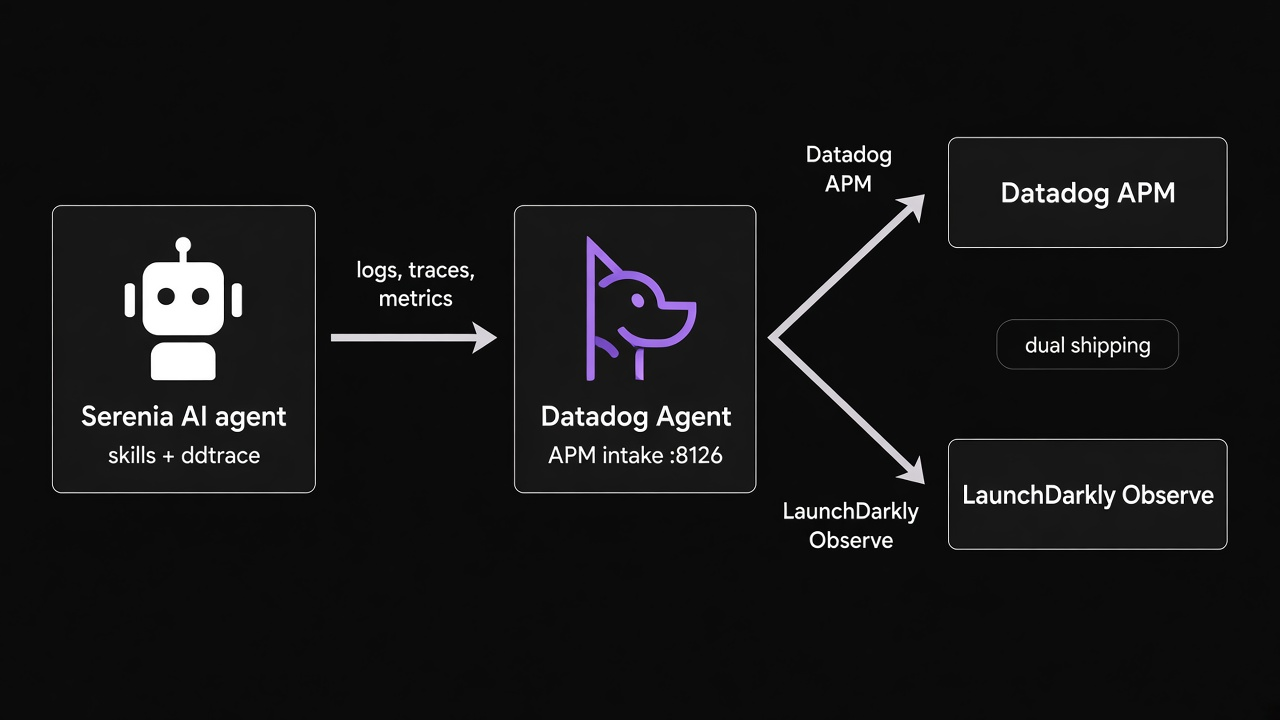
If you’re already using Datadog to monitor your application, you can forward your existing application performance monitoring (APM) trace data to LaunchDarkly using the Datadog Agent. No additional instrumentation required. This unlocks feature flags, Guarded Rollouts, and automatic rollbacks that use Observability data from your existing Datadog configuration.
This tutorial walks through that setup with Serenia, an AI assistant for an event space sales team. The higher-risk qualify_lead skill is gated by a feature flag. By the end, Datadog APM traces flow into both Datadog and LaunchDarkly.
All code for this tutorial is in the tutorial-datadog-part-one branch of the Serenia repo.
Prerequisites
To complete this tutorial, you need:
- A LaunchDarkly account with Writer permissions
- A Datadog account with the Datadog Agent installed
- An Anthropic API key
- Cursor, with the LaunchDarkly Model Context Protocol (MCP) server configured
- Python 3 and Node.js, to run the sample app
- An optional Airtable account, if you want skills to write lead records
Serenia: Sales team AI assistant
When a customer sends a message about reserving an event space, the agent classifies their intent and routes it to a skill. Skills can write lead information to Airtable for sales follow-up.
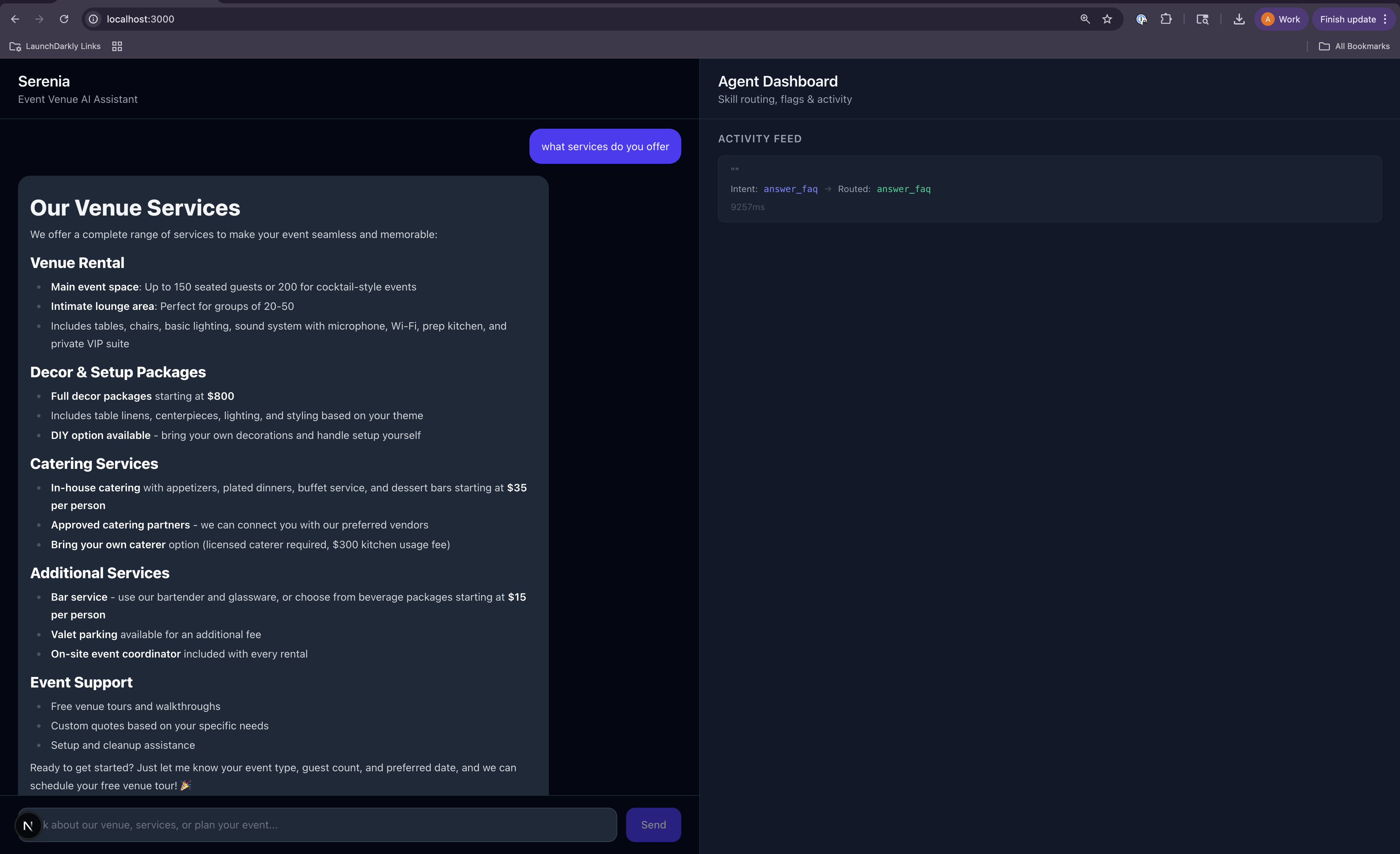
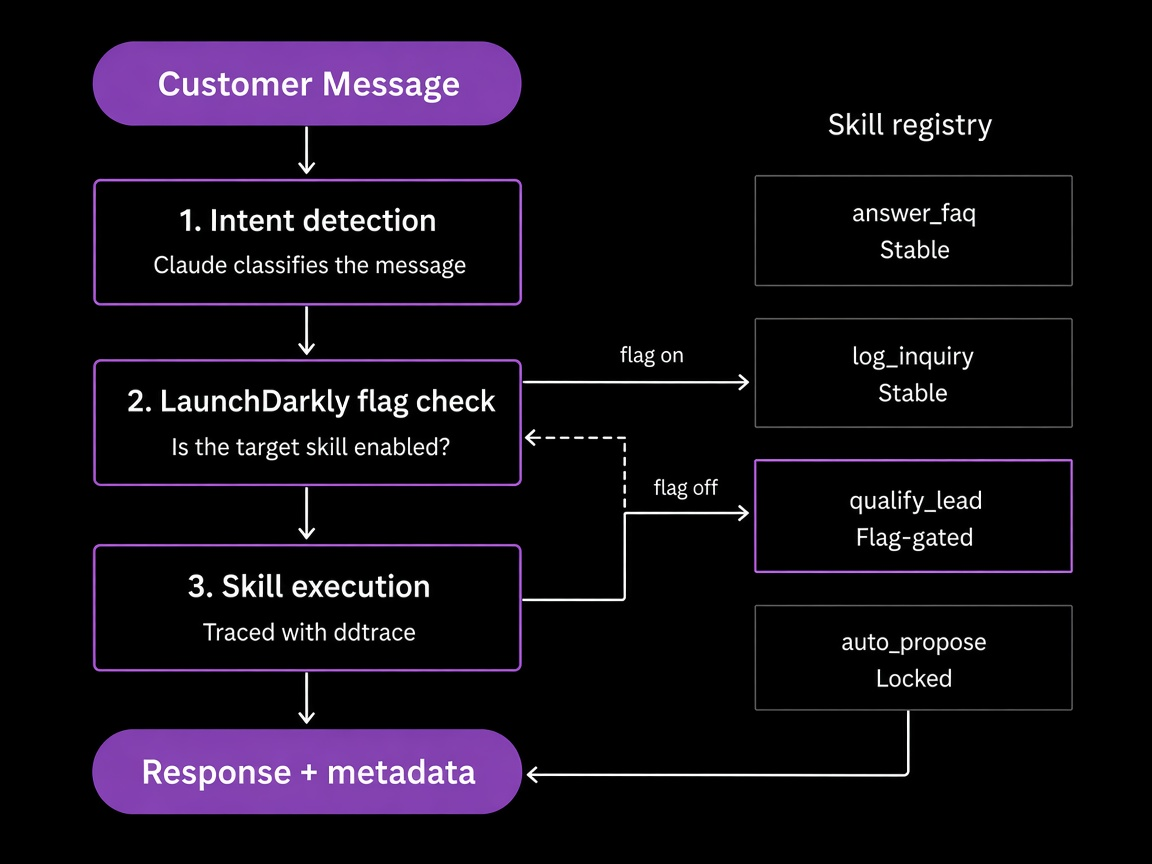
The agent uses these skills:
qualify_lead is heavier and higher-risk than log_inquiry. The qualify-lead-skill flag gates it. If the flag is off, the agent falls back to log_inquiry.
Clone the repo
To clone the demo and install dependencies:
Set up credentials
Copy the example environment file and fill in your keys:
You need credentials from these services:
For ddtrace, set DD_TAGS to your LaunchDarkly client-side ID. LaunchDarkly uses that tag to route traces to the correct project. Do not use OTEL_RESOURCE_ATTRIBUTES for this.
Your .env should look like this:
Configure Airtable
Airtable is optional. If credentials are not set, skills still run and return responses. They skip the customer relationship management (CRM) write.
The log_inquiry and qualify_lead skills write to a Leads table. Create these fields:
The base ID is in your Airtable URL: airtable.com/<BASE_ID>/tbl. Generate a personal access token with data.records:write on your base.
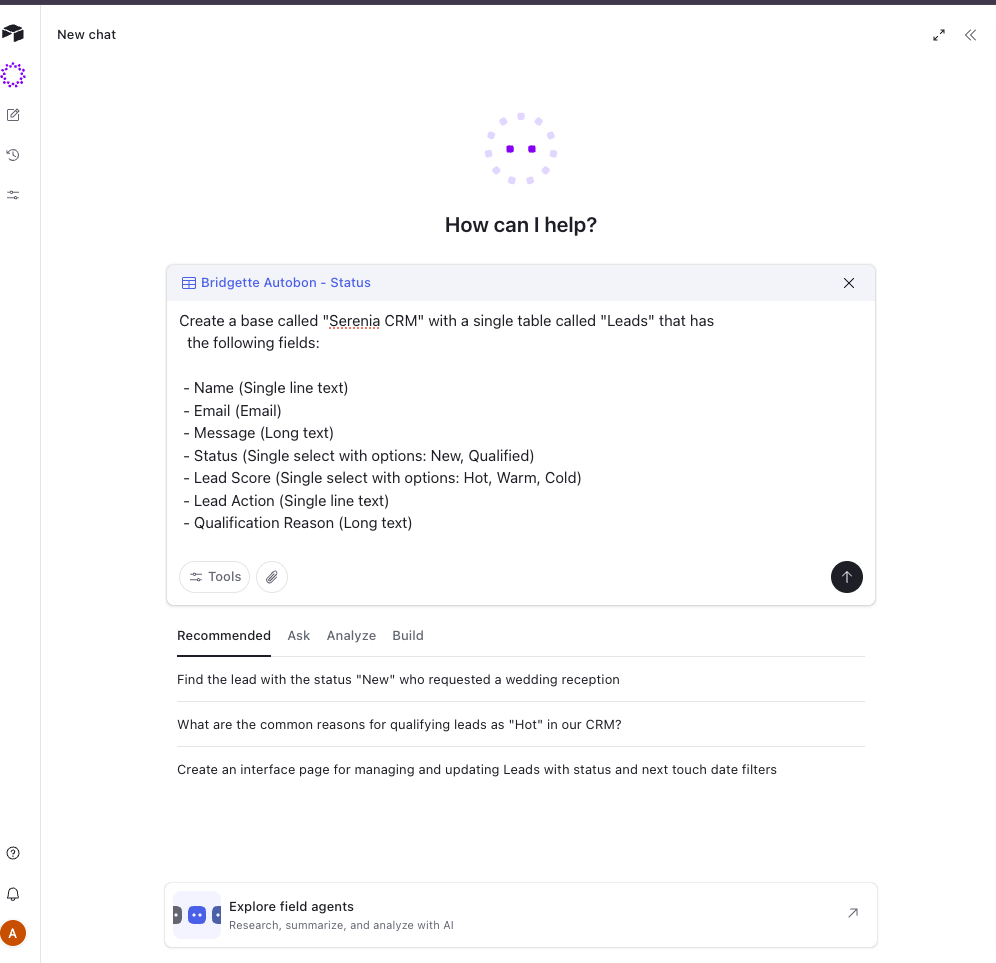
To create the base with the Airtable AI assistant, use this prompt:
Airtable AI assistant prompt
Run the app and verify Datadog traces
The sample app is already instrumented with ddtrace. Start it, send a request, and confirm traces appear in Datadog APM before you forward anything to LaunchDarkly.
Start the API:
In a second terminal, start the UI:
Generate traces by chatting with the agent at http://localhost:3000, or with curl:
Open Datadog > APM > Traces and filter by service:serenia-agent. You should see traces for each request, with Anthropic calls nested inside skill spans such as qualify_lead or agent.handle_message.
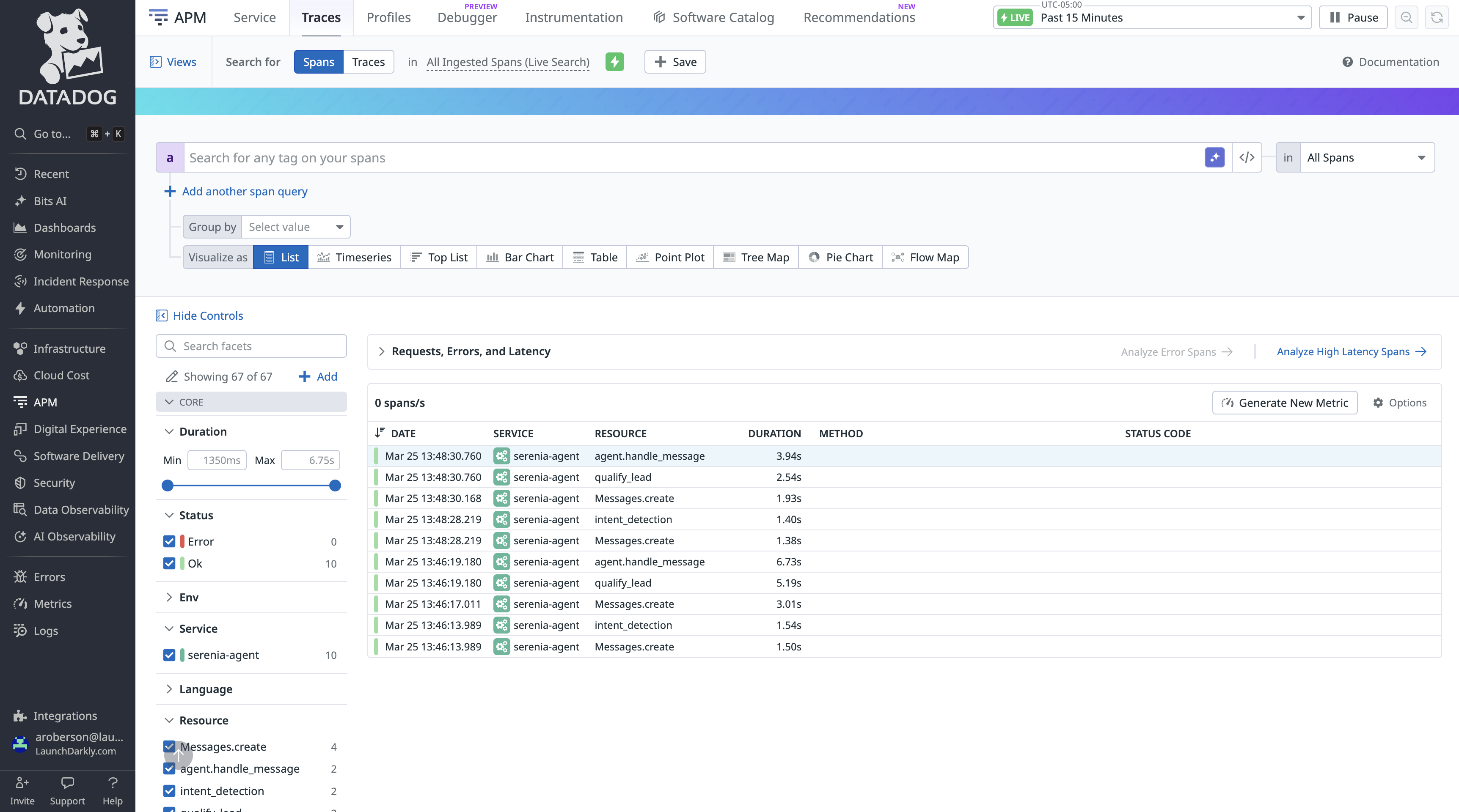
Those spans come from instrumentation already in the repo:
- Auto-instrumentation:
init_tracing()callspatch(anthropic=True)once at startup. Every Anthropic SDK call is traced without wrappers in skill code. Readserenia/observability/tracing.py. - Skill spans:
trace_skill()creates a parent span that shows which skill ran, plus tags such as lead score and Airtable record ID. Read howqualify_lead.pyuses it.
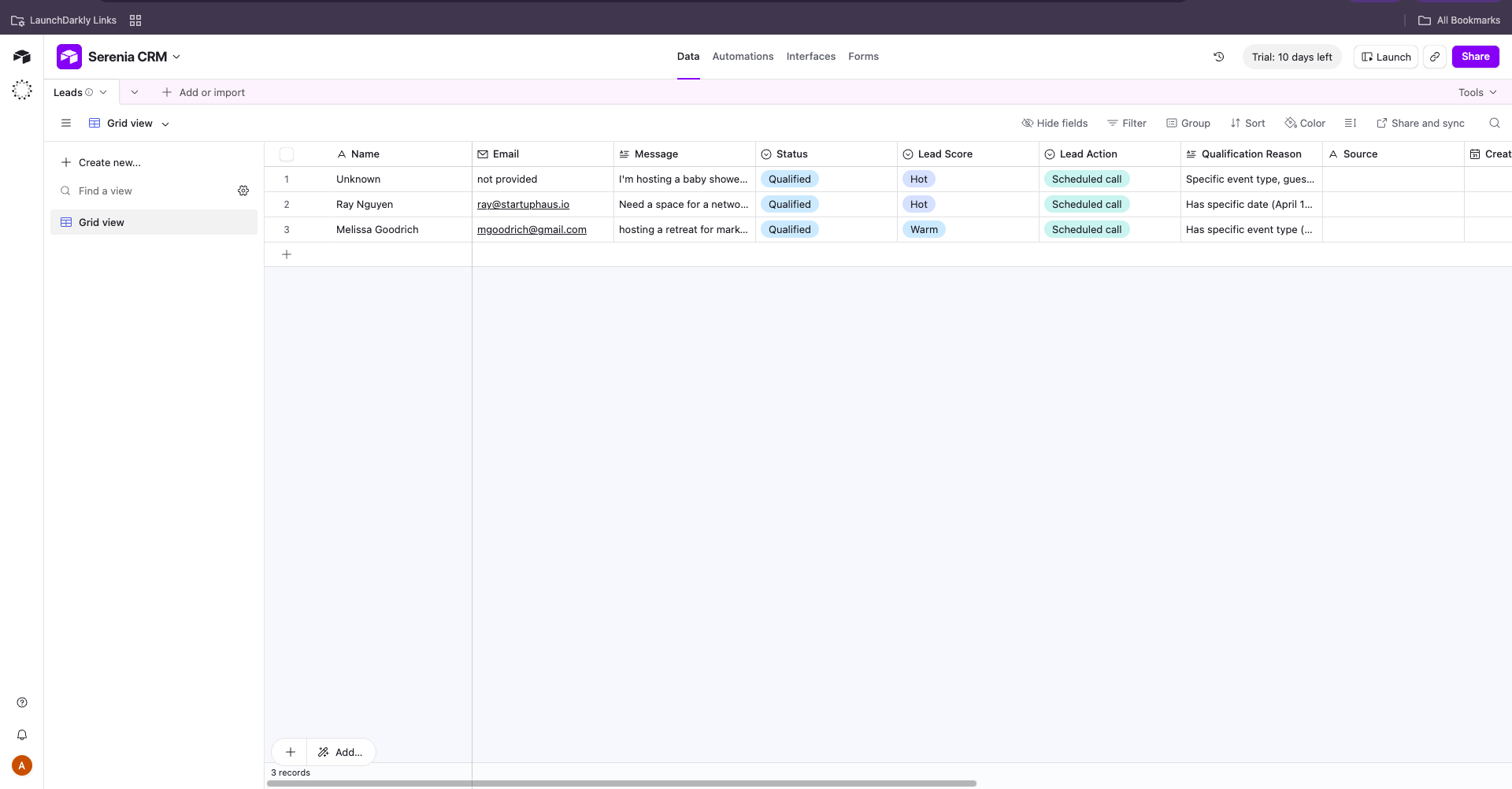
If Airtable credentials are set, new rows appear in Leads:
Create the qualify-lead feature flag
The app already checks a LaunchDarkly flag before qualify_lead runs. Create the flag. Evaluations then appear on Datadog spans when the skill runs.
In Cursor, use the LaunchDarkly MCP server with this prompt:
Confirm LD_SDK_KEY in .env is the server-side SDK key for the serenia-agent-skills project, not a REST API access token.
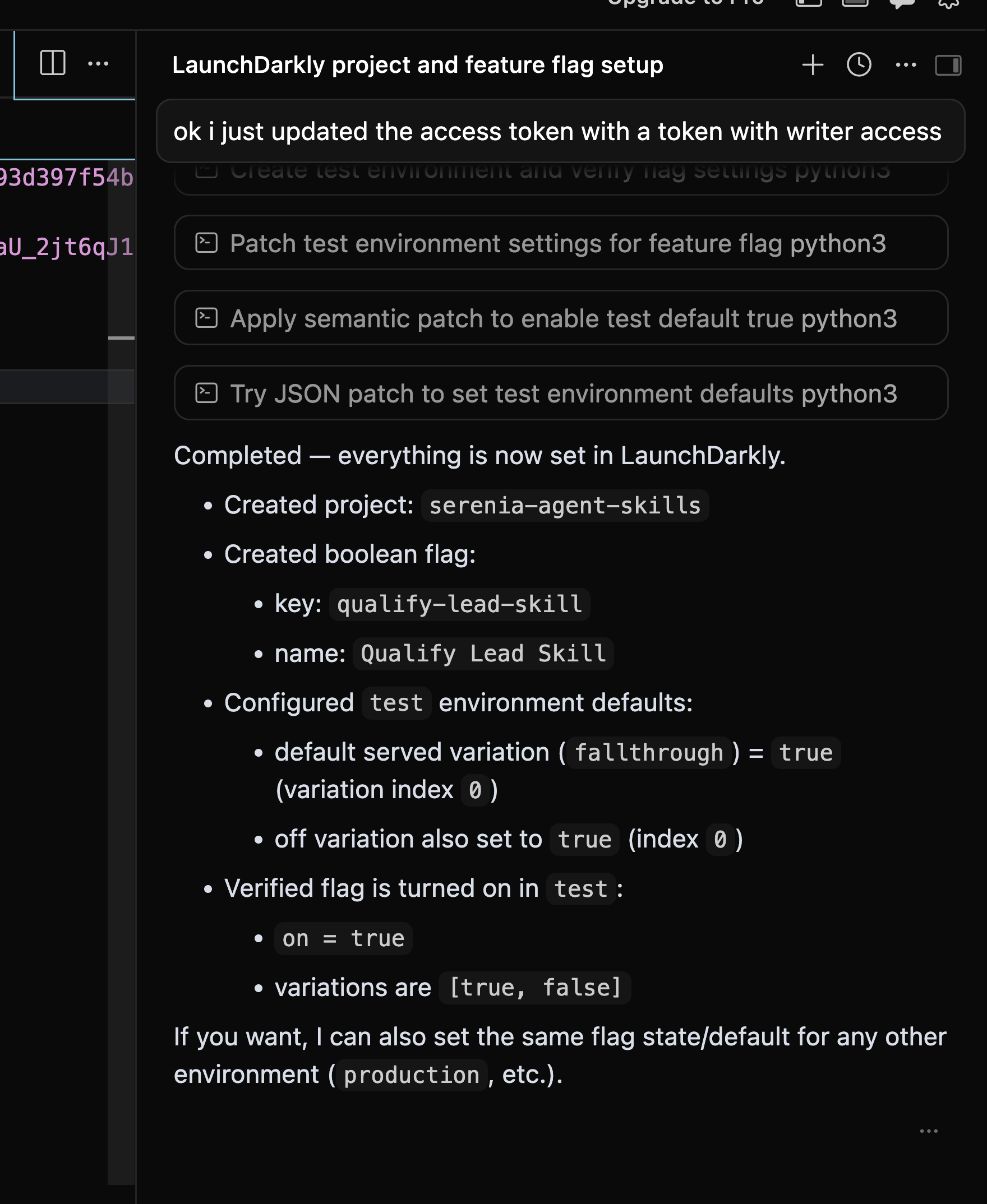
Open Flags in the serenia-agent-skills project and verify the flag. This app evaluates the flag with the server-side Python SDK. You do not need to enable client-side SDK availability.
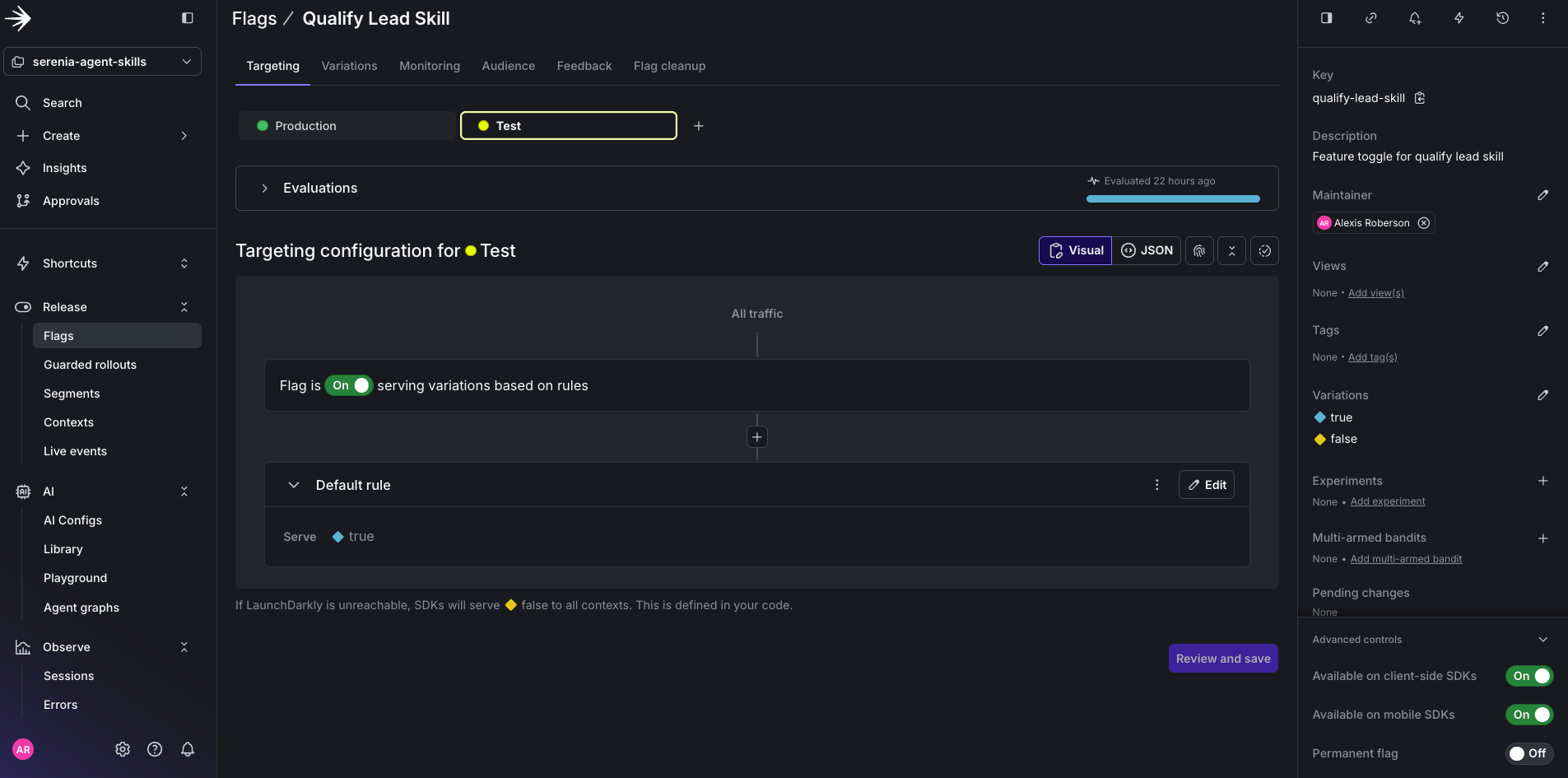
When the flag is on, qualify_lead runs. When it is off, the agent falls back to log_inquiry.
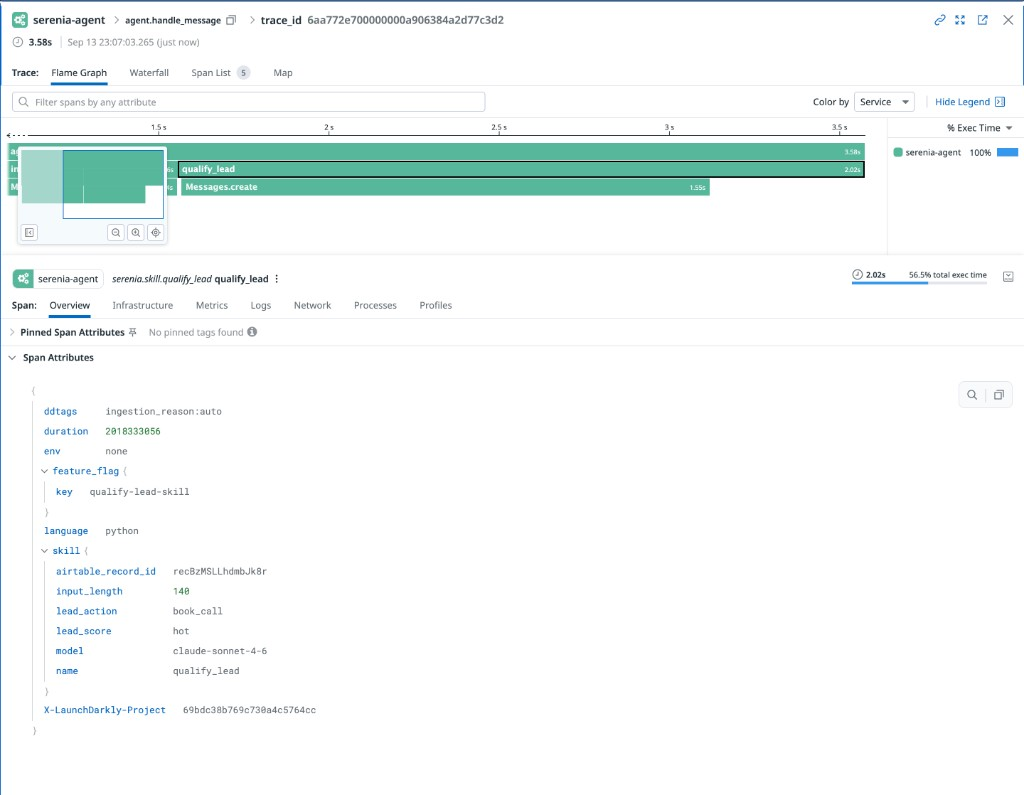
A custom SDK hook in serenia/observability/ld_hook.py records each evaluation on the active Datadog span. After the flag is on, send another qualify-lead message. Open the trace in Datadog APM. The skill span includes tags like these:
Forward traces to LaunchDarkly
Configure the Datadog Agent to dual-ship the same APM traces to LaunchDarkly. You do not change application code. Keep Datadog as the Agent’s primary APM intake and add LaunchDarkly as an additional endpoint, as described in Datadog Agent ingestion and Datadog dual shipping.
If the Agent is not installed yet, follow Datadog’s install guide, then confirm it is running:
Edit datadog.yaml (typically /opt/datadog-agent/etc/datadog.yaml on macOS or /etc/datadog-agent/datadog.yaml on Linux). Your api_key and site should already point at Datadog. Add this apm_config block:
The Datadog Agent requires a non-empty key for each additional endpoint. LaunchDarkly does not validate that value. Use any placeholder string.
LaunchDarkly only: If you do not need traces in Datadog APM, set apm_dd_url: https://datadog.observability.app.launchdarkly.com:8126 instead of additional_endpoints.
Restart the Agent:
Confirm .env still has DD_AGENT_HOST=localhost and DD_TAGS=launchdarkly.project_id: plus your client-side ID. Restart the Serenia API. After ddtrace reconnects, send a few messages.
In LaunchDarkly, go to Observe > Traces and click Run query. You should see traces from Datadog.
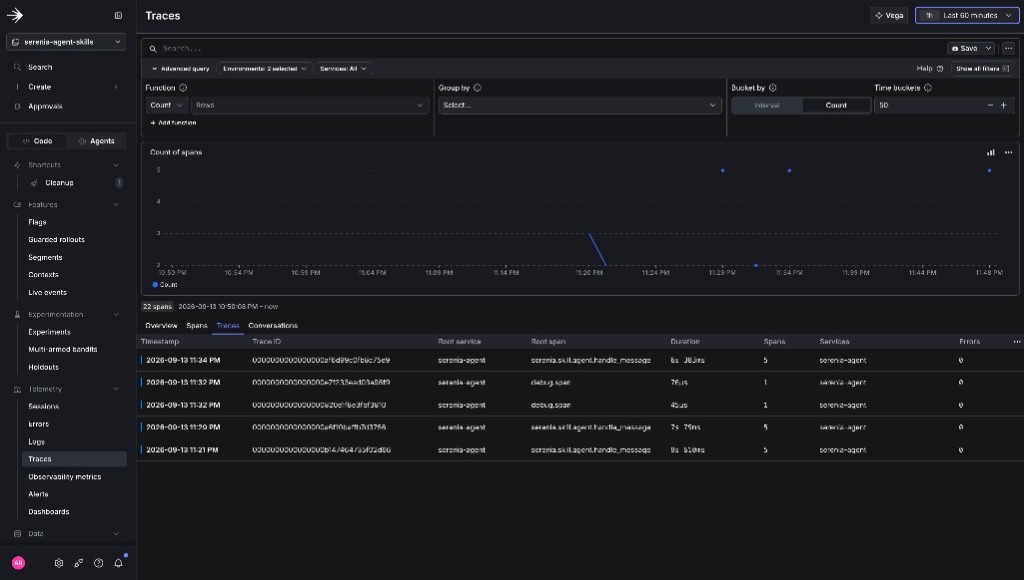
Expand the qualify-lead span. It includes the feature flag and, if CRM credentials are set, the Airtable record.