

Unfurl flag and segment links
When a flag or segment link is pasted in a public channel, the LaunchDarkly app unfurls the link to display a preview of the resource: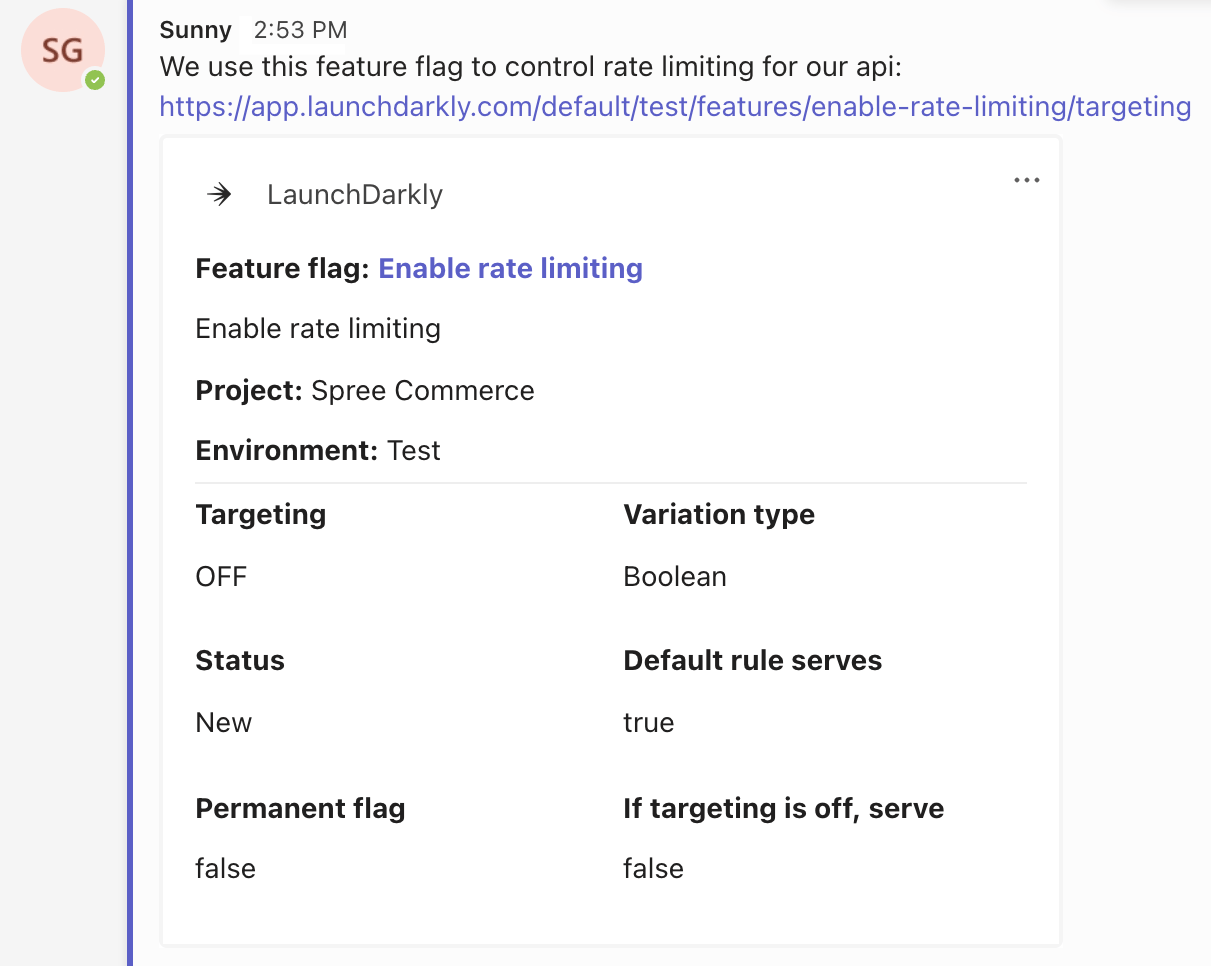
Unfurling a flag link in Microsoft Teams.
Manually link chat messages to a flag
Feature flags can be manually linked to a chat message in a public channel. To manually link a chat message to a flag:- In Microsoft Teams, navigate to a public channel.
- Click the three-dot expand icon next to a message and choose More actions.
-
Click Create flag link.
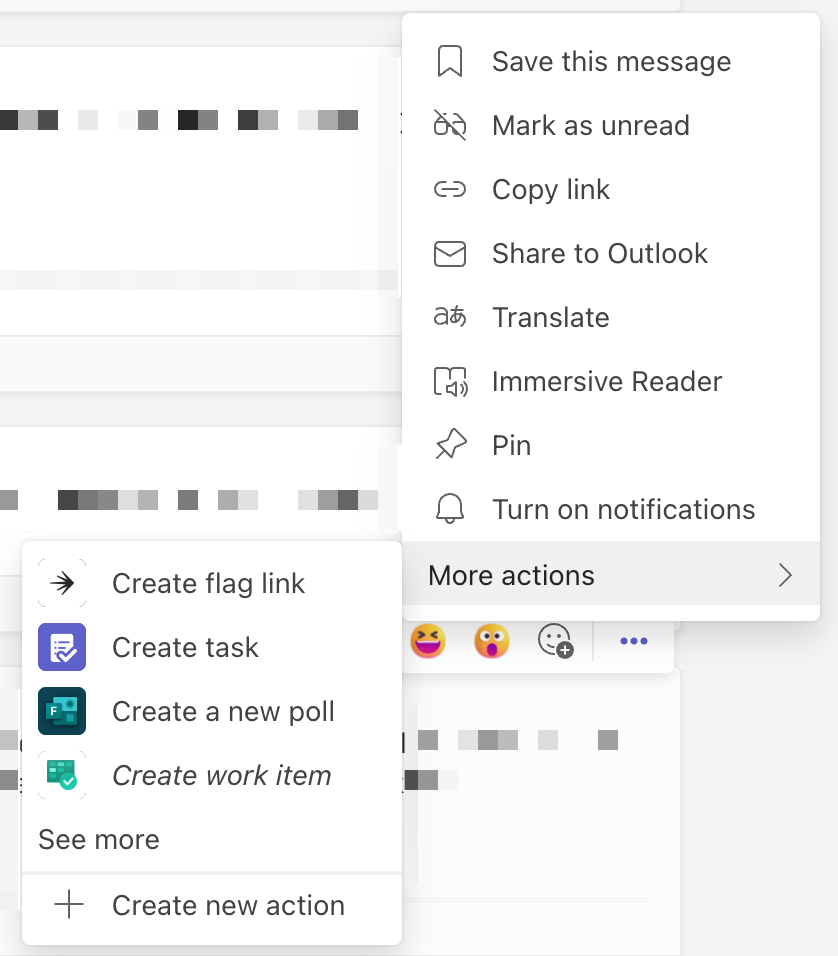
The flag link creation menu in Microsoft Teams.
- A modal appears. Select a project by typing the project name into the “Project” field. Click Select project.
- Select a flag by typing the flag name into the “Feature Flag” field.
-
Click Create.
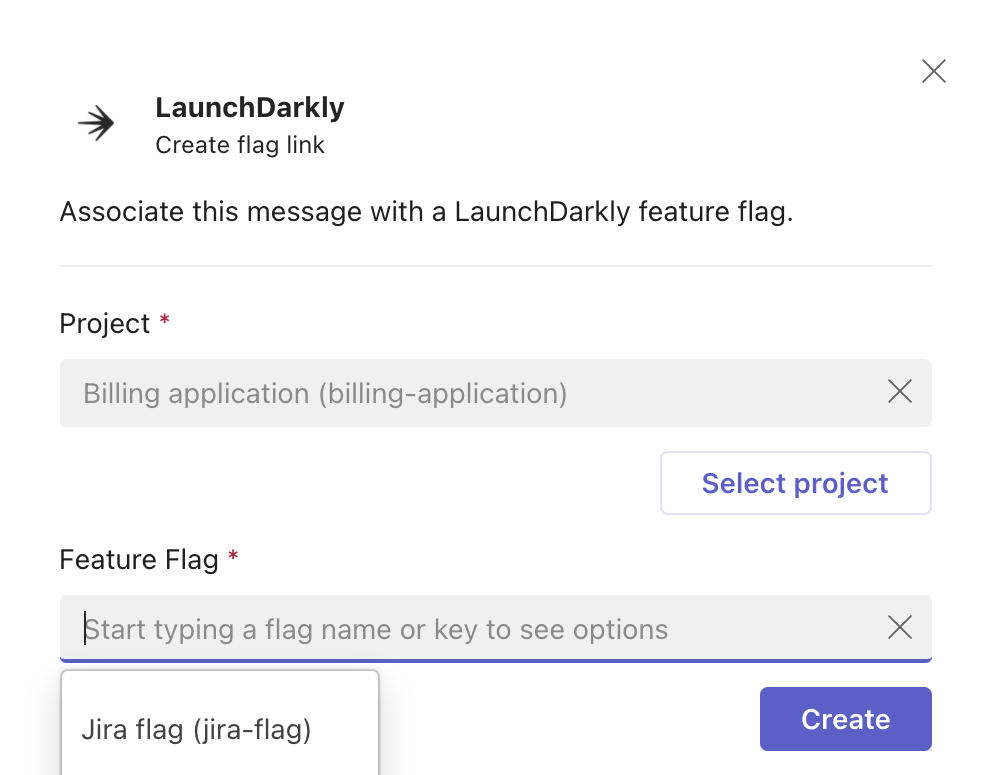
The modal to link a chat message to a flag.