


You can also use the REST API: List configs
View configs
Use the search bar to find a config by name, key, or description. By default, the most recently created configs appear first.Filter configs
You can filter the list of AgentControl configs to view only those that share a particular, project-wide attribute. To filter your configs, use the Filters menu at the top of the AgentControl list: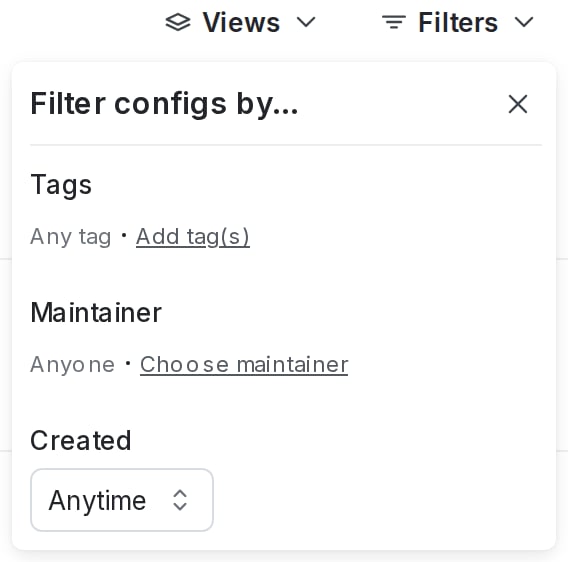
The filter menu for project-wide config attributes.
- Tags
- Maintainer
- Creation date
- Click Filters.
- Choose an attribute for a filtering option. The AgentControl list automatically updates.
- (Optional) Click Filters again and choose an additional attribute. Repeat as many times as needed.
Remove filters
To clear filters, click Filters, then click Clear.Sort configs
You can sort the list of visible configs by creation date, by name, or by last modified date. To sort the AgentControl list, click Sort and choose a sorting option: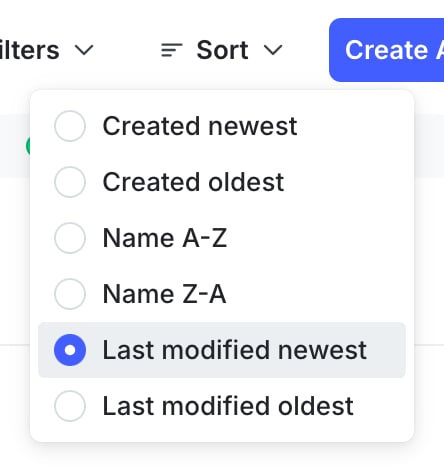
The "Sort" option on the configs list.
Delete configs
You can delete a config when you no longer need it. If you delete a config, all of its variations and targeting rules are permanently removed. Should it be requested again, the fallback value defined in code will be returned for all contexts. Remove any references to the config from your application code before you delete it. To delete a config:- Navigate to the detail page for the config you want to delete.
- In the right sidebar, click the trash can icon to open the “Delete this config?” dialog.
- Click Delete config.
You can also use the REST API: Delete config