Getting started with Strands and AI Configs
Overview
This guide explains how to integrate Strands Agents with LaunchDarkly AI Configs. Using AI Configs with Strands lets you manage agent instructions, model configuration, and parameters outside of your application code.
This guide uses AI Configs’ agent mode. Agent mode uses a single instructions string, which maps directly to Strands’ system_prompt. To learn more, read Agents in AI Configs.
New to AI Configs?
If you’re a new user of AI Configs, start with the Quickstart and return to this guide when you are ready for a Strands-specific example.
To learn more about AI Configs-specific SDKs, read AI SDKs. For Python-specific details, read the Python AI SDK reference.
The Strands TypeScript SDK is in beta
The Strands TypeScript SDK is a pre-1.0 release candidate and only ships BedrockModel and OpenAIModel. It cannot run Anthropic-backed variations. If you want a single codebase that serves both OpenAI and Anthropic variations, use the Python SDK.
The Node.js example in this guide uses an OpenAI-backed default variation so it works without targeting rules.
Prerequisites
To complete this guide, you must have the following prerequisites:
- A LaunchDarkly account, including:
- An active LaunchDarkly SDK key for your environment.
- A member role that allows AI Config actions. The LaunchDarkly project admin, maintainer, and developer project roles, as well as the admin and owner base roles, include this ability. To learn more about LaunchDarkly roles, read Roles.
- A Python 3.10+ or Node.js 20+ development environment.
- Strands Agents installed in your application.
- An API key for your chosen model provider.
Concepts
Before you begin, review these key concepts.
Strands agents
Strands provides a minimal, provider-agnostic framework for building tool-using agents. The Agent class accepts a model, a system_prompt, a list of tools, and an optional conversation_manager. It exposes invoke_async to run a single turn. The SlidingWindowConversationManager keeps the last N messages in memory so followup turns automatically reference earlier context without passing a thread or session ID.
Agent mode AI Configs
Agent mode AI Configs use an instructions field instead of a messages array. This single instruction string serves as the system prompt for your agent. Agent mode is ideal for:
- Multi-step agent workflows
- Tool-using agents
- Persistent agent sessions
The agent_config function
The agent_config function retrieves the AI Config variation for a given context. It returns an AIAgentConfig object that includes the customized instructions, model configuration, and a tracker property for recording metrics. Call this function each time you create an agent so LaunchDarkly can evaluate targeting and return the current configuration.
Provider dispatch
Unlike LangChain, Strands does not currently have a first-party LaunchDarkly provider package. Each Strands model class is provider-specific and uses provider-specific names: AnthropicModel for Anthropic, OpenAIModel for OpenAI, and so on. To serve different providers from a single AI Config, dispatch on agent_config.provider.name and construct the matching Strands model class. This guide includes a create_strands_model helper that does this for you.
Step 1: Install dependencies
Install the LaunchDarkly SDKs and Strands packages.
Step 2: Create an AI Config in LaunchDarkly
Create an AI Config in agent mode to store your agent configuration. This guide creates two variations, one backed by OpenAI and one backed by Anthropic, to show you how Strands dispatches to different providers from the same AI Config key.
To create an AI Config:
- In the left navigation, click Create and select AI Config.
- In the “Create AI Config” dialog, select Agent.
- Enter a name for your AI Config and set the key to
strands-agent. - Click Create. The new AI Config appears.
Then, create the first variation:
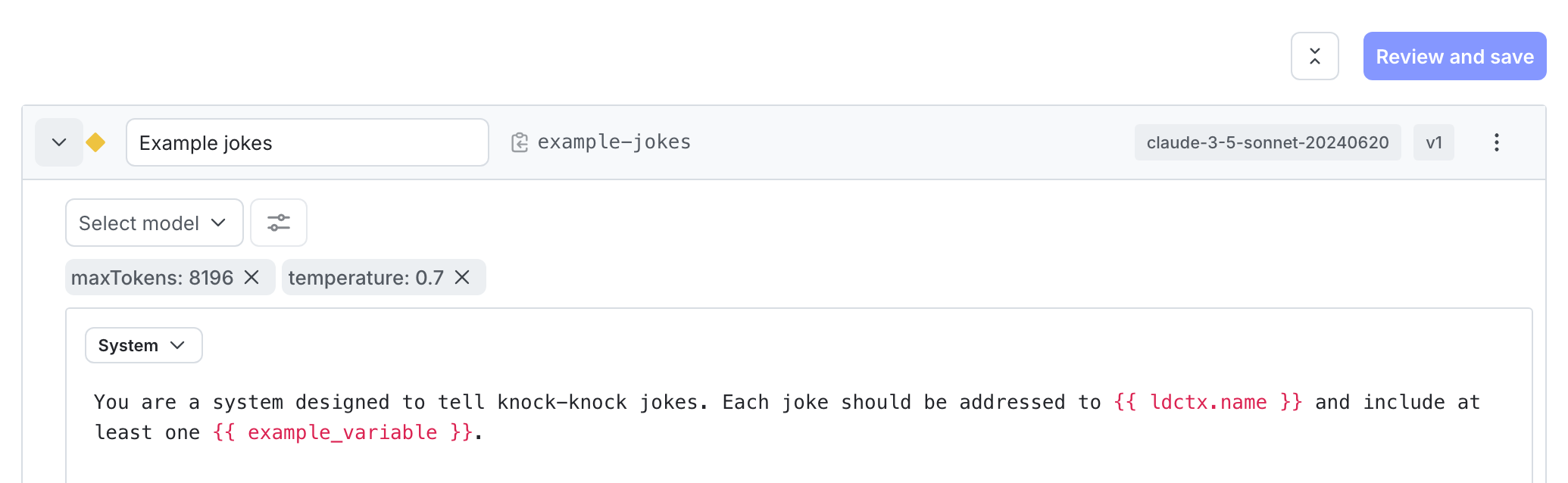
- On the AI Config’s Variations tab, replace “Untitled variation” with a variation name, such as “GPT-5 agent”.
- Click Select a model and choose the
gpt-5OpenAI model. - Click Parameters and set
max_completion_tokensto2000. - In the Instructions field, enter your agent’s system prompt:
- Click Review and save.
Add a second variation:
- Click Add variation and name the new variation “Claude Sonnet agent”.
- Click Select a model and choose the
claude-sonnet-4Anthropic model. - Click Parameters and set
max_tokensto2000. - Use the same instructions as the first variation.
- Click Review and save.
Step 3: Set up targeting rules
Configure targeting rules to control which users receive which variation. Serve the “GPT-5 agent” variation as the default so the Node.js example runs without changes, and target specific users or segments to the “Claude Sonnet agent” variation.
To create the default rule:
- Select the Targeting tab for your AI Config.
- In the “Default rule” section, click Edit.
- Configure the default rule to serve the “GPT-5 agent” variation.
- Click Review and save.
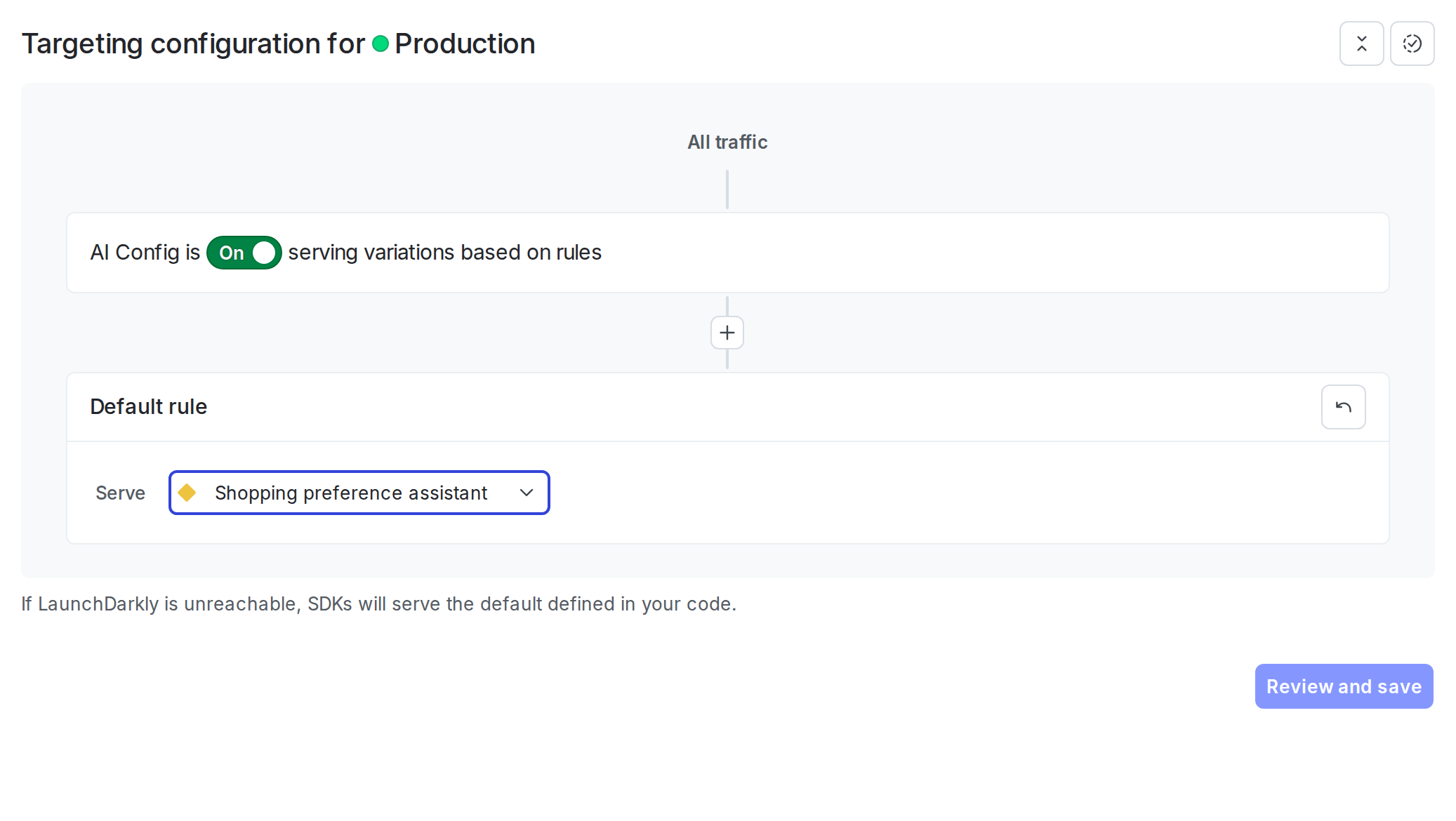
The AI Config is enabled by default. After you add the integration code to your application, LaunchDarkly serves the variation you configured to your users.
Step 4: Integrate Strands with AI Configs
With the AI Config and targeting in place, integrate Strands with the LaunchDarkly AI SDK so your application fetches the current model, instructions, and parameters on every request instead of reading hardcoded values. Because Strands does not currently have a first-party LaunchDarkly provider package, the integration involves mapping the AI Config payload to the matching Strands model class yourself.
Complete these steps in order, since each depends on the previous one.
The integration involves these key steps:
- Define the tools your agent can call using the Strands
@tooldecorator (Python) ortool()helper (Node.js). - Build a provider dispatcher that maps
agent_config.provider.nameto the matching Strands model class. - Initialize the LaunchDarkly base SDK client with your SDK key.
- Initialize the LaunchDarkly AI client from the base client.
- Get the agent config using
agent_config()(Python) oraiClient.agentConfig()(Node.js). - Build a Strands
Agentwith aSlidingWindowConversationManagerfor short-term memory. - Invoke the agent and track metrics with the AI Config’s tracker.
The following example defines a get_order_status tool that looks up a customer order by its ID. The tool handler returns the order status text your agent will summarize in its reply. In Python, the @tool decorator reads the function’s type hints and docstring to generate the JSON schema Strands passes to the model. In Node.js, the tool() helper takes the name, description, and an explicit Zod input schema.
Build a provider dispatcher. Strands model classes are provider-specific, so read agent_config.provider.name and construct the matching class. LaunchDarkly surfaces attached tools via a flat parameters.tools shape in the variation payload. Drop that key before passing parameters through, because Strands receives tools from the Agent constructor.
Initialize the LaunchDarkly SDK and AI client, fetch the agent config, build the Strands model with create_strands_model (Python) or createStrandsModel (Node.js), and create the agent.
Invoke the agent and track metrics. Strands returns an AgentResult whose metrics.accumulated_usage (Python) or metrics.accumulatedUsage (Node.js) aggregates token counts across every provider call in the turn, including any round trips to call tools. The Python example wraps agent.invoke_async with tracker.track_duration_of and records tokens and success manually. The Node.js example uses tracker.trackMetricsOf with a converter that returns the usage shape the tracker expects.
The fallback argument to agent_config / agentConfig is optional. When omitted, LaunchDarkly returns a disabled config if the flag is off or the SDK is unreachable. Pass an explicit fallback to keep the agent running during outages.
Complete example
Here is a complete working example that combines all the steps.
Show full example code
Step 5: Monitor results
View metrics for your AI Config in the LaunchDarkly UI.
To monitor results, navigate to your AI Config and click the Monitoring tab.
LaunchDarkly displays metrics including:
- Generation count
- Token usage (input, output, total)
- Time to generate
- Error rate
Use these metrics to compare agent performance across the OpenAI and Anthropic variations, identify cost differences, and make data-driven decisions about which configuration to use for different user segments. To learn more, read Monitor AI Configs.
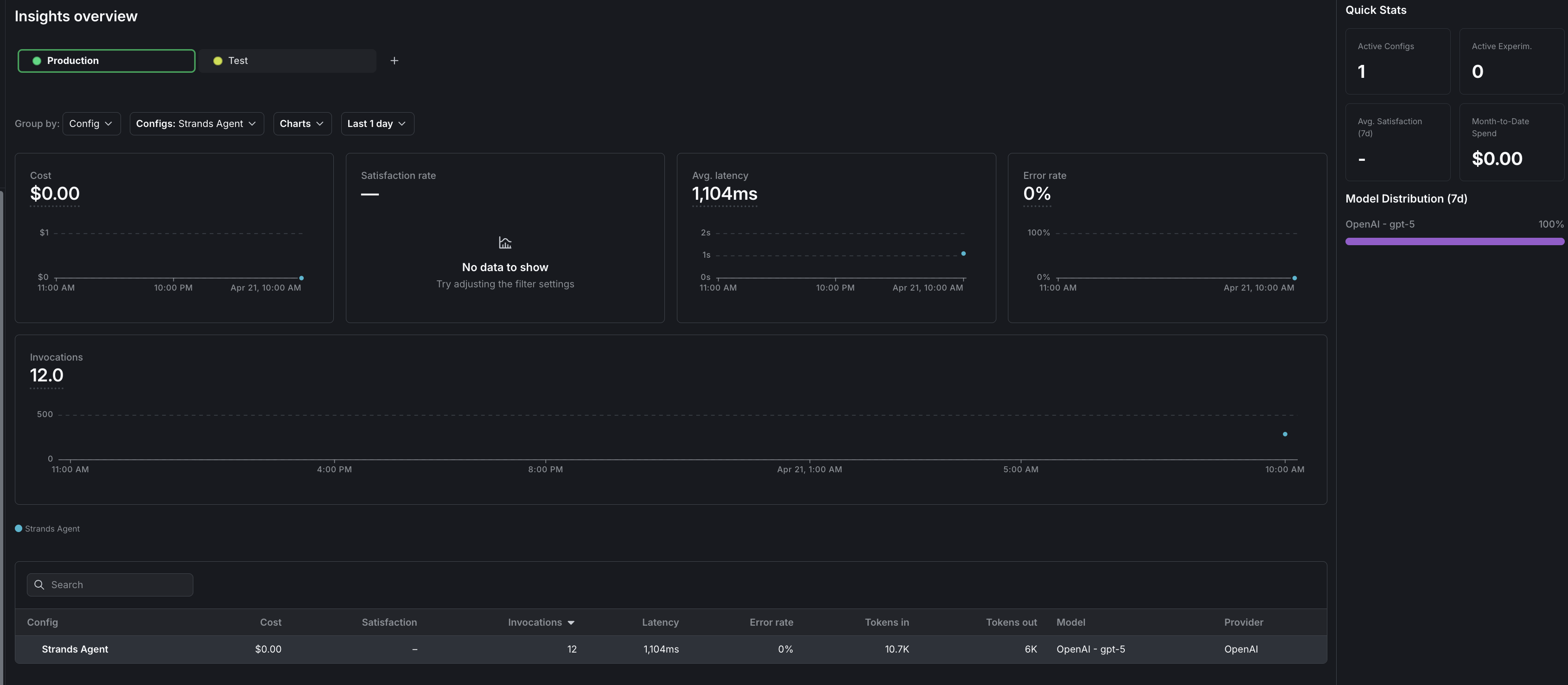
To view aggregated metrics across all your AI Configs, navigate to Insights in the left navigation under the AI section. The Insights overview page displays cost, latency, error rate, invocation counts, and model distribution across your organization. To learn more, read about AI insights.
Comparing agent mode and completion mode
Conclusion
In this guide, you learned how to integrate Strands Agents with LaunchDarkly AI Configs to manage agent configuration outside of your application code.
You can now:
- Change agent models and instructions without redeploying your application
- Swap between Anthropic and OpenAI-backed variations from a single AI Config key
- Target different agent configurations to different users based on context attributes
- Track and compare agent performance across variations
- Maintain multi-turn conversation memory with
SlidingWindowConversationManager - Govern tools centrally in LaunchDarkly and attach them to variations
To explore additional capabilities, read:
- Run experiments with AI Configs to compare agent variations using statistical analysis
- Target with AI Configs to serve different agents to different user segments
- Agents in AI Configs for a deeper look at agent mode
For more AI Configs examples, read the other AI Configs guides in this section.
Want to know more? Start a trial.
Your 14-day trial begins as soon as you sign up. Get started in minutes using the in-app Quickstart. You'll discover how easy it is to release, monitor, and optimize your software.Want to try it out? Start a trial.
