


Modern experimentation depends on trustworthy metrics. But as teams mature, the way those metric events are stored in a data warehouse is often use-case dependent. Not all data can be described as a single event schema, and it’s often useful to aggregate raw data into fact tables for analysis.
Today, we’re introducing Metric Data Sources, a new capability in our warehouse-native experimentation product that enables you to bring your own tables and map your schema to required fields for experimentation. This enables you to get started with experimentation without making changes to your existing data strategy.
The problem with one-size-fits-all metric tables
Previously, teams using warehouse-native experimentation had to centralize all metric events into a single table with a fixed schema. While workable, this created a few problems:
- Teams had to reshape or duplicate data simply for experimentation purposes
- Existing warehouse models didn’t map cleanly to a single “all-events” table
- Adding new metrics often meant revisiting schema decisions
Introducing Metric Data Sources
Metric Data Sources provide a more flexible way to connect your warehouse data to LaunchDarkly experimentation without having to use a fixed schema. Now, you can:
- Bring multiple tables directly from your warehouse
- Keep your existing schemas intact
- Map each table to the metric structure needed for experimentation
- Scale experimentation as your data model evolves
How Metric Data Sources work (at a high level)
To get started with metric data sources, first complete your Snowflake Native Experimentation integration. Then, navigate to your organization settings, and click Metric data sources in the sidebar.
When you create a Metric Data Source, you can write a SQL query to specify the exact events you want to include. This gives you the greatest flexibility in defining a table for your metric.
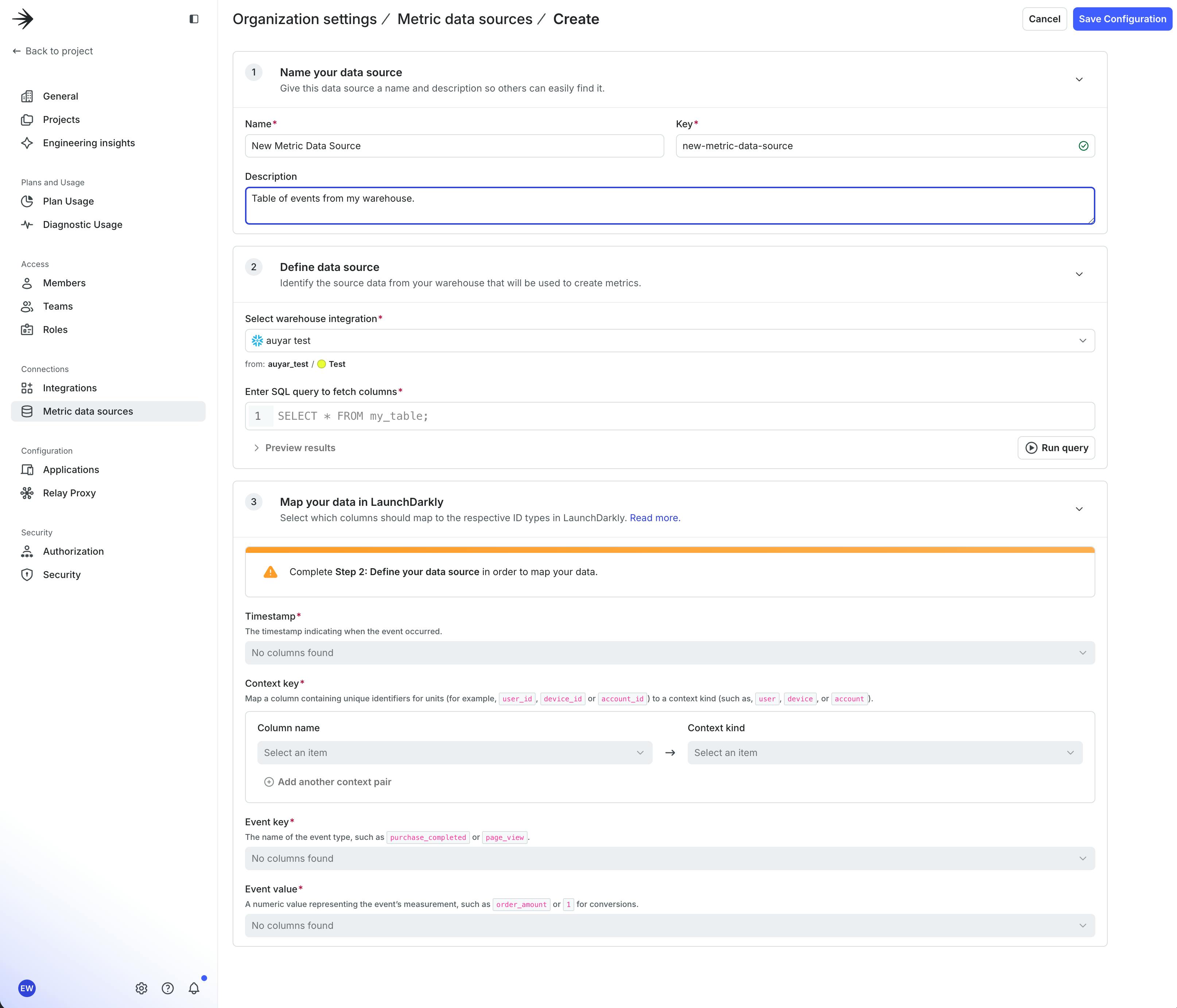
After defining your table query, you can map your data to the required fields for experimentation, such as timestamp and context. Multi-context data, for example events tables with both a user_id and device_id column, are easily supported by adding another context pair.
Once you have created a metric data source, you can create a metric by selecting it in the metric creation flow.
A better foundation for warehouse-native experimentation
Metric Data Sources are designed for teams that treat their warehouse data as the source of truth and want to use that data directly for experimentation. To learn more, see our docs and get started.
Like what you read?
Get a demo

