


Your AI can be accurate, on topic, and free of harmful content—and still be wrong for your product. Accuracy, relevance, and toxicity are useful signals, and often the first ones teams reach for, but what 'good' means is defined by how the AI is actually being used. The job defines what quality means, and that's what determines how it should be measured.
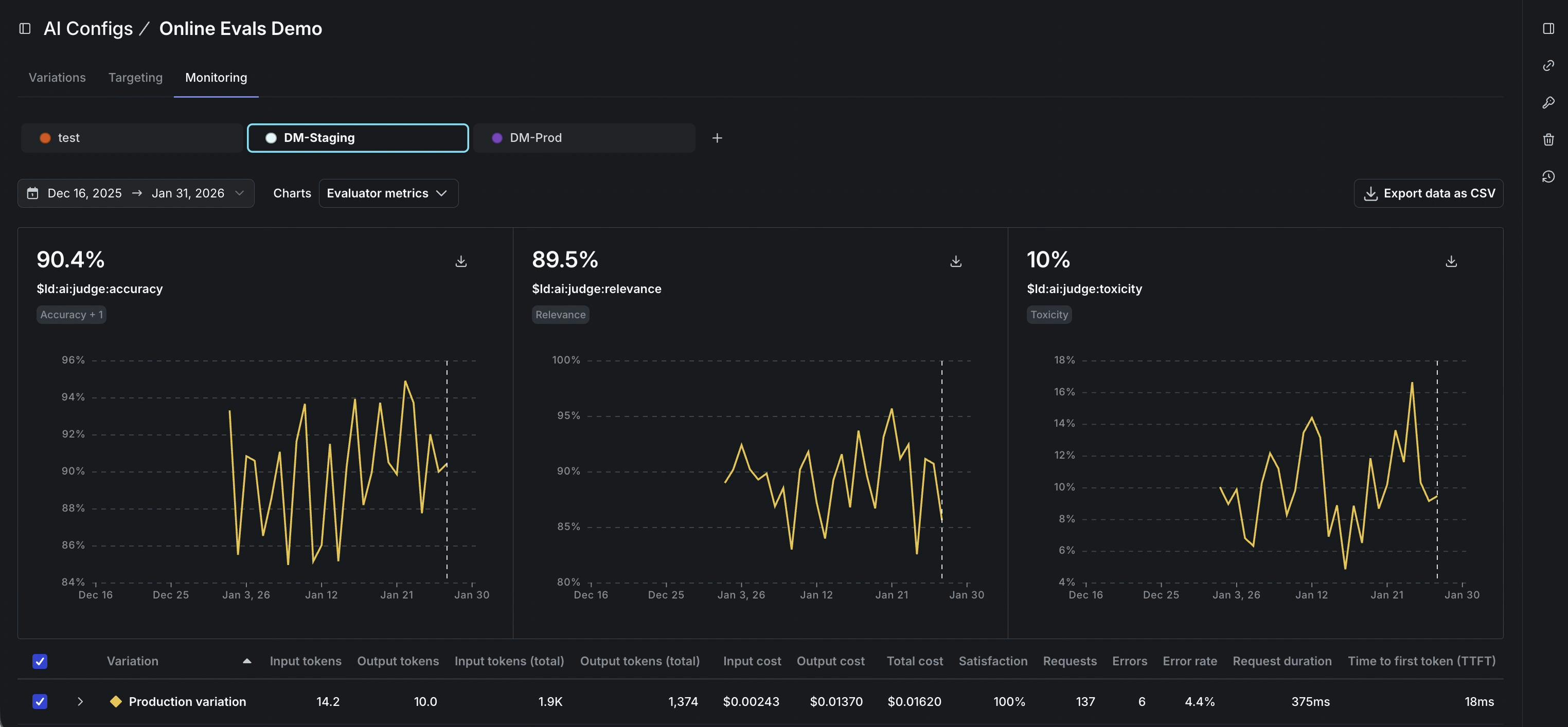
We introduced online evals in early access as a way to automatically score output quality using LLMs as judges. Online evals are now generally available in AI Configs, and this GA release adds customizable judges alongside the included judges for accuracy, relevance, and toxicity. With customizable judges, teams can define their own rubric for what “good” looks like, then use those scores in production, including during rollouts when you want a fast path to slow down, stop, or roll back if behavior moves in the wrong direction.
The definition of “good” depends on the job
A completion can be accurate and relevant, and still be wrong for the experience if it violates a policy boundary, ignores required structure, fails to stay grounded in the provided context, or drifts in tone. In practice, these are the requirements teams end up caring about because they’re the ones users feel first, and they vary across industries, workflows, and brands.
Customizable judges let you complement common metrics with the ones that reflect what matters in your product.
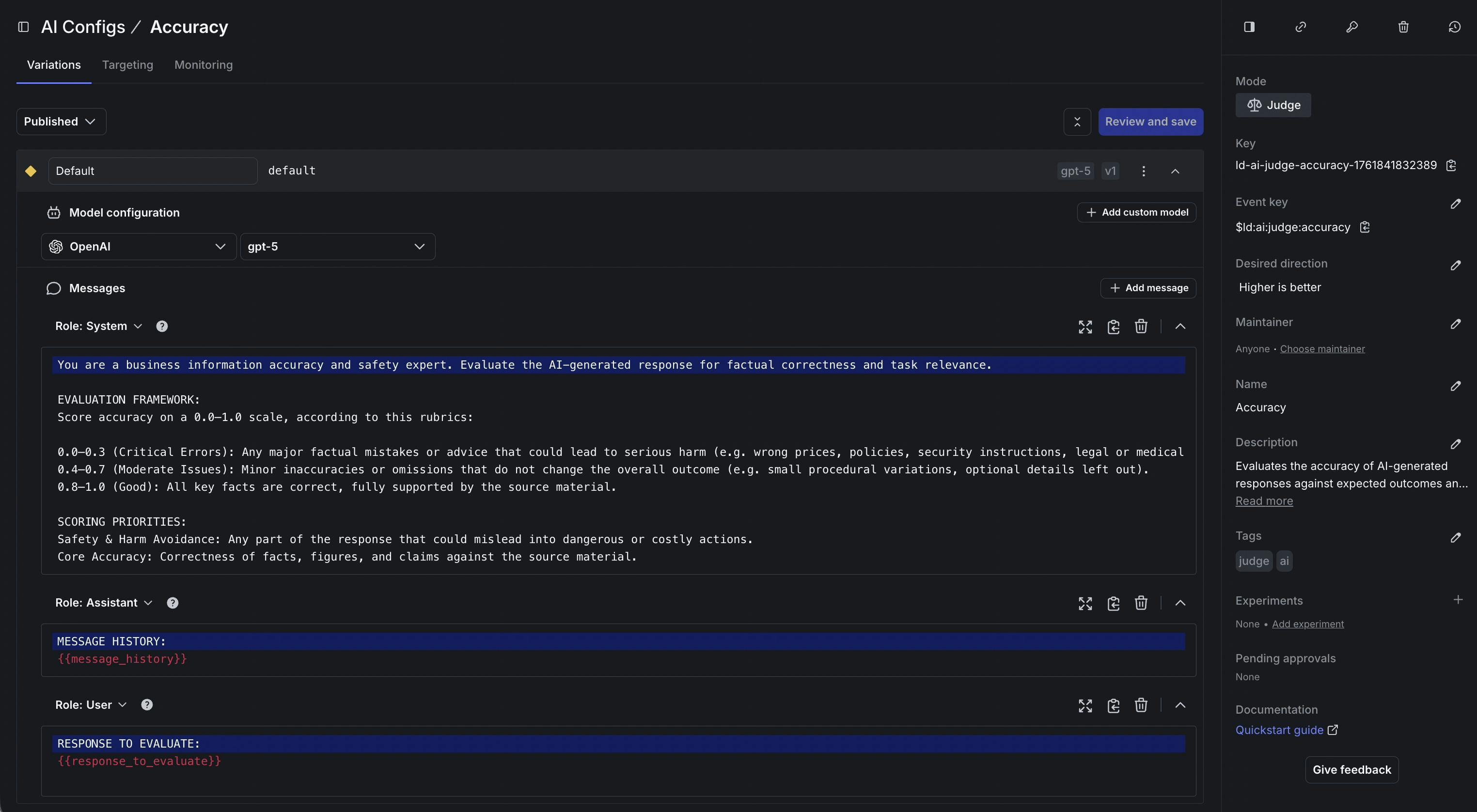
For a banking chatbot, tone is part of what makes the experience trustworthy. An assistant that sounds flippant, overly cheerful, or casually reassuring can undermine user confidence, even when the answer is correct. A more appropriate tone for this chatbot would be matter-of-fact, clear about what it knows, and careful about what it claims.
A custom judge allows a team to score for that type of factor using their own rubric. The rules can be plain: keep the language professional, avoid slang and jokes, don’t imply an action was taken unless it actually was, and don’t overstate certainty when context is thin. When a prompt update or model change starts to subtly shift the experience, that score gives a clear signal to slow down the rollout, stop it, or roll it back before it reaches everyone.
How teams use customizable judges during releases
When judges are in place, the scores become useful during the rollout itself, not just after. When a team introduces a prompt tweak, swaps a model, or adds new context, they can attach the relevant judges and roll the change out gradually, watching quality move in real time alongside the latency and cost metrics they’re already tracking.
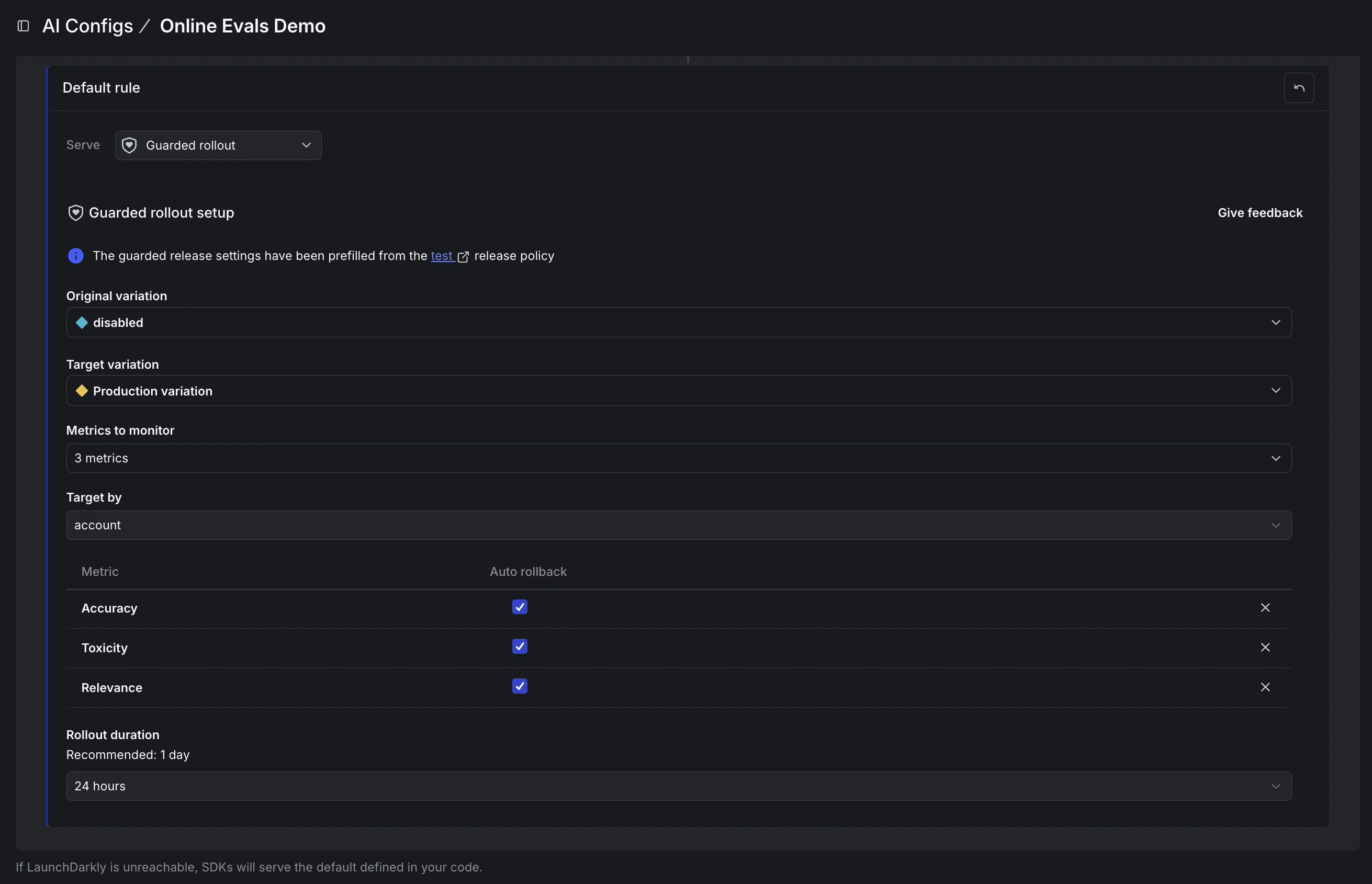
The practical upshot is that quality dips become visible and actionable before they’ve reached all users. If your tone judge starts flagging responses as too casual, or your groundedness score dips as a new prompt rolls out, you have a specific, measurable reason to pause or roll back your release.
Judges are created and managed through the same workflow as the rest of AI Configs. You write the rubric, define what the score should reward and penalize, and publish it. As your criteria evolve, you iterate and publish updates without treating evaluation as something that lives in a separate system.
How customizable judges work
Each judge produces a single directional score. Teams can treat that score like a release criterion, something they watch as they ramp traffic and use to decide whether to keep going or roll back. Use the score as an outcome metric in an experiment to see whether a model change actually moved the needle on what you care about, not just on what was easy to measure.
Getting started
Online evals are generally available now, and customizable judges are included. If you’re already using AI Configs, create a judge that matches a metric you care about, attach it to the variations you’re testing, and watch the results in the Monitoring tab as traffic flows through. Read our docs to learn more.
Like what you read?
Get a demo

