

Enhanced support
Enhanced support allows us to view your account as a read-only member. This makes it easier for us to investigate issues in your LaunchDarkly account and help resolve them. Enhanced support helps us troubleshoot issues such as:- Unexpected behavior on your Feature flags list
- Understanding events on the Live events page
- Missing contexts from your Contexts list
- Missing flag updates
Enable enhanced support
To enable enhanced support:- Click the gear icon in the left sidebar to view Organization settings.
- Click Security and scroll to the “Enable enhanced support” section.
- Check Enable enhanced support.
- Choose the duration for the enhanced support:
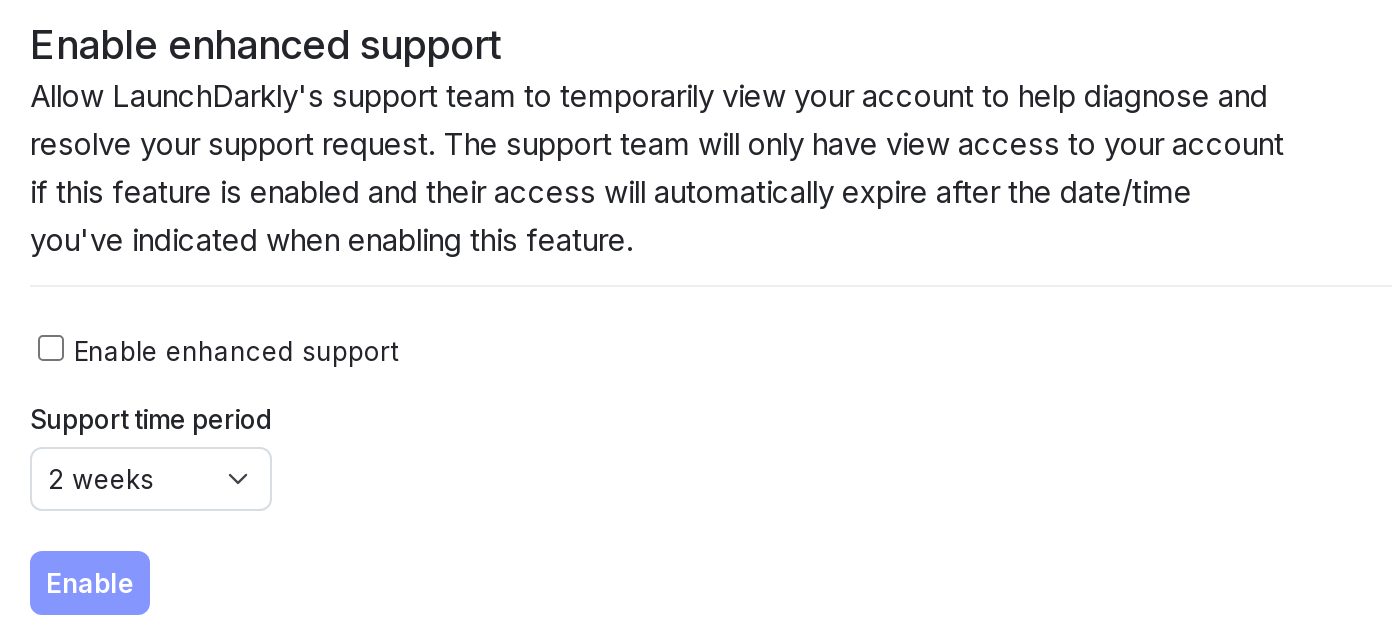
The "Enable enhanced support" section.
- Click Enable.
Disable enhanced support
You can manually disable enhanced support before the expiration date you chose. To manually disable enhanced support:- Click the gear icon in the left sidebar to view Organization settings.
- Click Security and scroll to the “Enable enhanced support” section.
- Click Disable enhanced support.
Generative AI for Support tickets
Generative AI for Support tickets lets LaunchDarkly automatically analyze, tag, and label your Support tickets based on their content. This helps us process Support tickets more efficiently. You can enable and disable generative AI for Support tickets at any time. This option is not available for some LaunchDarkly accounts, depending on your account contract. To enable generative AI for Support tickets:- Click the gear icon in the left sidebar to view Organization settings.
- Click Security and scroll to the “Enable support generative AI use cases” section.
- Check Allow LaunchDarkly Support to use generative AI.
- Click Update.