ExperimentationManaging experiments

Validate experiment exposures

This topic explains how to use the experiment Exposures tab to verify which contexts were assigned to which flag variations within an experiment.

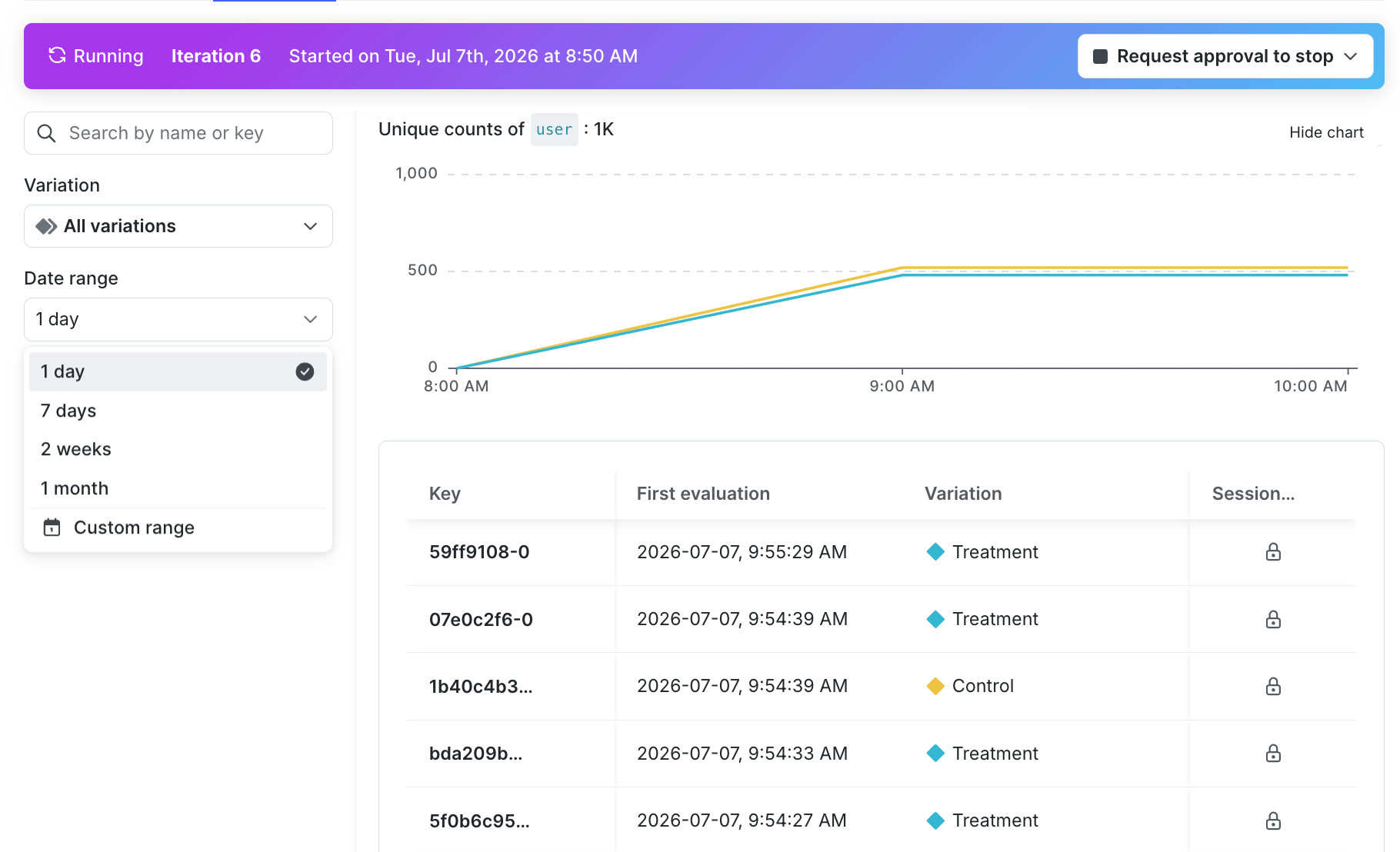
When an experiment runs, LaunchDarkly records an exposure event each time a context is evaluated and assigned to a variation. The Exposures tab displays these raw events so you can validate assignment behavior, debug unexpected results, and confirm that your implementation is working as expected without leaving the experiment.

Exposure data is available for experiments and multi-armed bandits (MABs). Exposure data is limited to the previous 30 days and is only available with LaunchDarkly-hosted metrics.

The "Exposure" tab for an experiment.

The "Exposure" tab for an experiment.

View exposures

To view exposure events for an experiment, navigate to the experiment you want to review and click the Exposures tab.

The Exposures tab displays a table of exposure events. Each row represents a single exposure event and includes:

  • Name: The name of the context.
  • Key: The key of the context that was evaluated.
  • First evaluation: The date and time that the context first encountered the experiment.
  • Variation: The variation the context was assigned to.

Search and filter exposures

You can narrow the list of exposures to find specific events or investigate patterns.

To search for a specific context, enter a context name or key in the search field. LaunchDarkly returns matching exposure events within the available time window.

To filter exposures by variation or time range, you can:

  • Use the Variation filter to show exposures for a specific variation.
  • Use the Date range filter to select a preset window: 1 day, 7 days, 2 weeks, or 1 month. You can also set a custom range, up to 30 days in the past.

Investigate exposure imbalances and SRM warnings

If LaunchDarkly detects a sample ratio mismatch (SRM) in your experiment, you can navigate directly to the Exposures tab from the SRM warning to investigate. Use the variation filter and time range filter to compare exposure volumes across variations and determine whether the imbalance reflects a real instrumentation issue or statistical noise.

To learn more about SRMs, read Sample ratio mismatch.

Data retention

Exposure data in the Exposures tab is limited to the previous 30 days. LaunchDarkly does not retain individual exposure events beyond this window.

If you need longer-term access to exposure data, you can use Data Export to send event data to your data warehouse.