

What experiment health checks evaluate
Experiment health checks evaluate five conditions:- Exposures: Whether the context kind encountering your flag or AgentControl config variations is the same context kind you chose for the randomization unit.
- Sample ratio mismatch (SRM): Whether there is a mismatch between the number of contexts expected and the actual number of contexts included in each variation.
- Metrics: Whether each metric is tracking the context kind you selected as the experiment’s randomization unit, and whether the metric has seen any events in the last 90 days.
- Flag or Config: Whether the flag or config is receiving evaluations, is toggled on, and is not archived or deprecated.
- Targeting rule/audience: Whether the targeting rule’s context kind matches the experiment’s randomization unit.
Health check statuses
When you create an experiment, LaunchDarkly provides a health check status at the top of the Design, Results, and Traffic tabs. The health check statuses include:- Health check waiting: LaunchDarkly does not have enough information yet about your experiment configuration to determine its health status.
- Healthy: Your flag or config is receiving evaluations, your metrics are tracking events, and your flag or config and metrics are encountering the same context kinds.
- Health warnings: There is at least one problem with your experiment configuration.
- Health errors: There is at least one critical error with your experiment configuration, such as a flag or config toggled off, or an SRM.
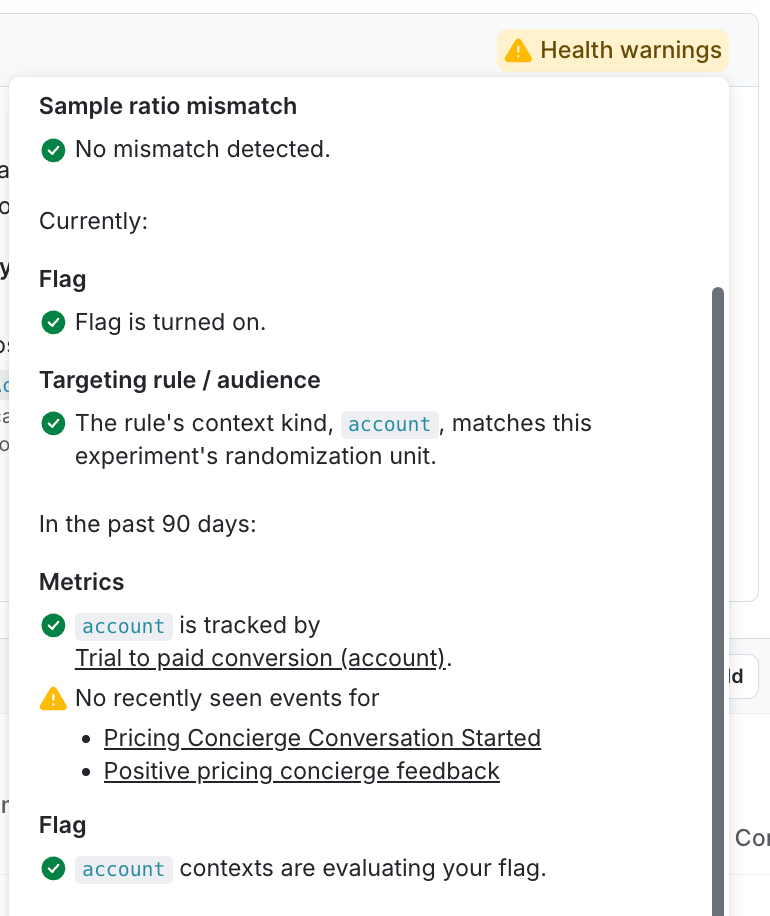
an experiment with a health warning.
Exposures
When you create an experiment, you will select a context kind to use as a randomization unit. The exposures check alerts you if the context kind encountering your flag or config variations is not the same context kind you chose for the randomization unit. If no contexts of the correct context kind have been evaluated by the flag or config, you may need to update the randomization unit for the experiment or adjust the flag or config targeting rule to target the correct context kind.Sample ratio mismatch (SRM)
In an experiment, the sample ratio is the ratio between end users or other contexts in each of your experiment variations. An SRM is a mismatch between the number of contexts expected and the actual number of contexts included in each variation. The sample ratio mismatch check alerts you to any detected SRMs. To learn how to correct these, read Sample ratio mismatch.Metrics
Any metrics you use in the experiment must use the same randomization unit that you selected for your experiment configuration. The metrics health check displays the following statuses:- Whether or not each metric is tracking the context kind you selected as the experiment’s randomization unit. If a metric is tracking the wrong context kind, either choose a different metric, change the randomization unit for the experiment, or change the randomization unit for the metric.
- Whether or not each metric has seen any events in the last 90 days. If a metric has not seen any events in the last 90 days, you may want to confirm that your metric is configured to look for the correct event key.
Flag or AgentControl config
The flag or config health check displays the following statuses:- Whether or not the flag or config is receiving evaluations from your SDK. If the flag or config is new, it may not be receiving evaluations yet. However, if it is not receiving evaluations and you expect it to be, we recommend that you review your SDK configuration. This check counts every evaluation of the flag or config for the context kind you chose as the randomization unit, even if they are not included in the experiment.
- Whether or not the flag or config is toggled on. The flag or config must be on before you can start an experiment iteration.
- Whether or not the flag or config is archived or deprecated. If the flag or config is archived or deprecated, you must restore it to live status, or use a different flag or config.