
Using the Dynatrace events integration
The Dynatrace events integration is only available to customers on select plans. To learn more, read about our pricing. To upgrade your plan, contact Sales.
This topic explains how to use the LaunchDarkly Dynatrace events integration. The LaunchDarkly Dynatrace events integration makes it easier to diagnose problems by sending flag change events to Dynatrace. Dynatrace can display those events alongside performance graphs, making it easier for Dynatrace users to correlate feature rollouts to changes in operational health.
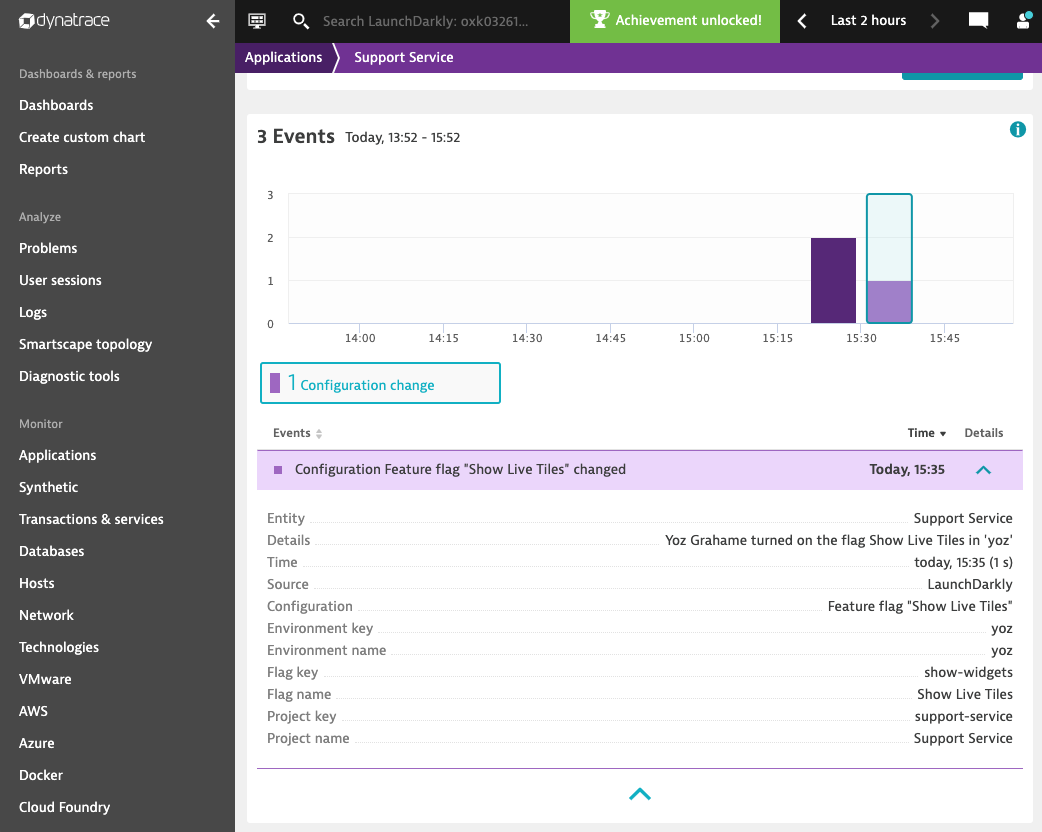
The integration only sends flag actions to Dynatrace. To learn more, read Feature flag actions.
To send flag change events to Dynatrace:
- Create a Dynatrace API token
- Configure the Dynatrace integration
- (Optional) Configure the integration’s policy to allow or restrict specific projects and environments
- Associate flags with Dynatrace tags
Prerequisites
To use the LaunchDarkly Dynatrace integration successfully, you must meet the following prerequisites:
- You must know the URL of your Dynatrace service. Find it by loading your Dynatrace dashboard and looking at the URL in your browser’s address bar. For example:
https://csd50042.live.dynatrace.com. Copy this URL and save it. - You must have an API token from your Dynatrace account. To learn more, read Create a Dynatrace API token.
Create a Dynatrace API token
The Dynatrace API token authenticates the LaunchDarkly integration so it can submit events to your Dynatrace account. To learn more about Dynatrace’s API tokens, read Dynatrace’s documentation.
The access scope of the token depends on which version of the Dynatrace API integration you’re using:
- Dynatrace V1 API integration: The token requires the “Access problem and event feed, metrics, and topology” option.
- Dynatrace V2 API integration: The token requires the “Ingest events” option.
Configure the Dynatrace integration
Here’s how to add and configure the Dynatrace integration:
- Click the gear icon in the left sidebar to view Organization settings.
- Click Integrations and find “Dynatrace.”
- Click Add integration. The “Create Dynatrace configuration” panel appears.
- (Optional) Give your integration a human-readable Name.
- Enter your Dynatrace API token.
- Enter the URL of your Dynatrace service in the Dynatrace URL field. Do not include a slash at the end.
- Select the entity type of the Dynatrace entities you want to send LaunchDarkly events to. To learn more, read Entity types.
- (Optional) Specify a Dynatrace entity tag to be associated with all feature flag events sent from this integration. If you do not specify a tag, then you will need to specify a Dynatrace tag in custom properties setting of individual feature flags. To learn more, read Associate flags with Dynatrace tags
- (Optional) Configure a custom policy to control which information LaunchDarkly sends to Dynatrace. To learn more, read Configure integration policies.
- After reading the Integration Terms and Conditions, check the I have read and agree to the Integration Terms and Conditions checkbox.
- Click Save configuration.
Entity types
Dynatrace uses specific entity types for applications within it. For example, if Dynatrace is monitoring your software application and flag change events appear on that Dynatrace’s timeline, the application has an entity type such as SERVICE, APPLICATION, or PROCESS_GROUP_INSTANCE.
To find the application entity type, navigate to the Dynatrace page for the entity and examine the URL. It contains the entity type in capital letters. In this example, the entity type is PROCESS_GROUP_INSTANCE:

Configure integration policies
The “Policy” field lets you control which LaunchDarkly events are sent to Dynatrace. The Resource specifier in the default policy value allows Production environments across all projects to send events:
To learn more about the resource configuration fields, read Using resources.
You may want to override the default policy for various reasons, including restricting how the integration receives and exports events. Using the policy editor, you can restrict the integration to:
- a specific set of LaunchDarkly projects/environments
- a specific set of flags
- a specific set of actions
For example, to restrict the policy to a single project called cool-app, set the policy configuration’s Resource field to the following Resource specifier:
The policy above makes it so that the only events the integrations sends to Dynatrace are flag events from the cool-app project’s Production environment.
If you need to restrict or allow a more complex set of resources than you can specify in a single policy, you might want to add multiple Dynatrace integrations and configure each one to a specific task. Each integration can have its own separate policy configuration.
To learn more about using the policy editor, read Using policies.
Associate flags with Dynatrace tags
If you do not specify a Dynatrace tag in the integration’s configuration, then the integration will only send events from flags that are explicitly associated with Dynatrace tags. In this case, it does not send events from every flag in your LaunchDarkly project.
The integration lets you view an application’s flag change events beside its performance graphs. This makes it easier to correlate problems with the flag changes that may have caused them.
For this to be most effective, attach a flag’s events to all the applications the flag affects, and only those applications.
Associating flags with Dynatrace tags ensures that flag events are attached to the Dynatrace entities which are affected by those events. To learn more about Dynatrace tags, read Dynatrace’s documentation.
To associate a flag with one or more applications using Dynatrace tags:
- In Dynatrace: Create a new tag and add it to each of the applications which depend on the flag. To learn more about creating tags, read Dynatrace’s documentation.
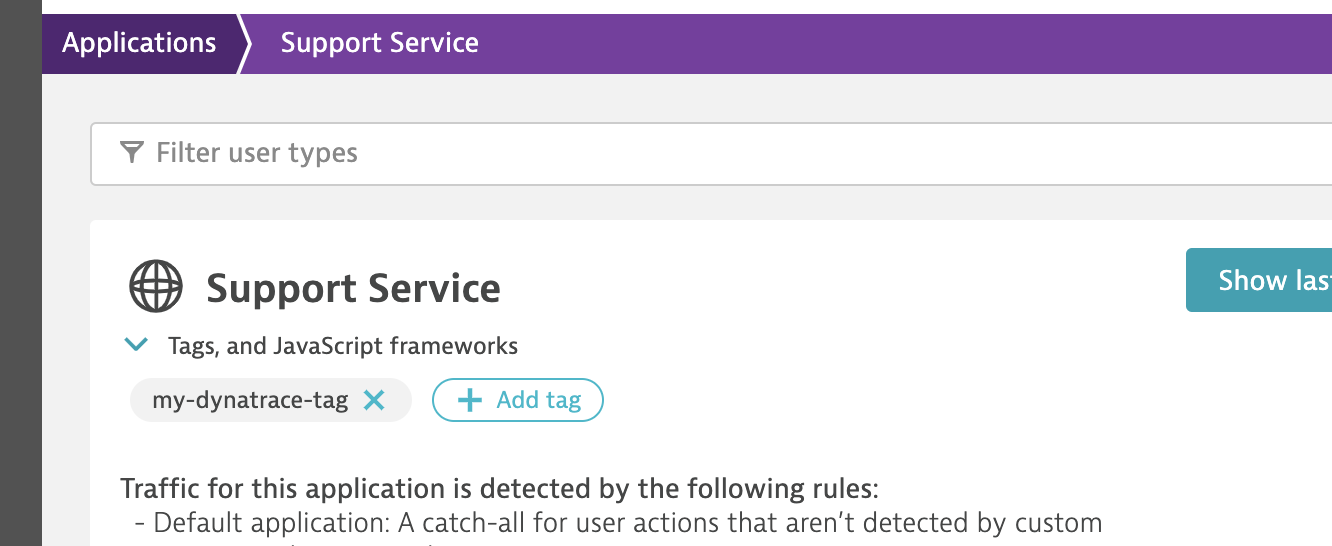
- In LaunchDarkly: Navigate to the Flags list and open the flag you wish to deprecate.
- Click the three-dot overflow menu in the right sidebar.
- Select Add custom property.
- In the Type menu, select “Dynatrace tags.”
- Enter the name of the tag you created in the Values field.
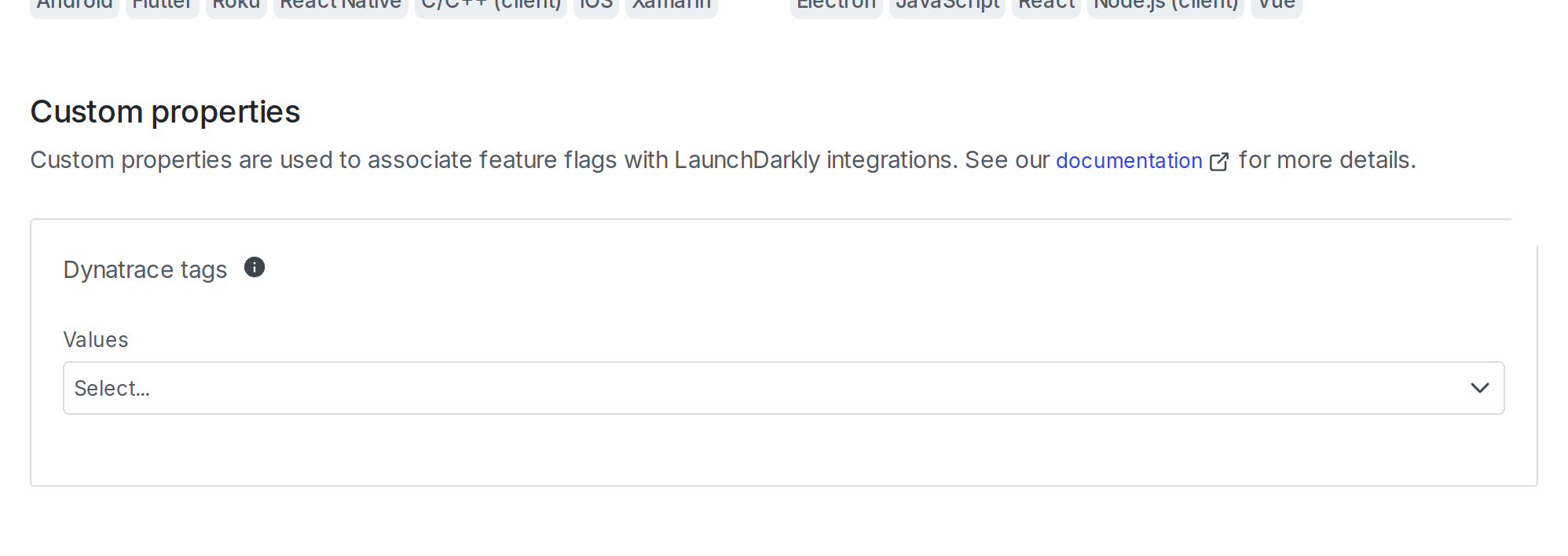
- Click Save to save the custom property.
Now events from your feature flags appear in Dynatrace.
Troubleshooting
After you configure the LaunchDarkly integration, flag changes appear as events on the Dynatrace event timelines for your applications, or whatever entities you selected.
If an event doesn’t appear on Dynatrace after you’ve changed a flag, you can try the following techniques:
Wait, then reload the Dynatrace page
Dynatrace can take up to three minutes to register inbound events.
In addition, the Events timeline on a Dynatrace page may be frozen to a particular time range, and won’t automatically update. Reload the page to update the timeline range.
Verify that the Dynatrace entities have recently registered traffic or other agent-sourced data
Dynatrace’s API only provides access to entities, such as applications, which have recently registered data from Dynatrace Agents. Entities without recent data may be visible in the Dynatrace user interface, but may be unable to register flag changes or other kinds of events.
Verify that Dynatrace OneAgent is running and monitoring the entity, and that the entity is displaying recent traffic data on its Dynatrace page.
Verify the custom properties of the flag that changed
The LaunchDarkly Dynatrace integration only sends change events for a flag if that flag has a tag association in its custom properties. To learn more, read Associate flags with Dynatrace tags.
Ensure that the integration is configured to use the correct entity type
To learn more, read the step about Dynatrace entity types in Configure the Dynatrace integration.