

“I love tailing the logs and refreshing my release dashboard!” said no developer ever.
Releases are a prime area where bad ships can happen. Progressive rollouts allow you to release features to your users, a little bit at a time, at a pace you control. Good news - progressive rollouts are now generally available in LaunchDarkly’s free plan!
In this tutorial you will learn how to use progressive rollouts in your Python FastAPI application to upgrade to a new API version. Three raccoons in a trench coat – I mean our team of backend developers – have been hard at work coding a new version of the raccoon facts API. We’d hate to break our beloved Raccoon Facts website, so let’s roll out the new API progressively so we can monitor for any regressions that might come up.
What is FastAPI?
FastAPI is a new kid on the block in terms of Python frameworks. It offers many benefits such as:
- Built in concurrency support
- Auto-generated interactive documentation for the routes in your app
- Performance is a feature; according to independent benchmarks, FastAPI lives up to its name.
The example API used in this project was also built with FastAPI, in about 5 minutes, and deployed to a free Render account equally quickly. Crowdsourcing the facts from X/Twitter and Mastodon took longer than writing the code and deployhing to prod. Huge thanks to everyone who contributed!
Prerequisites
- A LaunchDarkly account - sign up for free here
- A local developer environment with git, Python and pip installed
Get started with the example FastAPI LaunchDarkly app
We’ve written an example app that shows you a raccoon fact. It has a routing layer and a minimalist front end, since the raccoons couldn’t afford any designers.
We’ll add some logic to the routing layer to choose which version of the API to use, based on a LaunchDarkly flag value. Then we’ll use the progressive rollout workflow to gradually switch over to the new version of the API.
Clone the example repository:
Set up and activate your virtual environment:
Install dependencies:
Run the server by typing the following command in your terminal:
If you open http://127.0.0.1:8000/ in a browser, you should see a page with a raccoon fact and the API version. 🦝
Gating API updates with a LaunchDarkly flag in a FastAPI application
Log in to your LaunchDarkly account. Copy your SDK key from the environment dropdown menu:

Paste the sdk key into the .env.example file in the repository. Save the file renamed as “.env”
Run the following command in your terminal:
In your editor, open main.py. Add the following commented lines of code:
If you reload http://127.0.0.1:8000/ in your browser, you should still see a fact from Version 1 of the API.
Set up your progressive rollout
Head over to the LaunchDarkly app.
Create a flag by clicking either of the “Create flag” buttons.
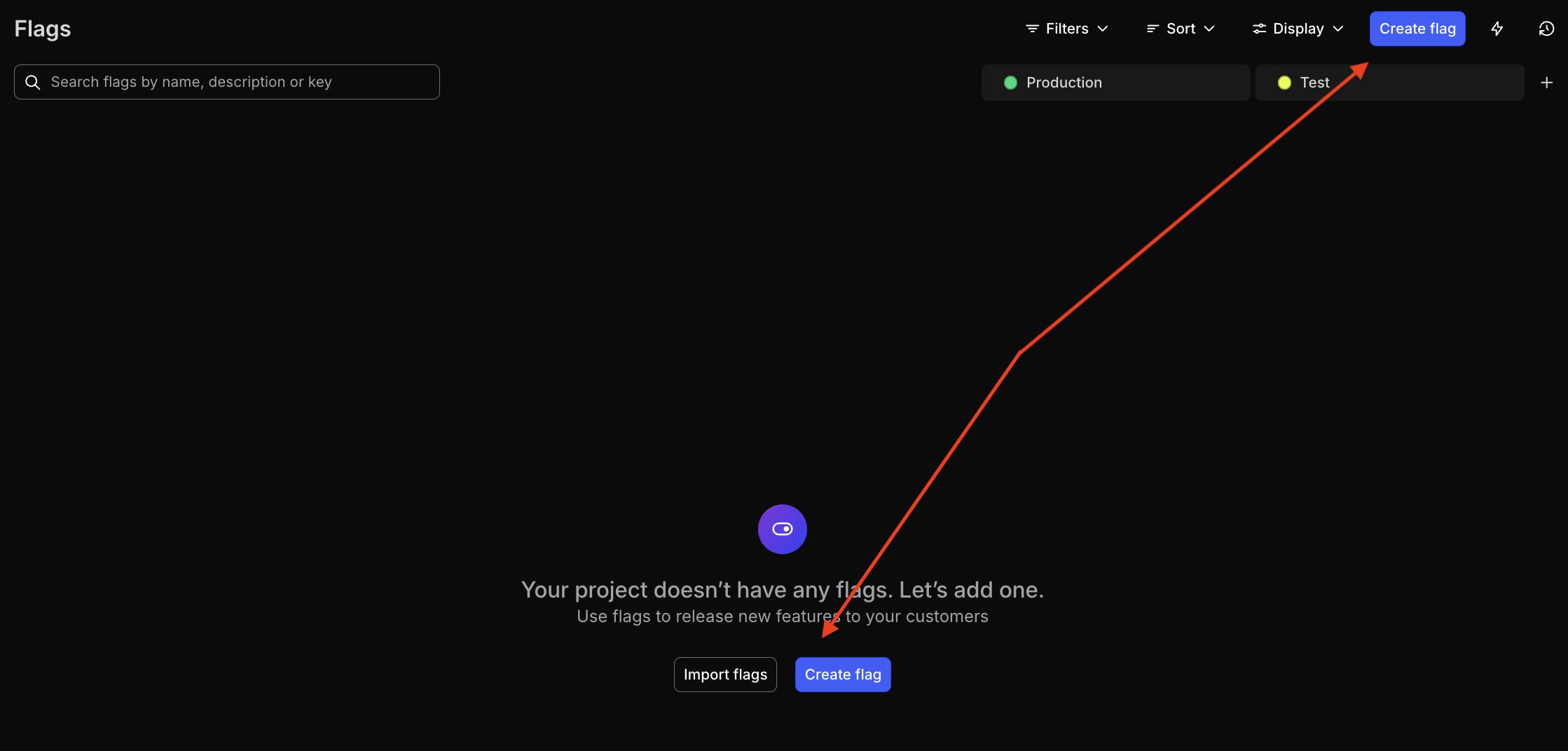
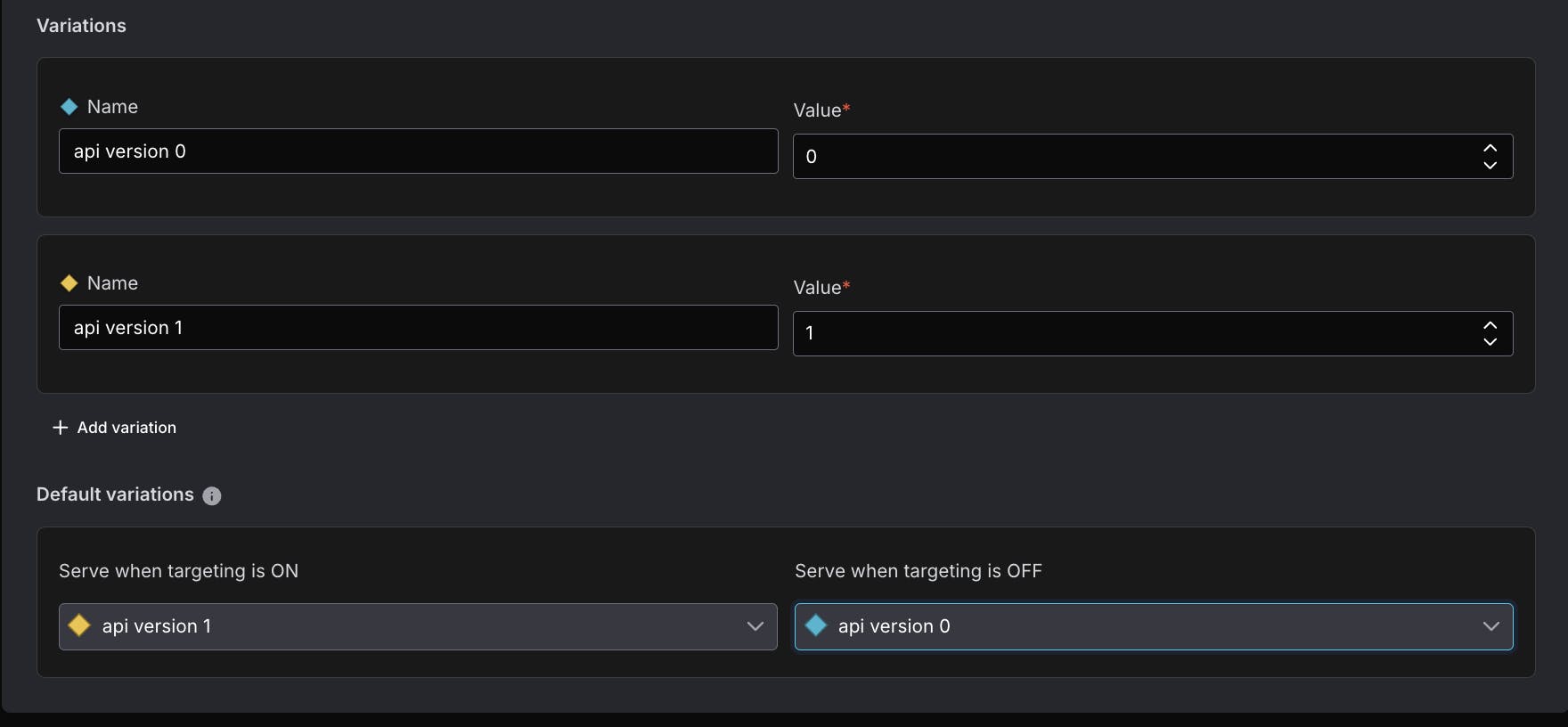
Configure the flag as follows:
- Name: raccoon_facts_api
- Description: Upgrade the raccoon facts API from V0 to V1.
- Configuration: release
- Flag type: Number

- Variations:
- API version 0: 0
- API version 1: 1
- When targeting is OFF, serve version 0
- When targeting is ON, serve version 1
Click “Create flag.”
Adding a progressive rollout to a LaunchDarkly flag
On the next screen, click the “Add rollout” button next to “Default rule” and select “Progressive rollout.”

The progressive rollout dialog has some sensible defaults. If I was rolling out a production API, I’d probably keep these as is.

The backend raccoons ain’t got time for that, and I bet you don’t either. I’ll remove some steps so you can see what a completed rollout looks like in just two minutes.
Delete unwanted rollout stages by clicking on the “...” button, and selecting “Delete.”

Your finished configuration should be the following:
- Turn flag on: On
- Variation to roll out: v1
- Context kind to roll out by: user
- Roll out to 25% for 1 minute
- Roll out to 50% for 1 minute

When everything looks good to go, click the “Confirm” button.
On the next screen click “Review and save.”

If your settings require confirming changes, add a comment here: “Rolling out v1 of raccoon facts api. Trash bandits, assemble!” Type the name of the environment to confirm. Click “Save changes.”

The next screen will show the progress of your rollout:

Take a 2 minute break. Go get a coffee, or rummage through some trash. I’m not here to judge.
After that time has passed, reload http://localhost:8000/. You should see new, wackier facts from the v1 version of the API. The Progressive Rollout UI will also update to indicate that version 1 is being served to 100% of users. 🎉

In this post you’ve learned to use LaunchDarkly’s progressive rollouts to migrate to a newer version of an API, automatically, at a pace that’s most comfortable to you. Progressive rollouts can be used for your regularly scheduled releases as well as riskier launches.
If you want to show off what you’ve built, or just share your most outlandish raccoon fact, holler at me via email (tthurium@launchdarkly.com), X/Twitter, Mastodon, Discord or LinkedIn.