

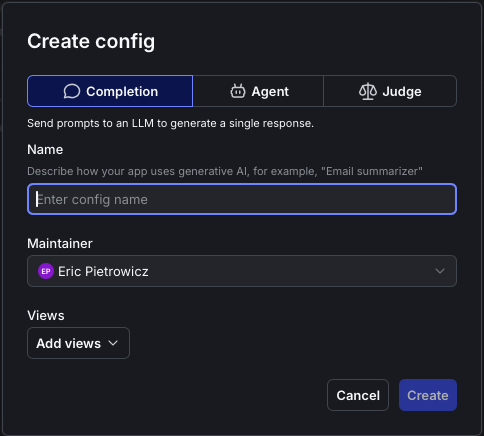
The 'Create config' dialog with the Completion, Agent, and Judge mode options.
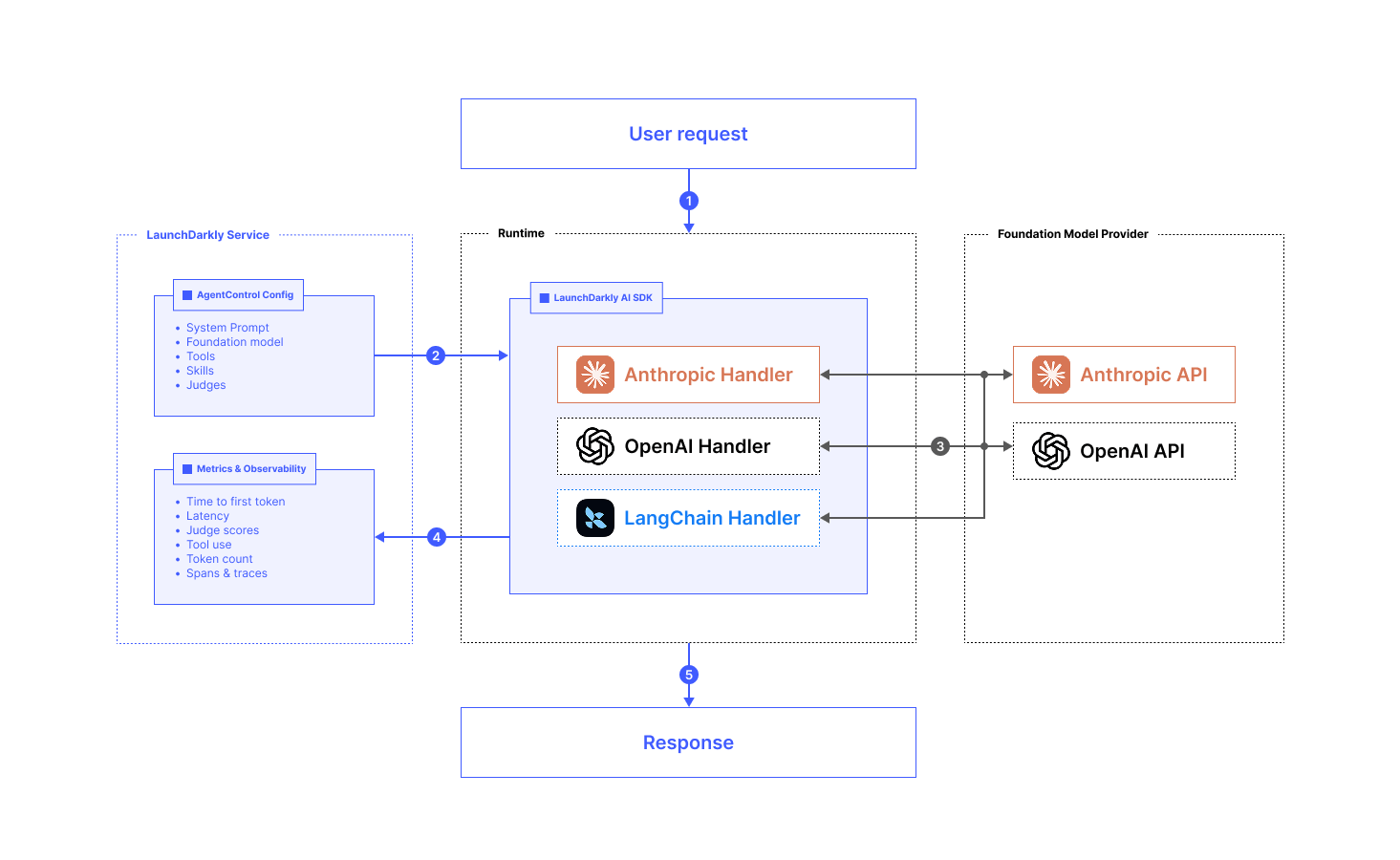
A request flowing through the LaunchDarkly AI SDK to a foundation model provider.
- Your runtime receives a user request.
- Use the LaunchDarkly AI SDK to retrieve the AgentControl configuration, including the system prompt, foundation model, tools, skills, and judges.
- Call the provider’s API using a provider handler, such as the Anthropic, OpenAI, or LangChain handler.
- Review the metrics and observability data, such as latency, token count, tool use, and judge scores, that the SDK reports back to LaunchDarkly.
- Return the response to the user from your runtime.
createClaudeAgentsHandler and createClaudeMessagesHandler?
If we drill down into the library, we can see that createClaudeAgentsHandler wraps @anthropic-ai/claude-agent-sdk, and createClaudeMessagesHandler wraps @anthropic-ai/sdk.
Next question: what’s the difference between @anthropic-ai/claude-agent-sdk and @anthropic-ai/sdk?
Looking at the npm pages for @anthropic-ai/sdk and @anthropic-ai/claude-agent-sdk, we can see that @anthropic-ai/claude-agent-sdk ships all of Claude Code, Anthropic’s agentic coding tool, as a library. By contrast, @anthropic-ai/sdk only calls the Claude API.
The OpenAI handlers follow the same split. createOpenAIAgentHandler wraps the OpenAI Agents SDK (@openai/agents), and createOpenAIMessagesHandler wraps the standard OpenAI client (openai). I encourage you to drill down into the other providers in the same way to map the differences.
Now we can start to build use cases for the two. For my money, I’m leaning on Completion mode most of the time, for API endpoints, lightweight batch jobs, and similar work, rather than spinning up all of Claude Code with @anthropic-ai/claude-agent-sdk.
Tool loops and when an API request becomes agentic
Traditionally, when you call the Claude API (@anthropic-ai/sdk) directly, you have to manage tool loops yourself.
For example, your user asks, “How do I use the GitHub CLI?” You pass that along to the API, and it might respond with a tool_use block that attempts to call the bash tool, if you provided that tool as an option in the original request.
In that case, it’s up to your runtime logic to go off and execute the bash tool, append the result to the message history, and call the API again with the additional context from the tool. This is the foundation of the “agent loop”.
But when you use the LaunchDarkly AI SDK, all of that happens for you. The SDK runs the tool loop with the functions you pass in toolHandlers.
Compare Agent mode and Completion mode
Here is how the two modes compare for Claude:Conclusion
Completion mode looks much more agentic with the SDK-managed tool loop. For most server-side applications, the whole Claude Agent SDK that you get withcreateClaudeAgentsHandler() is probably overkill. I know I’ll be reaching for Completion mode a whole lot more with this in mind.