
Zawinski’s Law states that “every piece of software will eventually expand until it has to read email”. Sending email is an even more ubiquitous use case.
Email is complicated; in a build/buy evaluation, using an email SDK / SAAS service rather than rolling your own is a no-brainer. But how do you determine which email service is best for your use case?
You can research some vendors, read their documentation, and even smash that button on their website to request a demo from their sales team. But as a developer, I find that the best way to try out APIs is to build with them.
In this tutorial, you’ll learn how to use LaunchDarkly feature flags to toggle between 2 different email providers (Resend and Mailgun) in an ExpressJS application. For you impatient types, a repository with fully working code can be found on GitHub.
Prerequisites
- Free Resend account with a verified domain (not free, but maybe you have a test domain laying around somewhere?)
- Free Mailgun account - sign up here
- Free LaunchDarkly account - sign up here
- A development environment with Node.js, git, and npm installed
Getting started with the example ExpressJS application
Since we’re essentially doing a bakeoff, our demo application is a cupcake shop.
Run these commands in your terminal to clone the repository, install dependencies, and start the server.
git clone https://github.com/annthurium/expressjs-launchdarkly-email-service-starter/
cd expressjs-launchdarkly-email-service-starter
npm install
npm start
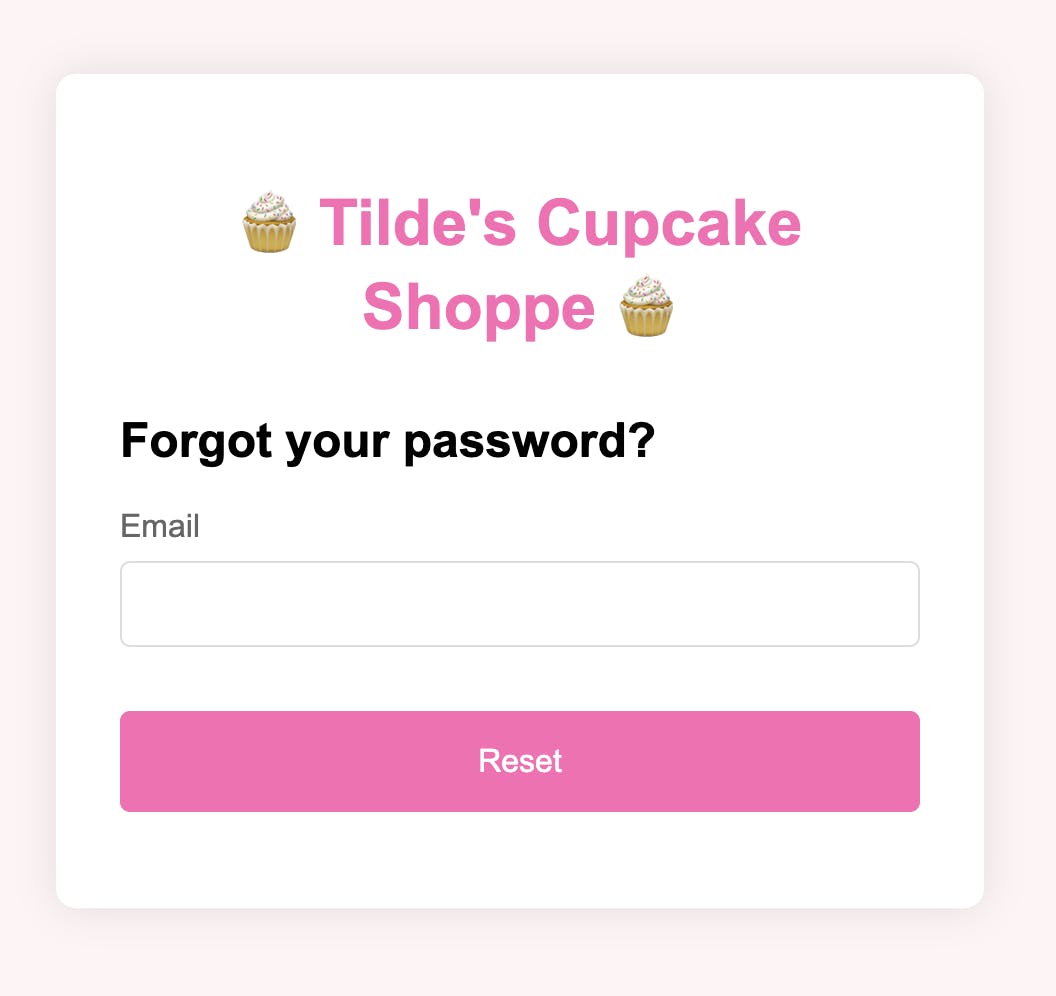
Load http://localhost:3000/password-reset.html in your browser. This form isn’t hooked up to anything yet! Later on, we’ll add an EmailService class to send the password reset emails.
Sending transactional password reset emails with Resend
Log in to your Resend account. Add a verified domain by following the instructions here: they will be specific to the hosting provider where your domain lives.
Create a Resend API key with full access, following these instructions. Copy and paste it into your .env.example file. Rename that file to .env and save it. This step helps prevent you from accidentally compromising the API key by committing it to source control.
Create a new file, email-service.js, in the root of your project. Add the following lines of code. Replace the RESEND_DOMAIN with your verified domain.
Open index.js. Add or modify the following lines of code that are commented below, or just YOLO and copy-paste the whole file if that’s how you roll.
Go to http://localhost:3000/password-reset.html in your browser. Put in your email address and click Reset. Check your email inbox.
Using Mailgun’s JS SDK to send transactional password reset emails
Now it's time to add Mailgun to our EmailService as a second provider.
Log in to your Mailgun account.
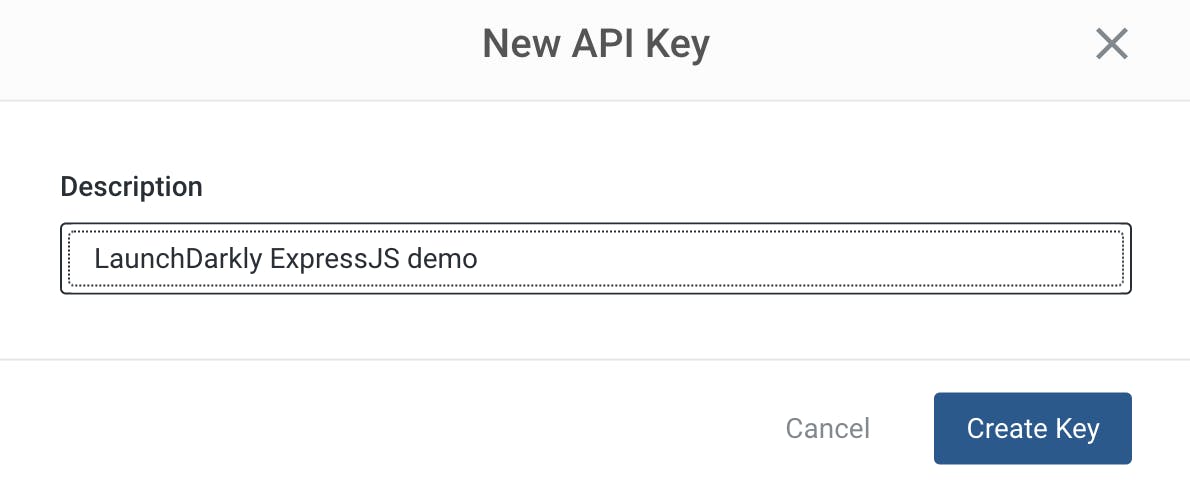
To create an API key, go to the following page and click “Add new key”. When the New API Key modal pops up, input a description for your key (such as “ExpressJS LaunchDarkly demo”) and click Create Key.
Copy the key into your .env file. Save the file.
Mailgun provides a free test domain, which is pretty cool! Go to https://app.mailgun.com/mg/sending/domains. To use it, you’ll need to add your email address as an authorized recipient. Do so in the sidebar and click Save Recipient.
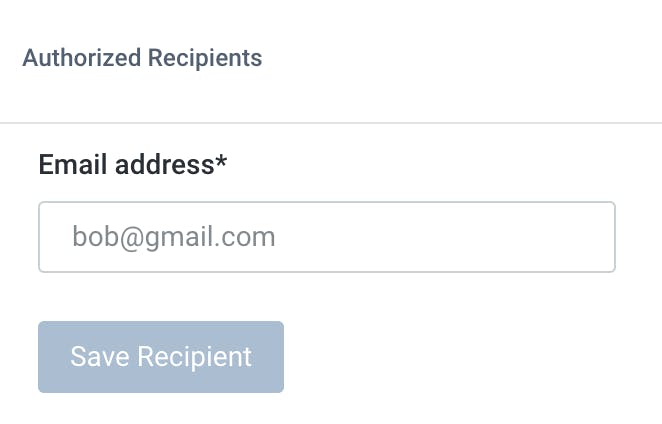
You’ll receive a validation email in your inbox. Click the button in the email to confirm your authorization.
Copy your sandbox domain from the Mailgun dashboard into a variable, MAILGUN_DOMAIN, at the very beginning of email-service.js. While you’re at it, replace all the code below where the RESEND_DOMAIN variable is defined with the following:
Back in index.js, add some logic to switch to Mailgun as a default provider so we can try it out:
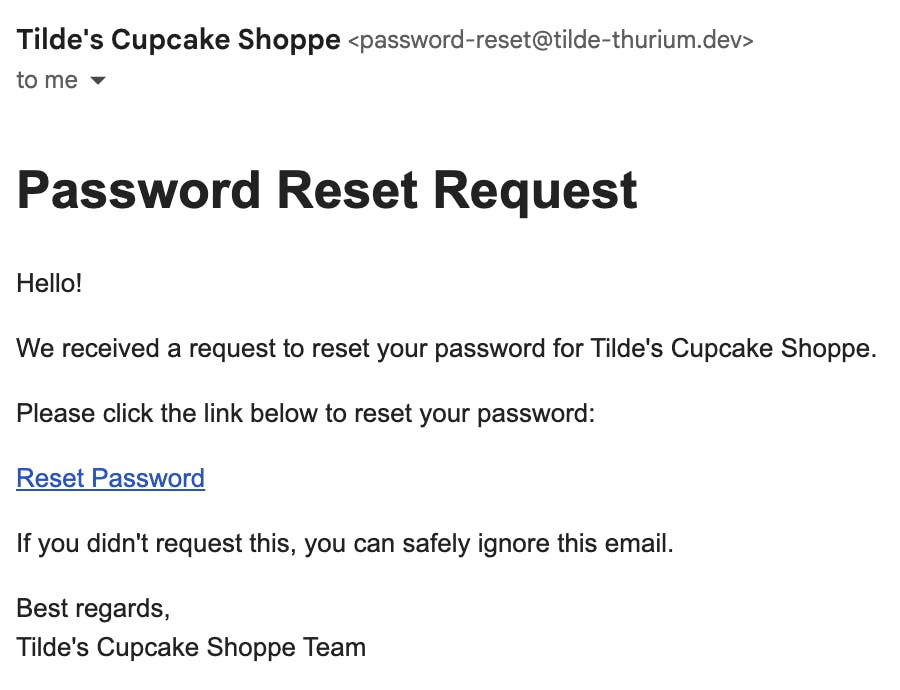
If you test the password reset flow again at http://localhost:3000/password-reset.html, you should receive an email identical to the previous one, except it came from the Mailgun sandbox domain.
Just in case it doesn’t show up, check your spam folder.
Using a LaunchDarkly flag to toggle between email providers
We'll need a feature flag to toggle between email providers, so let's create one.
Head to the LaunchDarkly app. Click “Create Flag.”
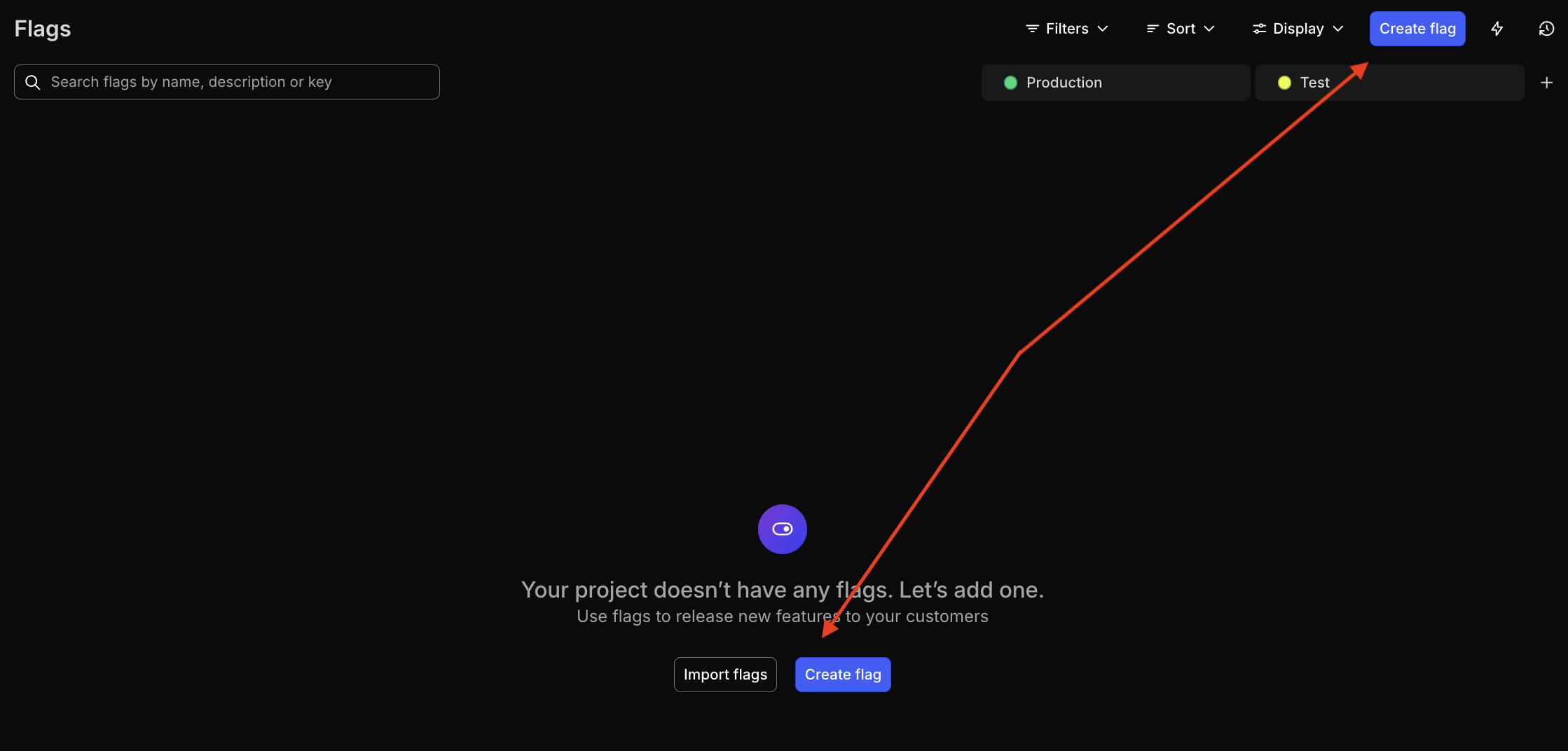
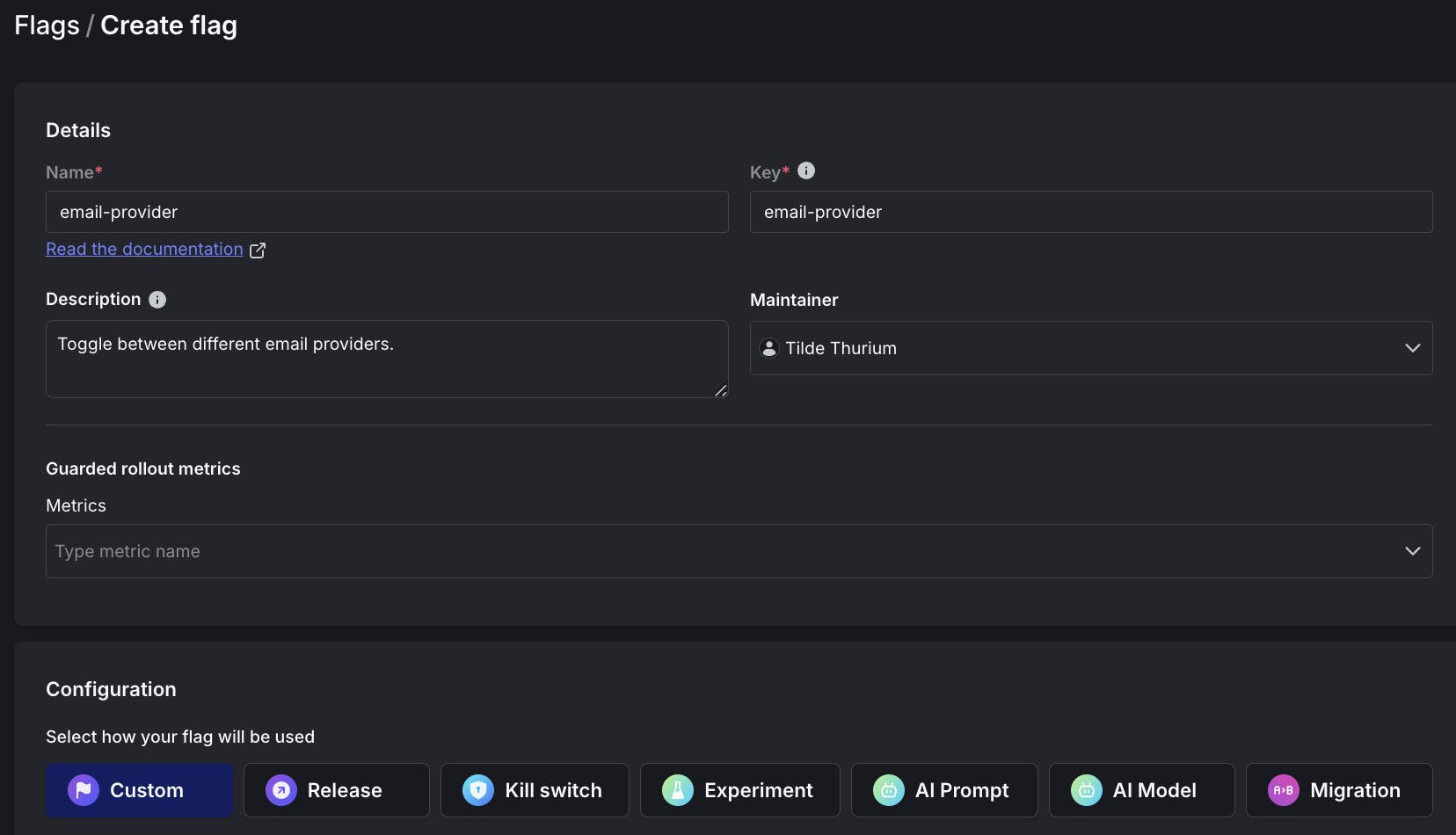
Create a flag with the following configuration:
- Name: email-provider
- Key: email-provider
- Description: toggle between different email providers
- Configuration: Custom
- Type: String
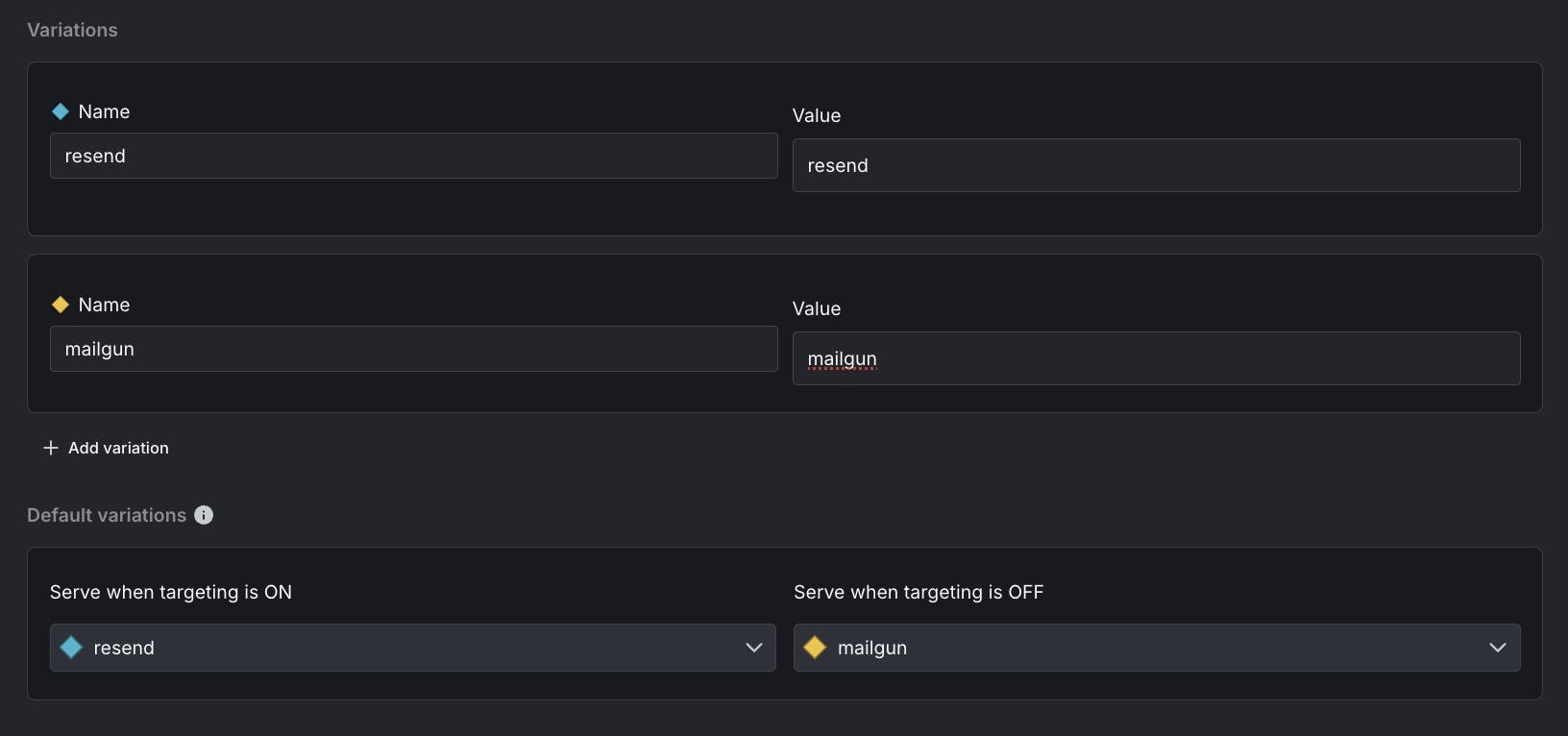
Variations:
- Name: resend, Value: resend
- Name: mailgun, Value: mailgun
- When targeting is ON, serve resend, when targeting is OFF serve mailgun. (I arbitrarily picked Mailgun as the “default” provider, but there’s no reason you couldn’t do this the other way around.)
Click “Create flag.” On the next screen, click the … menu next to “Production.” Use the dropdown to copy your SDK key.
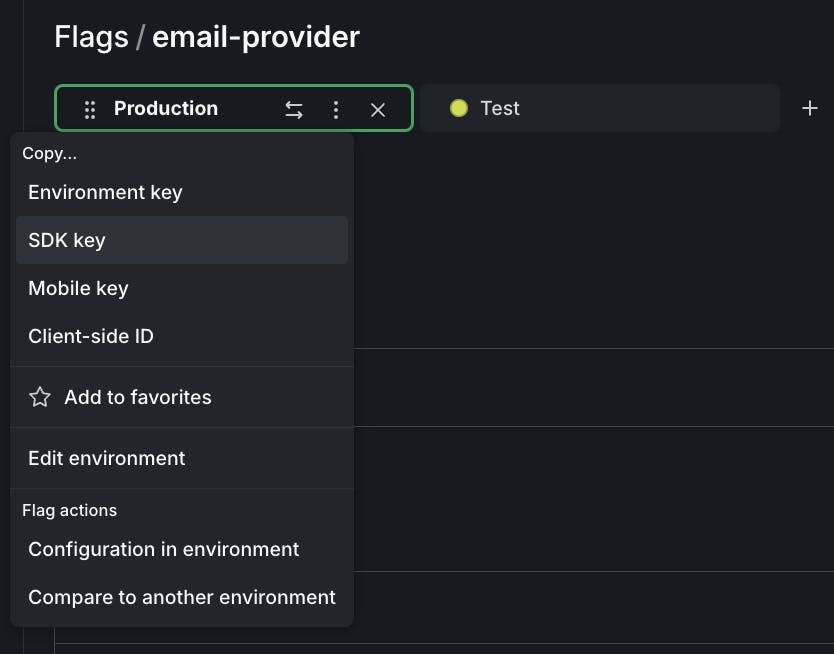
Paste it into your .env file. Save the file.
Update the code in index.js to add the LaunchDarkly SDK and evaluate the email-provider flag’s value. New additions are commented below, although the whole file is there for your convenience:
Go through the reset password flow again. By default, you’ll receive an email from Mailgun.
Navigate back to the LaunchDarkly app. Turn the email-provider flag on.
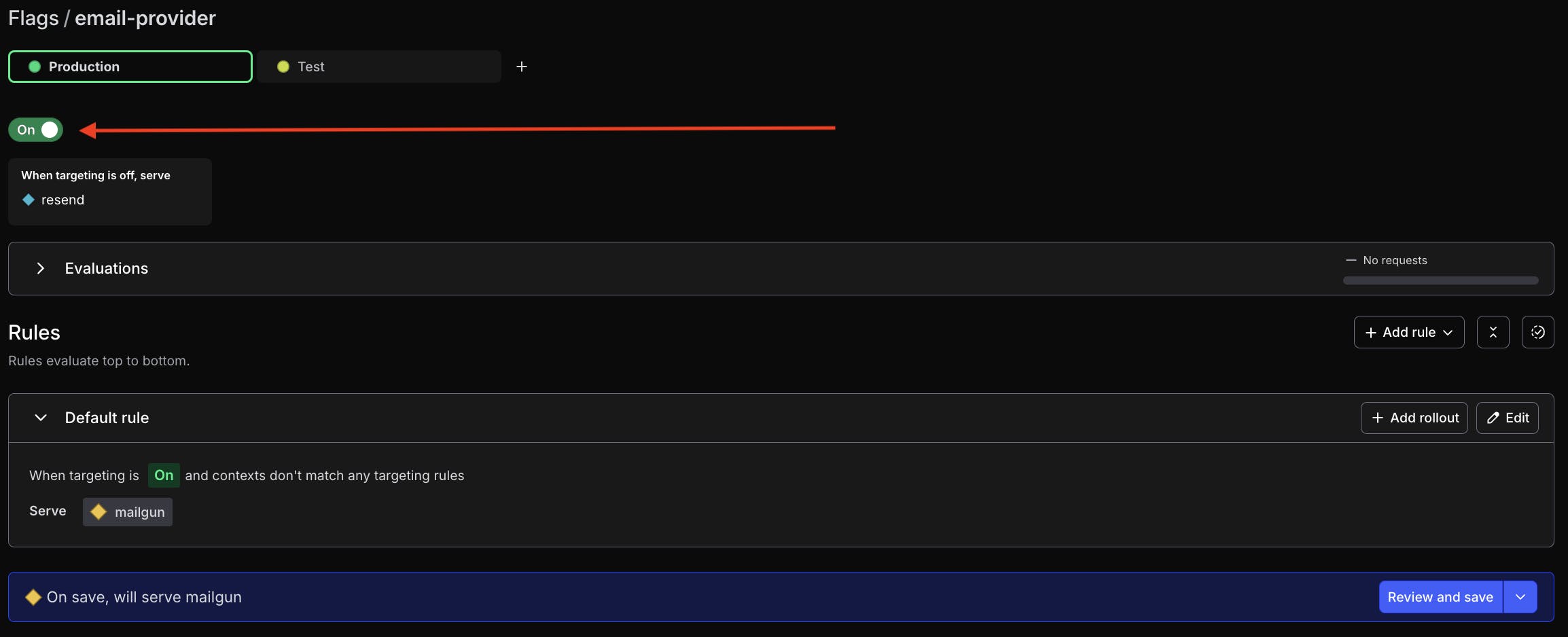
If your LaunchDarkly app is configured to require it, you may need to add a comment explaining these changes.
After enabling the flag, the password reset flow now sends emails via Resend. Nice work!
Resend vs Mailgun in 2024: pros and cons
In case you’re curious, here’s a summary of my top pros and cons for these email APIs:
Mailgun
Pros:
- You don’t need to verify a domain, Mailgun provides a sandbox domain to test with
- Free tier offers an adequate volume of mail sending to test a prototype
- Integrated logs on the dashboard are useful
Cons:
- You can only send test emails to verified email accounts
- If you use the free sandbox domain, your email might end up in spam
- Offers a more limited number of SDKs (for example, no Python).
- The JS API for sending email had a few odd conventions. Why is “form-data” a dependency for the mail client? And why are the domain and the “from” address separate parameters? It seems like Mailgun could infer that on the back end, just saying.
Resend
Pros:
- Clean, modern feeling API
- You don’t need to verify receiving email address to get started
- Resend provides extra email test addresses if you want to test bounced emails, spam, etc.
- Offers loads of SDKs; even if you’re an Elixir hipster they’ve got you covered
- Developer documentation has a nice UI
- Free tier offers an adequate volume of mail sending to test a prototype
Cons:
- You must verify a domain before you can test, and that’s not free.
- The free tier only lets you have one domain at a time
Wrapping it up: testing email providers with a LaunchDarkly feature flag
If you’ve been following along, you’ve learned how to use LaunchDarkly flags to toggle between two different email providers in an ExpressJS app. The flexibility of an email toggle flag could be useful in many ways:
- You could use LaunchDarkly’s experimentation features to see if one service performs better based on your metrics of choice (such as delivery speed, cost, etc.)
- You could use feature flags to more safely migrate from your old email provider to a new one.
- Or you can keep both providers and have a primary and a backup service, especially if you’re on usage-based pricing plans. That approach helps mitigate the risk of outages on a critical path like password resets.
Thanks for reading! If you have any questions, or want to offer me some cupcakes, you can reach me via email (tthurium@launchdarkly.com), X/Twitter, Mastodon, Discord or LinkedIn.