

- Standardized multi-agent orchestration patterns
- Centralized definition of workflow structure outside application code
- Workflow changes managed through configuration
- A shared representation of how agents interact during execution
How agent graphs work at runtime
An agent graph is a rooted, directed graph that uses existing agent-based configs as nodes. Edges define how execution moves from one agent to another, and can optionally include handoff data. An agent graph is defined by:- A root node, which determines where execution starts
- A set of directed edges, which define how agents are connected
Permissions and constraints
This section describes the permissions required to manage agent graphs and the constraints that apply to agent graph structure.Permissions and access
To create or manage agent graphs, you must have permissions that allow editing AgentControl config resources in the project. Agent graphs use the same role-based access control model as AgentControl. Users without permissions to edit AgentControl config resources can view agent graphs but cannot modify them.Constraints
Agent graphs must meet the following requirements:- Each agent graph defines a root agent.
- All referenced agent-based configs must exist.
- All nodes must be reachable from the root agent for the graph to be enabled.
- Each source agent can define at most one edge to a given target agent.
Manage agent graphs in the UI
Use the agent graph builder in the LaunchDarkly UI to create and manage agent graphs.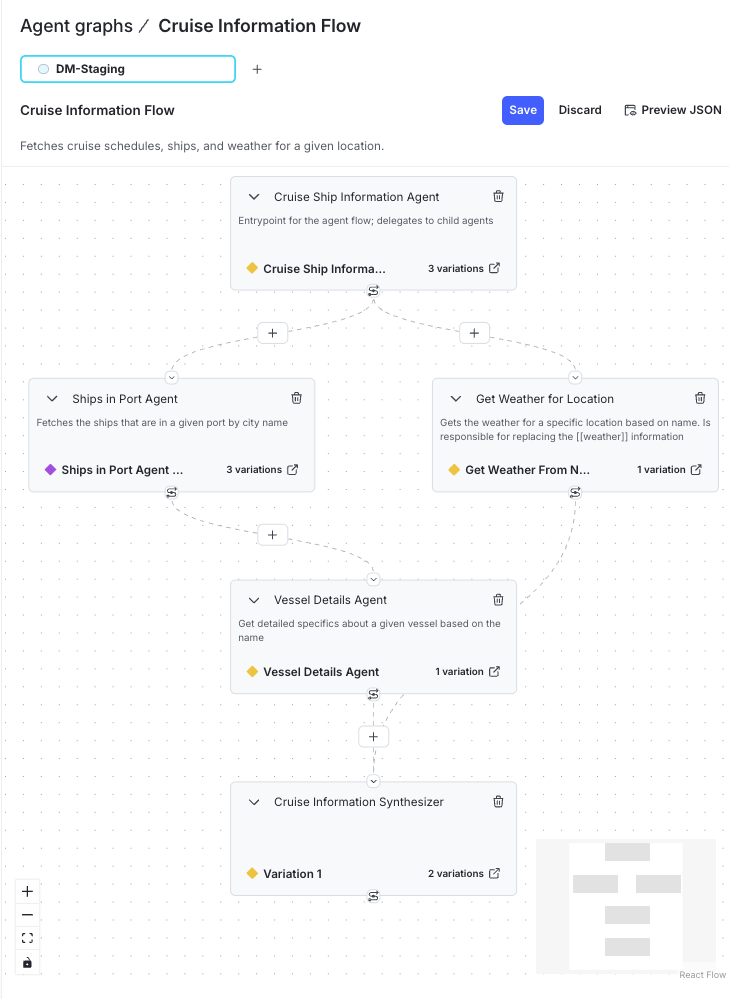
An agent graph showing connected AgentControl configs.
- Agent nodes, each representing an agent-based config in the graph.
- The default variation served in the selected environment, along with the total number of variations for each agent.
- Connections between agents, where you define handoff data passed from one agent to the next.
- The Preview JSON action, which opens a JSON view of the graph structure evaluated by the SDK.
Create an agent graph
To create an agent graph:- Navigate to your project.
- In the left sidebar, click Agents. The AgentControl menu appears.
- Click Graphs.
- Click Create new graph.
- Enter a name for the agent graph.
- (Optional) Click Edit key to update the agent graph key. You use the key to reference the agent graph in your code.
- (Optional) Enter a description.
- Click Create.
Add agent nodes and handoffs
Each node in an agent graph represents an agent-based config. To add an agent node:- In the agent graph builder, click + Add your first agent or Add agent.
- Use the Select an agent dropdown to select the first agent-based config for your graph. You can use the search box to find an agent by entering all or part of the agent’s name. After selection, the node shows the chosen agent and its available variations.
-
Click the downward-facing arrow button.
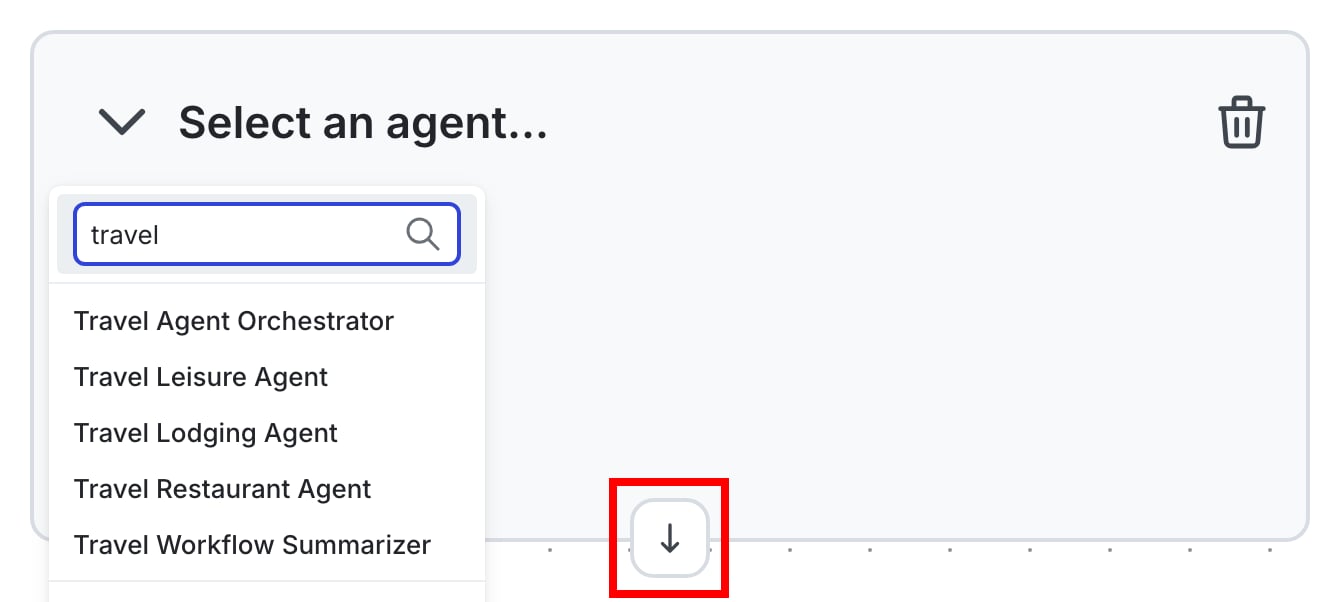
The downward-facing arrow button.
-
Use the new Select an agent dropdown to select another agent-based config.
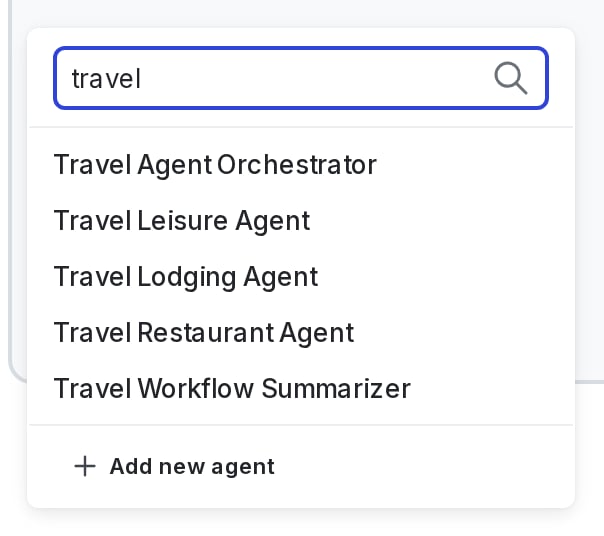
Select an agent for a new node.
- (Optional) Repeat these steps to add additional agents.
- Click Save.
Configure handoffs
Handoffs are JSON objects attached to edges between nodes. Handoff data is available during graph traversal in the SDK and can be interpreted according to your application logic. To configure a handoff:- Click the + button on the edge that connects two agents.
- Enter data in JSON format to be passed from the parent node to the child node.
- Click outside the handoff data dialog to save and close it.
Edit an agent graph
You can update an agent graph to change its structure or metadata. To edit an agent graph:- Open the agent graph.
- Add or remove agents, set connections between agents, or edit handoff data.
- Click Save.
Delete an agent graph
Delete an agent graph when it is no longer needed. To delete an agent graph:- Navigate to your project.
- In the left sidebar, click Agents. The AgentControl menu appears.
- Click Graphs.
- Click the three-dot overflow menu for the agent graph and select Delete graph.
View the graph structure
The agent graph builder includes a JSON preview that shows the graph structure evaluated by the SDK. To review the JSON representation, open an agent graph and click Preview JSON in the upper-right corner of the builder. Use this view to:- Confirm which agent you configured as the root
- Review how agents are connected through edges
- Verify the handoff data passed between agents
Agent graphs in the SDK
Use the LaunchDarkly AI SDK to evaluate and traverse an agent graph at runtime.SDK availabilityAgent graph functionality is currently supported in the Python AI SDK and Node.js (server-side) AI SDK.
Initialize an agent graph
Each agent graph has a unique key that you use to reference it in code. You can find this key in the agent graph details panel in the UI.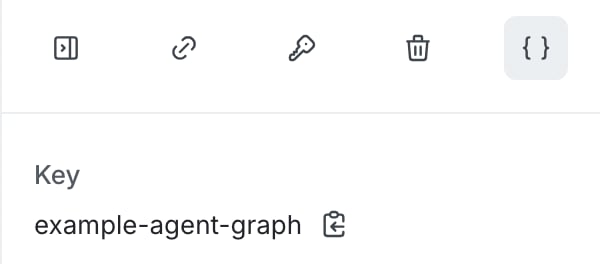
The agent graph key in the graph details panel.
- One or more nodes are not reachable from the root agent
- One or more agents resolve to a disabled variation
- The graph definition is missing a root or is otherwise invalid
Run an agent graph automatically
For supported frameworks, we recommend usingcreate_agent_graph to run an agent graph. This method handles orchestration automatically. You do not need to write traversal logic yourself, and metrics are collected without additional setup. Use this method unless you need to inspect or control execution at each step, or you are using a framework that is not yet supported.
Other supported frameworksAutomatic orchestration currently supports LangGraph and the OpenAI Agents SDK. If you’re using a different framework, use manual traversal instead, or let us know what you would like us to support.
Traverse an agent graph manually
Use manual traversal to inspect or control execution at each step. You can also use it if you’re using a framework that isn’t yet supported by automatic orchestration. The SDK provides two traversal methods:traversereverse_traverse
reverse_traverse when child agents must be created before their parent agents.
The following example uses reverse_traverse with the OpenAI Agents framework to construct a simple multi-agent workflow:
Understand traversal behavior
Traversal functions receive two arguments:node, anAgentGraphNoderepresenting the current agentctx, a mutable execution context used to store state during traversal
node.get_config() returns the evaluated agent-based config. Calling node.get_edges() returns the outgoing edges from that node, including any associated handoff data.
Each value returned from the traversal function is stored in the execution context, keyed by the agent’s config key.
When using reverse_traverse, traversal processes child agents before parent agents. Agents created earlier in the traversal are available to agents created later.
In a graph where some agents depend on the output of others, traversal begins at the leaf nodes and proceeds toward the root. Each agent is created before any agent that references it.
The following diagram shows a simplified view of agent relationships in the graph. It illustrates parent and child agents and does not represent a serialized format such as JSON.
Runner.run.
Track metrics for agent graphs
When you record metrics using the AI SDK tracker, you can associate those metrics with an agent graph. Metrics recorded with a graph key appear in the Graph and Monitoring tabs for the agent graph. All tracker methods accept an optionalgraph_key parameter, including methods for tracking duration, tokens, success, errors, evaluation scores, and tool usage. For the complete list of available tracking methods, read the Python AI SDK reference.
Use the graph_key parameter when recording metrics for agent executions within a graph. You can pass graph_key to individual tracking methods for a single agent execution. This includes metrics such as token usage, duration, success, and errors.
When you include a graph_key, the recorded metric event includes the graph identifier. This allows LaunchDarkly to associate metrics from a single config execution with the agent graph that triggered it.
This helps you:
- Attribute token usage and latency to a specific workflow
- Analyze how individual agents contribute to graph performance
- Trace metric events back to the graph that executed them
Monitor agent graphs
Agent graph monitoring records how multi-agent workflows execute in production. You can use monitoring data to understand runtime workflow behavior, identify slow or frequently invoked agents, and detect failures in routing paths. Monitoring metrics also support evaluation of changes to agents, prompts, models, or tools using real execution data. Monitoring presents workflow performance in a shared view across engineering, AI platform, and operations teams. This supports consistent analysis of agent behavior and standardized operational practices for agent-based systems.Access monitoring for an agent graph
When you open an agent graph in the LaunchDarkly UI, the page includes two tabs:- Graph
- Monitoring
View metrics on the graph
The Graph tab displays the workflow structure and lets you view execution metrics directly on each agent node.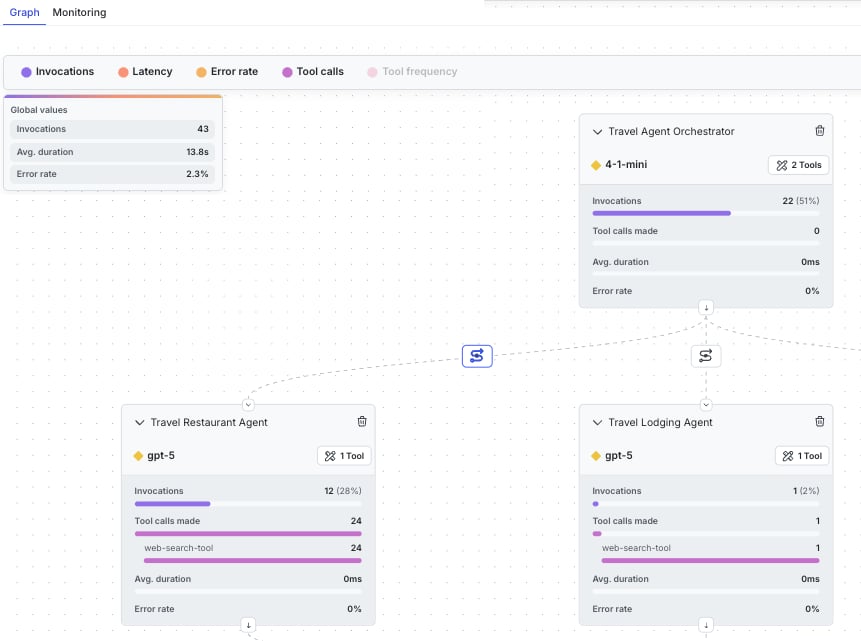
Agent graph metrics displayed on nodes.
- Invocations
- Latency
- Error rate
- Tool calls
- Tool frequency
Analyze monitoring data over time
The Monitoring tab displays time-series charts that show how graph activity changes over time. Metrics are grouped into two sections.Global metrics
Global metrics aggregate activity across the entire agent graph. The following charts are available:- Invocations
- Error rate
- Latency
- Tokens
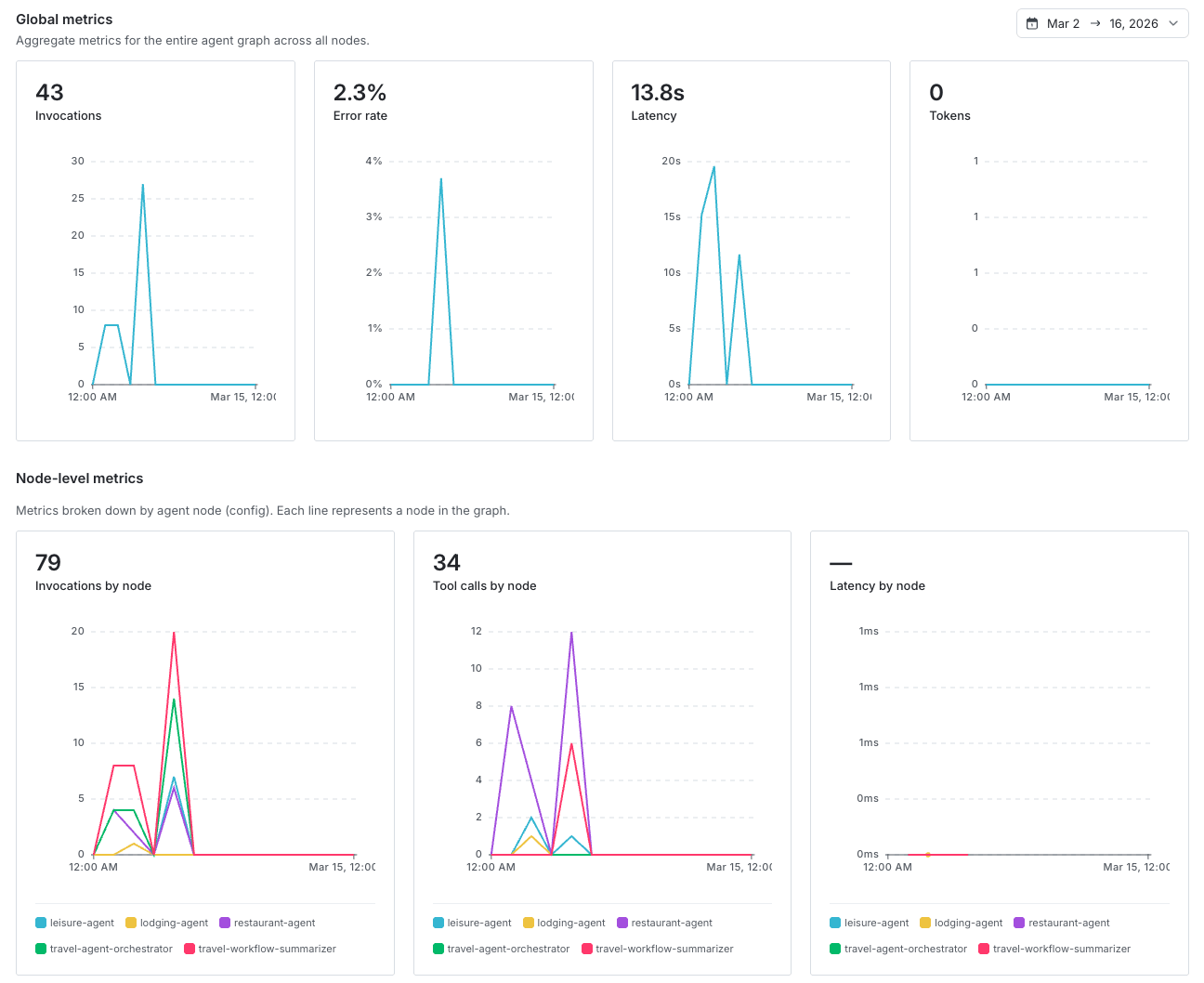
Monitoring tab showing graph-level and node-level metrics over time.
Node-level metrics
Node-level metrics break down activity by agent node. Each line in these charts represents a node in the graph. Available charts include:- Invocations by node
- Tool calls by node
- Latency by node