


Distributed Tracing
Distributed tracing is crucial for debugging and improving system performance. Instead of looking at the performance of each service in isolation, distributed tracing links traces across services to show how a request flows through a system. For instance, a trace might start in a React web client, pass through a Next.js API, and continue across subsequent HTTP calls, keeping all activities under one umbrella. This not only simplifies tracking but also provides a clear, consolidated view of how different parts of your application interact.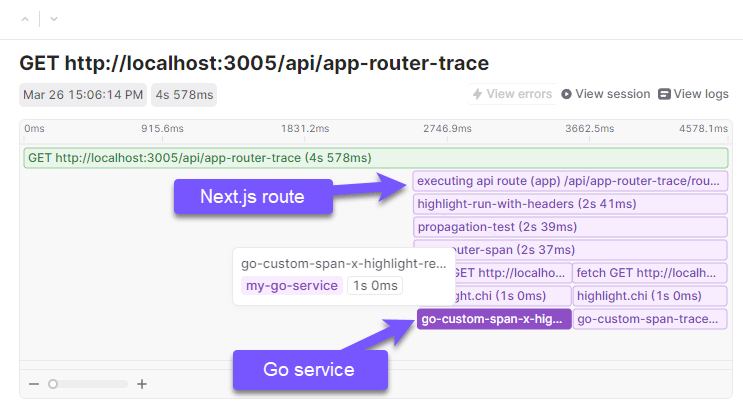
Distributed tracing flame graph showing how a request flows across multiple services.
Approach
In this post, we’ll go over a practical example of how tracing across multiple services work in the context of a modern NextJS application. We will demonstrate how to use LaunchDarkly to connect a NextJS application with an external service by passing HTTP headers in the following steps:- Next Client: The web client initiates an HTTP
Fetchrequest, passing thex-highlight-requestheader which contains a generatedsessionIdandrequestId. - Next Server: A Next.js API function receives that request, associates the
sessionIdandrequestIdto it’s local trace, then passes thex-highlight-requestheader to a third service, this time written in Golang. - Go Server: The Golang service receives the
x-highlight-requestheader and associates it to the local trace.
Instrumenting the Next.js web client
Client-side integration requires initializing the LaunchDarkly SDK and its observability plugins in your web app.- Initialize the SDK once, preferably in a
layout.tsxfile or_app.tsxfile. - The observability plugin accepts configuration options documented in the JavaScript SDK’s options reference.
- Explore LaunchDarkly’s session replay configuration options, including:
- Canvas and WebGL capture,
- Privacy and redaction settings
Calling the Next.js API function
We’ll use the browser’sFetch API to call a Next.js API function. With tracingOrigins configured, the LaunchDarkly observability plugin monkey patches window.fetch and automatically adds a traceparent header to matching requests, so use Fetch as you normally would.
Read about the full list of monkey patched browser APIs in our docs.
GET handler function. Note that we wrap our handler function with withAppRouterHighlight, and we forward request.headers along with the next HTTP request.
The x-highlight-request header is only header that matters in this example.
Configure our Golang service
Configure your Go service
The LaunchDarkly Go SDK supports observability through a dedicated observability plugin. This example uses that plugin alongside the chi router. First, configure the observability plugin, provided by thegithub.com/launchdarkly/observability-sdk/go package:
highlightChi.Middleware function will automatically associate the current request with the incoming x-highlight-request header.
W3C traceparent example code
We used thex-highlight-request header in this example, but we also tested OpenTelemetry’s native JavaScript Propagation example using the W3C traceparent header.
Instead of passing x-highlight-request header, it is possible to pass a traceparent header across HTTP calls. It’s a bit involved, but it works great. See the links below for example code:
- withPropagation: an example wrapper for Next.js
- GET route: Pass
request.headersalong as before. - Golang example: Associate the incoming
traceparentheader with a local trace.
Result
All three services, the web client, the Next.js API function, and the Golang backend, now feed their data to the same LaunchDarkly project. For the purposes of example, we can even visualize this data in our product, LaunchDarkly! This example shows four separate spans, all of which are nested under a single trace. And of course, these traces are accessible from the LaunchDarkly Session Replay tab, because the session was generated in the web client and propagated throughout the entire distributed “call stack”.highlight-run-with-headersis generated by theAppRouterHighlightwrapper function in Next.js.fetch GET https://localhost:3010/testis generated by the Next.jsFetchrequest.highlight.chiis created by LaunchDarkly’s chi middleware.go-custom-spanis a custom span that we used in our example code for demonstration purposes. It wraps a call totime.Sleep(1 * time.Second)to mimic slow code execution.
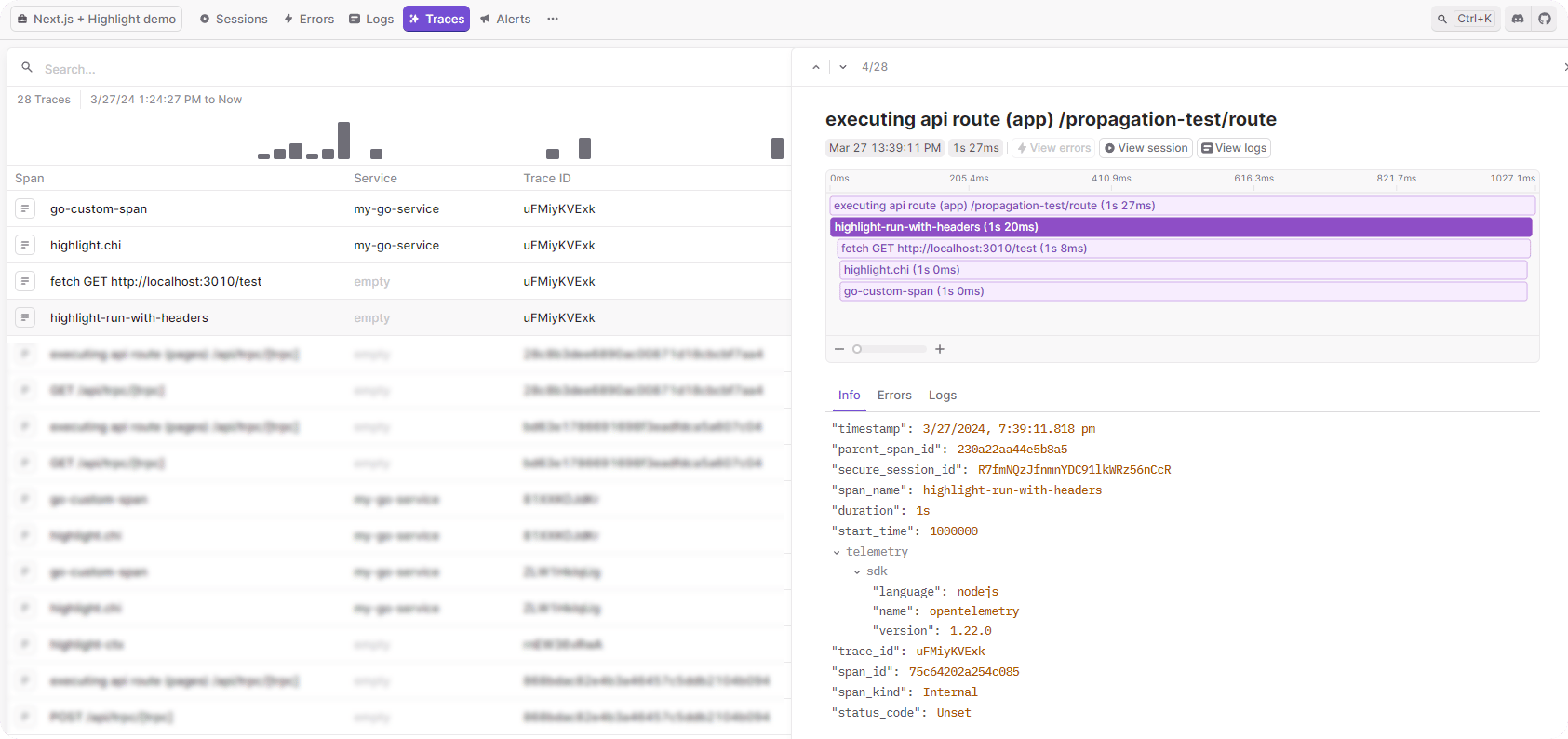
LaunchDarkly trace view showing the highlight-run-with-headers span wrapping the distributed request.
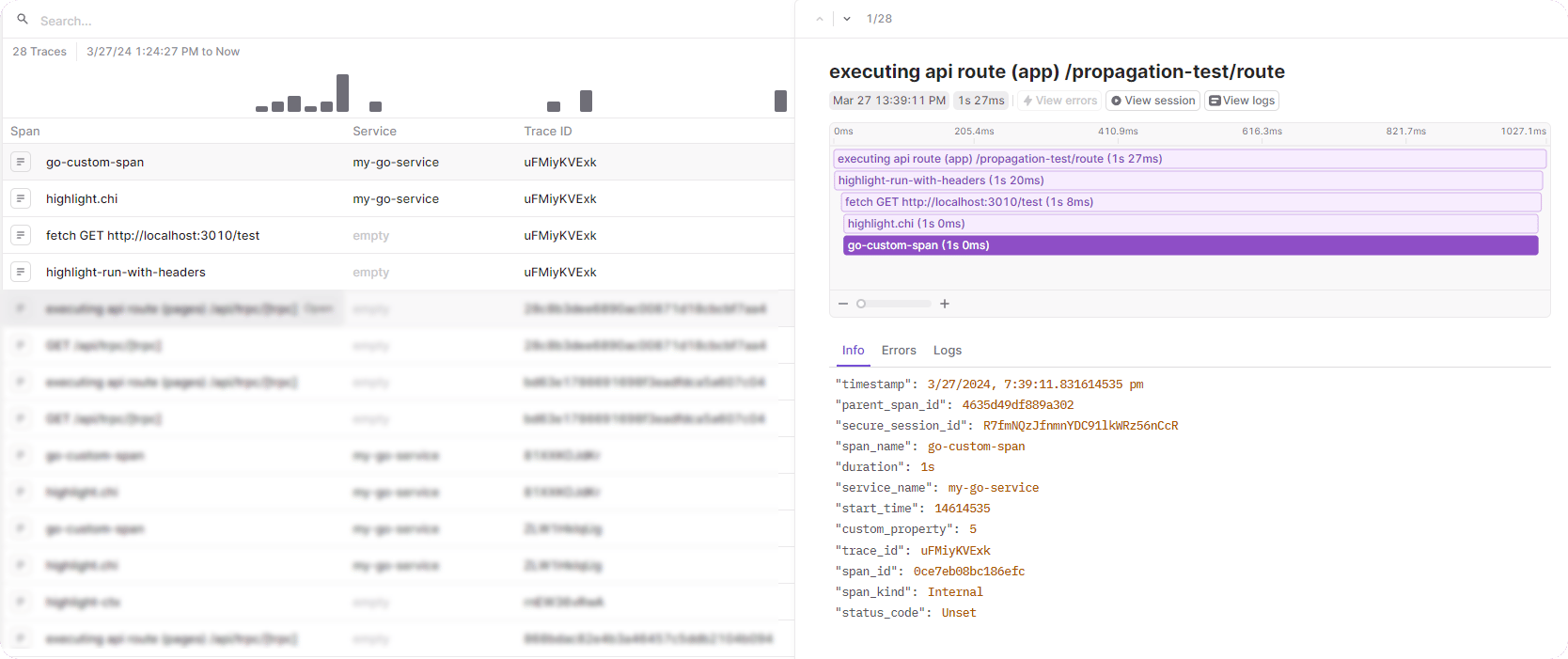
LaunchDarkly trace view showing the go-custom-span from the Golang backend service.