
Context attributes
This topic explains what context attributes are, how to configure them, and how LaunchDarkly uses them to evaluate flags and display flag variations to your customers.
About context attributes
Contexts are people, services, machines, or other resources that encounter feature flags in your product.
Each context has a context kind that you can use to categorize context instances for targeting and Experimentation. For example, you may know:
- the username, first name, last name, and email address of a person. You might include these context attributes in contexts with a “user” context kind.
- the size, region, and location of an office. You might include these context attributes in contexts with an “organization” context kind.
- the configuration details of an environment. You might include these attributes in contexts with a “device” context kind.
To learn more, read Context kinds.
A more precise way to refer to a context when you are using it to evaluate a feature flag is an “evaluation context.” An evaluation context is the object that the SDK uses to evaluate a feature flag. It can contain a single context or a multi-context. It includes all of the information about a context that LaunchDarkly can use for a feature flag evaluation. To learn more, read Contexts.
By default, the Contexts list displays a context’s attribute values. If you mark a context attribute as private within your SDK, it will not display in the LaunchDarkly user interface (UI) but you can still use it in flag evaluations. To learn more, read Using private context attributes.
Target based on context attributes
You can use context attributes in targeting rules for flags and segments. For example, imagine you want a flag to serve the Enabled variation to user contexts that have a plan type of Beta tester and are in the segment example segment.
Here is an example of that rule:
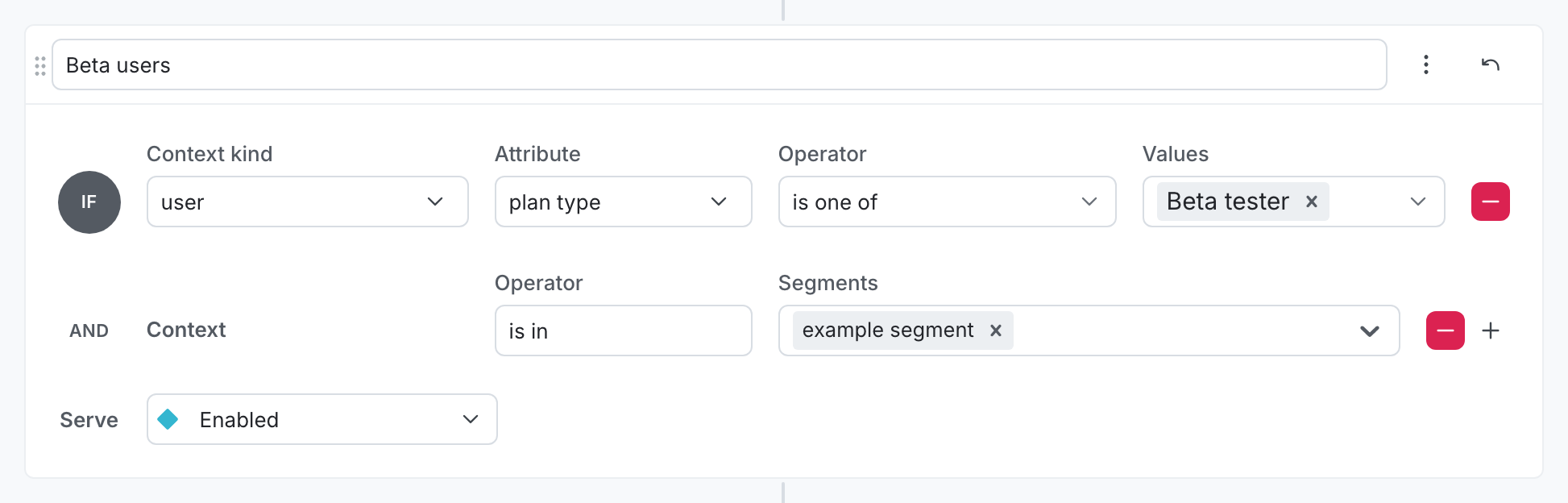
After you have set up the conditions for your rule, you can decide to roll out one variation to all your contexts, or do a percentage rollout across several variations. To learn more, read Target with flags.
View and manage context attributes
By default, SDKs send all of a context’s attributes to LaunchDarkly. This data lets LaunchDarkly determine the expected flag variations for contexts and powers the autocomplete functionality throughout the LaunchDarkly UI. You can change the value of an attribute for a context at any time by sending new attributes values to LaunchDarkly from your SDK.
Date and time attribute values
Context attributes can include date and time values. LaunchDarkly supports both of the following formats for date and time attributes:
- A Unix timestamp, represented as an integer or string, in milliseconds since the Unix epoch
- A date-time string in RFC 3339 format, such as
"2024-11-18T00:00:00Z"
When you use the before or after operators in targeting rules or segments, LaunchDarkly compares these values as dates. To learn more, read Representations of date and time values.

Try it in your SDK: Identifying and changing contexts
You can access context detail pages from the Contexts list. To learn how, read The Contexts list.
Here is a context details page in the LaunchDarkly UI:
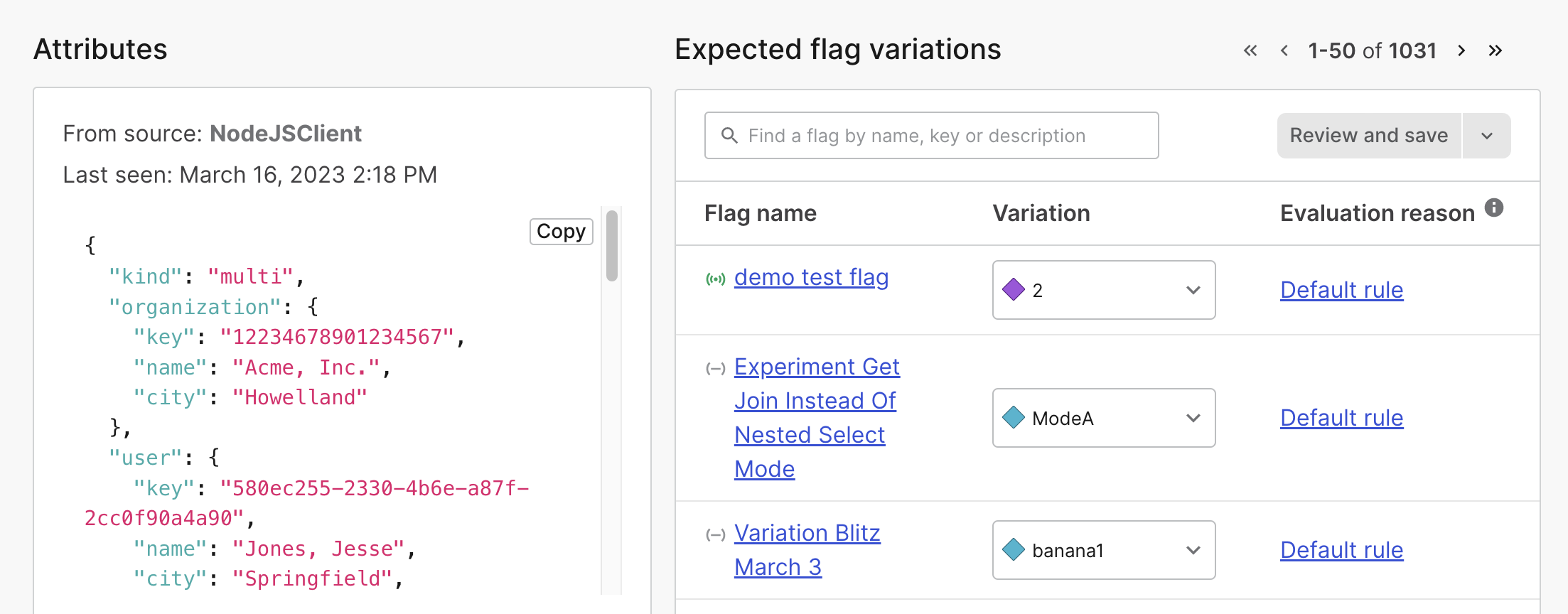
The SDK does not use the attributes in the Contexts list to evaluate flags
The SDK only evaluates flags based on the evaluation context you provide in the evaluation call. The SDK does not use the attributes shown on the Contexts list, and context attributes are not synchronized across SDK instances. You must provide all applicable context attributes for your targeting rules to apply correctly. To learn more, read Flag variation evaluation and Context configuration.