
Managing holdouts
This topic explains how to manage holdouts and interpret their results.
Manage holdouts
You can view all of a project’s holdouts on the Holdouts list:

Holdouts can have four possible states:
- Created: You have created the holdout, but have not yet added experiments or multi-armed bandits (MABs) to it.
- Ready: You have added at least one experiment or MAB to the holdout, but none of the experiments or MABs have started.
- Analyzing: At least one experiment or MAB is in the holdout, and it is currently running or it has one or more completed iterations.
- Complete: The holdout is finished analyzing the holdout audience against the experiments’ or MABs’ audiences, and everyone is now receiving the same experience.
Click on the name of a holdout to view its details page.
The details page lists the holdout’s name, description, holdout amount, randomization unit, and any experiments or MABs included in the holdout:
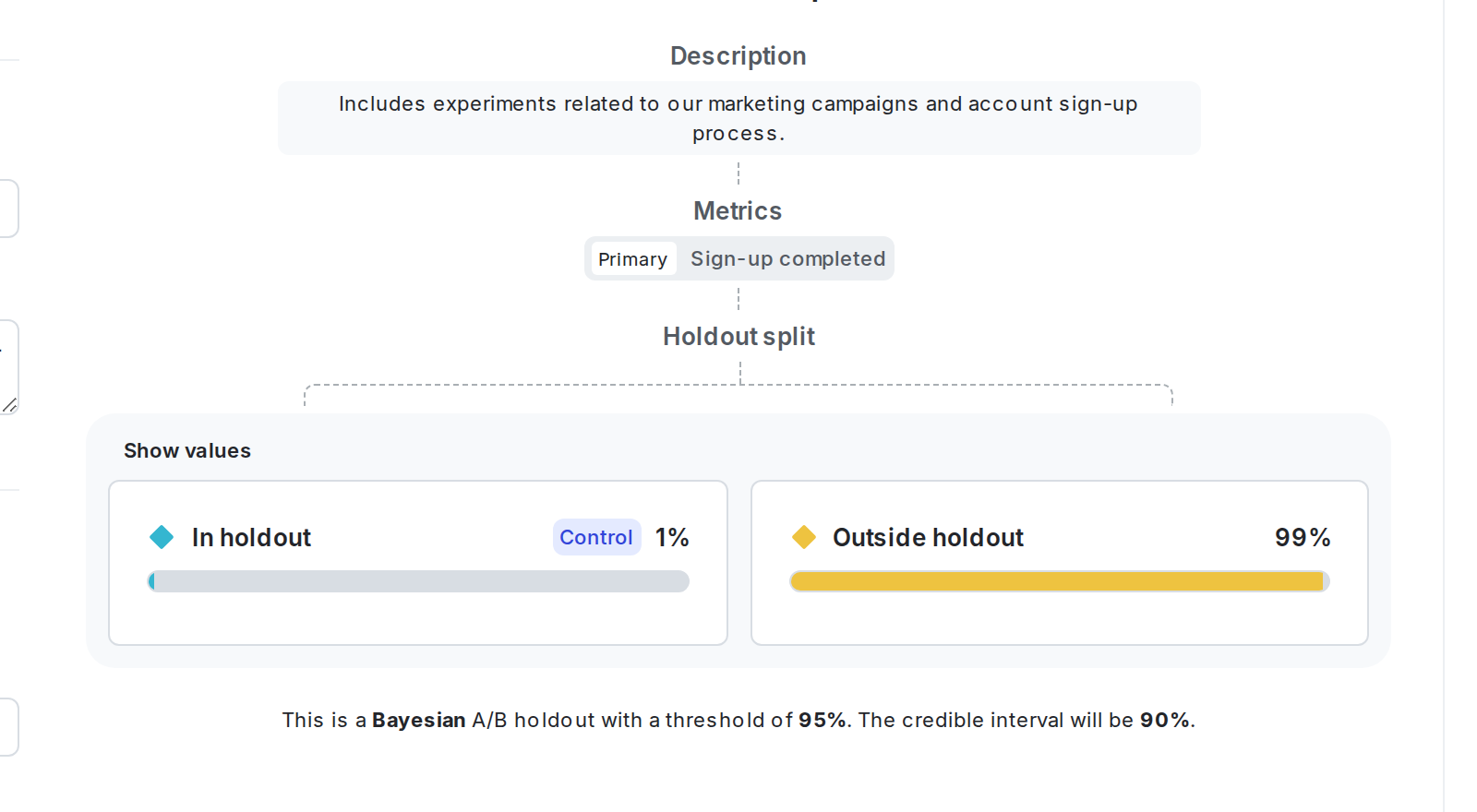

You can also use the REST API: Get all holdouts
Read results
On the holdout details page, the results section displays the results of the metric for two variations:
- “Not in holdout” includes any contexts included in an experiment or MAB within the holdout.
- “In holdout” includes the contexts that were excluded from experiments or MABs within the holdout.
You can see which variation is performing better if at least one of the experiments or MABs in the holdout is running. However, we don’t recommend making any decisions about your holdout until all of the experiments or MABs within the holdout are finished and you have shipped winning variations for all of them. To learn how, read Analyzing experiments.

When you have recorded enough data, you can stop the holdout and analyze its results. To do this, navigate to the holdout details page and click End. The contexts that were in the holdout will no longer be excluded from future experiments or MABs.
You can then make a decision about the results of your holdout based on which variation is performing better:
- If the “Not in holdout” variation is performing better, then this means your experiments or MABs are overall having a positive impact on the metric.
- If the “In holdout” variation is performing better, then this means your experiments or MABs are overall having a negative impact on the metric, and you may want to examine the experiments or MABs you’re running and the variations you’re testing to figure out how you can build better or more effective experiments or MABs.
You can also use the REST API: Get holdout