

Agent optimization is in beta.Agent optimization is in beta. Aspects of this feature may change without notice or become deprecated.
- The total tokens used
- The input/output of an optimization run
- The evaluator’s scores and their rationale
- Latency for each individual run, as well as for each evaluator
Prerequisites
- Python 3.14+
- Your agent runtime of choice. The SDK is agnostic towards what you use.
Exploratory and expected output modes
Agent optimization runs in two modes:Exploratory mode
Exploratory mode is for new agents, or agents that have a large, unbound surface area that might take in many distinct and varied inputs. Exploratory mode is rooted in chaos engineering. The core idea is to supply a set of possible inputs that will be randomly selected to help build resilience and identify possible unintended outcomes. For example, when you use the orchestrator pattern for agents, your orchestrator may need to handle a wide variety of differently formatted and unique inputs. Exploratory mode works well for this use case because you can put down multiple user inputs and expected variables and have it test different permutations without the need to specify each one. You can ensure that the agent is resilient to a wide variety of conditions because the optimization scores the output based on the input and output relationship, which is comprised of the data the agent had access to and its ultimate response. This is also a great way to test things that have access to tools with non-deterministic outcomes. Fetching user data from your system should always return the same results, but fetching things from the internet can have a large disparity in the amount and usefulness of data that returns. Using exploratory mode ensures that even if the data available to the LLM is different on each invocation, the response is still logically sound. Exploratory mode is not for situations with specific mappings of data, contexts, or variables that are only relevant to specific invocations. For example, if you’re passing different variables depending on the users’context values, this could lead to failing results because of the conflation of variables and context values. Unless you’re testing for resiliency, in a situation like that you probably want the ground truth mode.
Here’s an example of an exploratory mode setup:
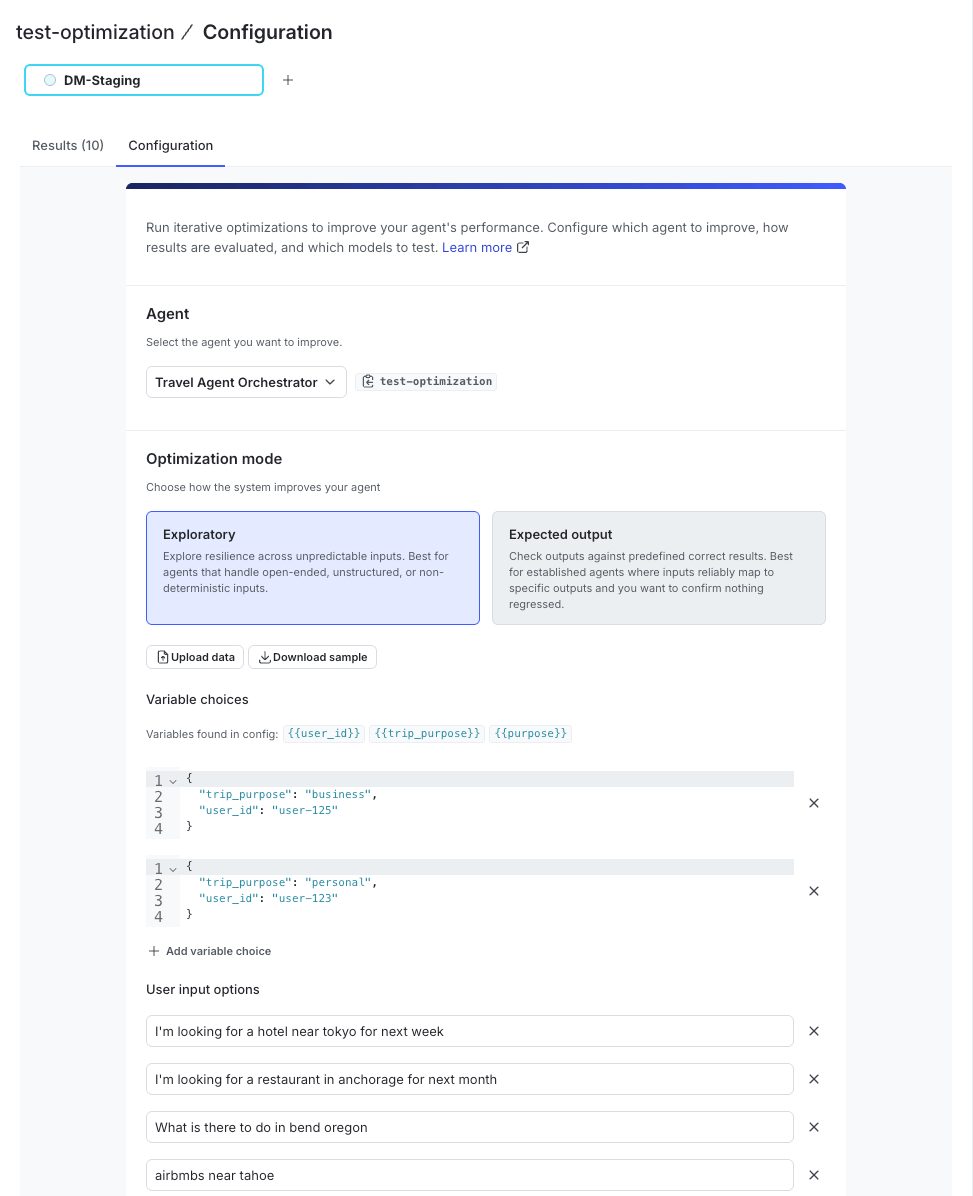
The exploratory mode input configuration in the LaunchDarkly UI, showing separate lists of user inputs and variable choices.
Expected output mode
Expected output mode is for already established agents where you have a corpus of knowledge of expected inputs and outputs already available. For example, if you have an agent that handles retrieving user preferences and mapping those to specific products within a system, you may already have an idea of which inputs should lead to which outputs. Expected output is the right choice if you want to change agent behavior, such as tone, formatting, or which tools it uses, without losing effective responses around the data returned. Expected output is not for situations with volatile or non-deterministic tools, such as internet search, because the results you receive back may not match exactly and the system penalizes results that don’t contain the same information as your expected outputs. Expected output can also lead to overfitting if there’s not a wide variety of expected test cases provided. Here is an example in the UI of a ground truth setup: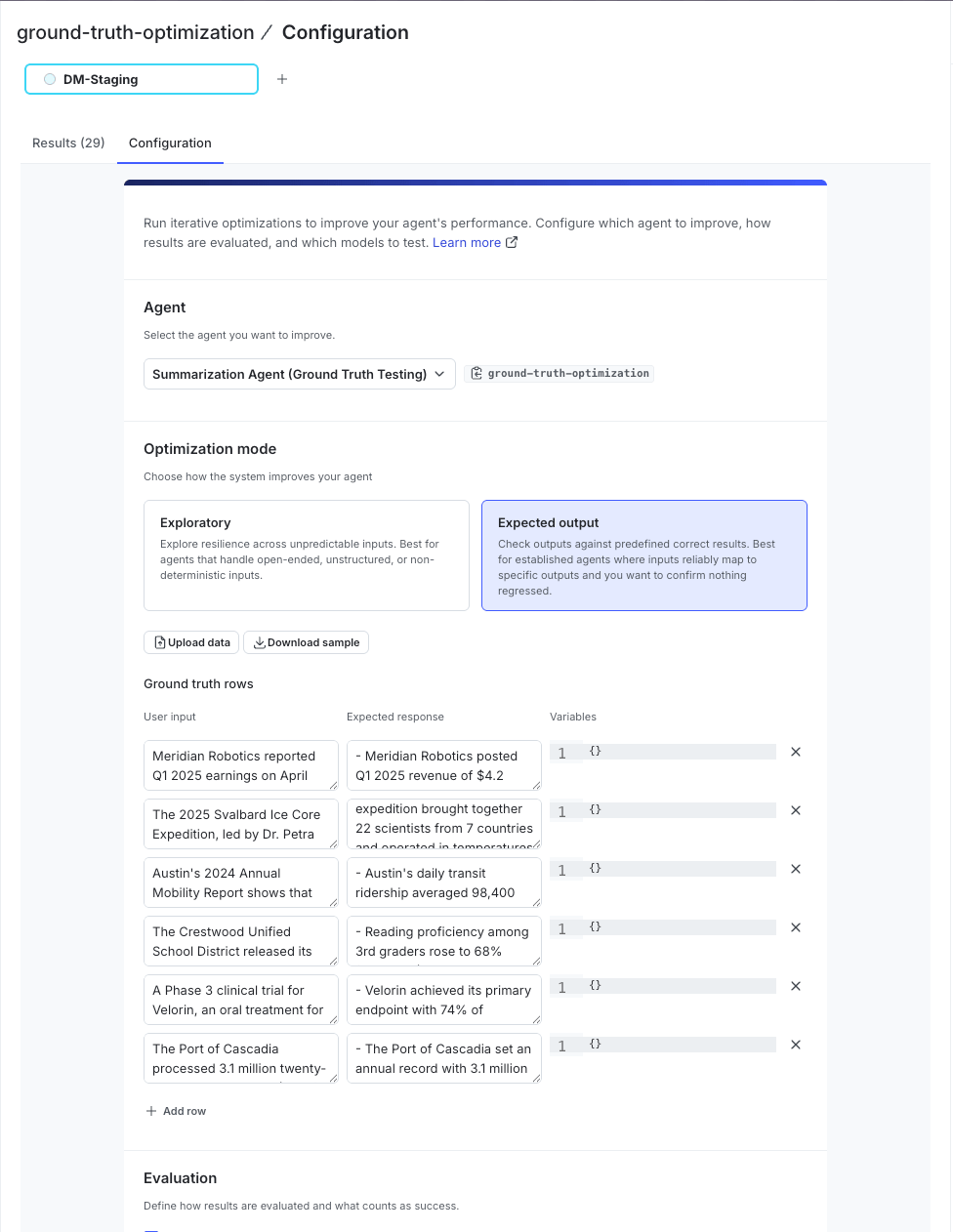
The ground truth mode input configuration in the LaunchDarkly UI, showing paired rows of user inputs, expected responses, and variable values.
Optimization results
After an optimization run completes, the results appear in the Optimization results page.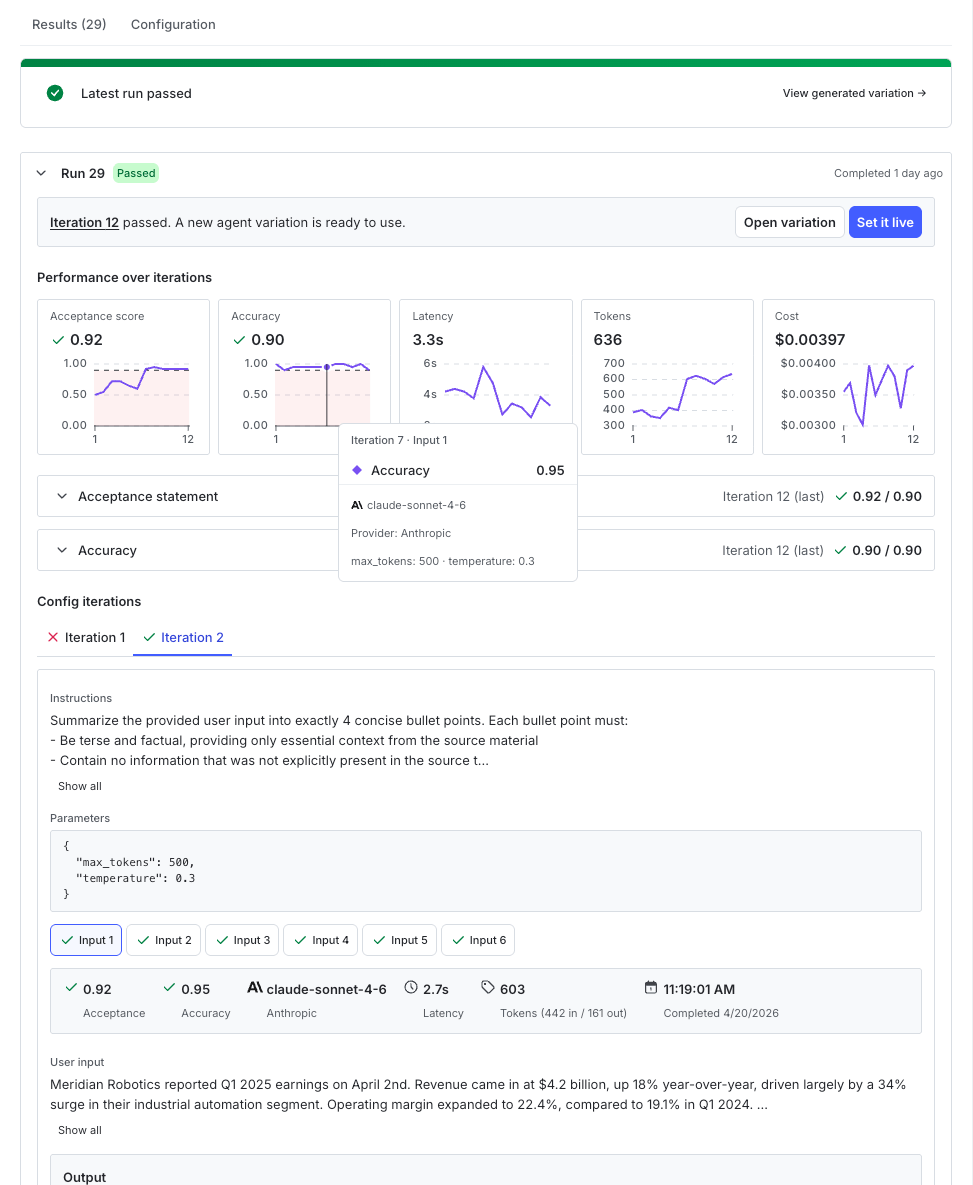
The optimization results UI, showing a passing run banner with options to open the variation or deploy it, and a list of past runs below.
- Open Variation opens the variation generated by the optimization process
- Deploy opens the config targeting page for the agent so that you can promote it to your chosen targeting rules
- Performance over iterations, which is a chart displaying the scores, latency, tokens and estimated cost for the run
- Config iterations, a section which contains all of the specific details for each of the iterations of the run. If you used ground truth mode, these are further stratified by the individual inputs that were tested within each pass.
- Each of these iterations or inputs shows the input data used for that test pass, the output from the agent as well as the rationale and scores for each of the judges or acceptance statements you’ve attached.
optimize_from_config or if you use optimize_from_options and set the auto_commit property to True.
To view results, set the API key environment variableData collection requires you to set the
LAUNCHDARKLY_API_KEY environment variable. If data does not appear in the UI, verify that you configured this correctly. To learn more, read the Optimization SDK quickstart.