

Guarded rollouts are available to customers on select plansGuarded rollouts are available to customers on an Enterprise plan with the Guardian add-on. To learn more, read about our pricing or contact Sales.All LaunchDarkly accounts include a limited trial of guarded rollouts. Use this to evaluate the feature in real-world releases.
Randomization units
A guarded rollout uses a single context kind, called a randomization unit, to determine how to assign traffic to flag variations. Most guarded rollouts use therequest or user context kind as the randomization unit. This means the rollout assigns the new or original variation based on the request or user encountering the flag. You can also use another context kind, such as device or organization, depending on how your application is configured.
Choose the randomization unit
The randomization unit must be available in both the flag and in the analysis unit configuration of metrics you want to monitor. By default, guarded rollouts analyze attached metrics using the same context kind that you choose for the randomization unit. You can choose a different analysis unit for some metrics. To learn more, read Analyze metrics by a different context kind and Analysis units. We recommend choosing a randomization unit that represents a large number of unique contexts. This helps LaunchDarkly detect performance differences between variations more quickly.Minimum context requirement for guarded rolloutsA minimum number of contexts must be served the new variation before the next stage of the rollout begins. If this minimum requirement is not met, LaunchDarkly automatically extends the current stage to allow more contexts to receive the new variation. If the requirement is still not met after the extension period, LaunchDarkly rolls back the release.
Requests
For backend-only changes, therequest context kind is often the best choice. Systems typically generate many distinct requests, and backend metrics like latency and error rate are usually measured per request.
To use request contexts, configure a context with the kind set to "request" and a key that uniquely identifies the request and remains consistent throughout the request lifecycle:
Users
Auser randomization unit is often the best choice for:
- Frontend-only changes
- Backend changes that may affect frontend metrics
- Backend changes that may impact performance outside the scope of the current request
user contexts, configure a context with the kind set to "user" and a key that uniquely identifies the user across all interactions:
Multi-contexts
To make a context kind available for use in your guarded rollouts, you must instrument your application code consistently. To simplify this, we recommend using multi-contexts to include multiple context kinds in each flag request. For example, if your application has both a frontend and a backend service:- On the client side, set the current context to a multi-context that includes all the contexts the frontend knows about, such as
useranddevice. - On the server side, create a multi-context that includes all the contexts the backend knows about, such as
userandrequest. Use this multi-context when evaluating flags.- Use the same multi-context in any custom event tracking calls to ensure consistency with how variations are served.
- In larger codebases, use middleware to consistently set the LaunchDarkly context for each request.
Analyze metrics by a different context kind
A guarded rollout can analyze an individual metric by a context kind that is different from the rollout’s randomization unit. This is called clustered analysis. For example, you can roll out a change byuser or organization contexts, and analyze a latency metric by request contexts. This lets LaunchDarkly measure each request’s latency, instead of averaging latency across all of a user’s requests.
To analyze a metric by a different context kind, the metric must meet these requirements:
- The metric uses LaunchDarkly hosted events. Guarded rollouts cannot use warehouse native metrics.
- The metric uses the average analysis method. Percentile metrics and ratio metrics always use the rollout’s randomization unit.
- The metric is not an Occurrence (Percent) metric, also called a binary metric. To learn more, read Aggregation method.
- You add the metric to the rollout individually. Metrics that you add as part of a metric group always use the rollout’s randomization unit.
- The metric’s analysis unit configuration includes both the rollout’s randomization unit and the context kind you want to analyze by. To learn more, read Analysis units.
Choose a granular analysis unit
Each analysis unit context must belong to exactly one randomization unit context. A guarded rollout serves the same variation to every context that belongs to one randomization unit context. If an analysis unit context belongs to more than one randomization unit context, it can receive more than one variation, and LaunchDarkly cannot attribute its metric events to one variation. For context kinds that are organized in a hierarchy, such asorganization, user, and request, this means the analysis unit must be more granular than the randomization unit. If you roll out by user, you can analyze a metric by request but not by organization, because one organization can include users who receive different variations. Context kinds that have many-to-many relationships, such as device and user, cannot be used together this way.
If LaunchDarkly detects that an analysis unit context received more than one variation, it pauses the rollout. To learn more, read Rollouts paused for an invalid analysis unit.
Send both context kinds with metric events
When a metric’s analysis unit is different from the rollout’s randomization unit, LaunchDarkly needs both contexts to connect each metric event to the variation that was served. Use a multi-context that includes both context kinds when you evaluate the flag and when you send metric events. For example, if you roll out byuser and analyze by request, include both the user and the request contexts:

You can also use the REST API: Start an environment release
Mark context kinds available for guarded rollouts
In LaunchDarkly, the default context kind ofuser is automatically available for use in guarded rollouts. If you have created other context kinds and want to use them as randomization units, make sure they are marked as Available for experiments and guarded rollouts. To learn more, read Mark context kinds available for experiments.
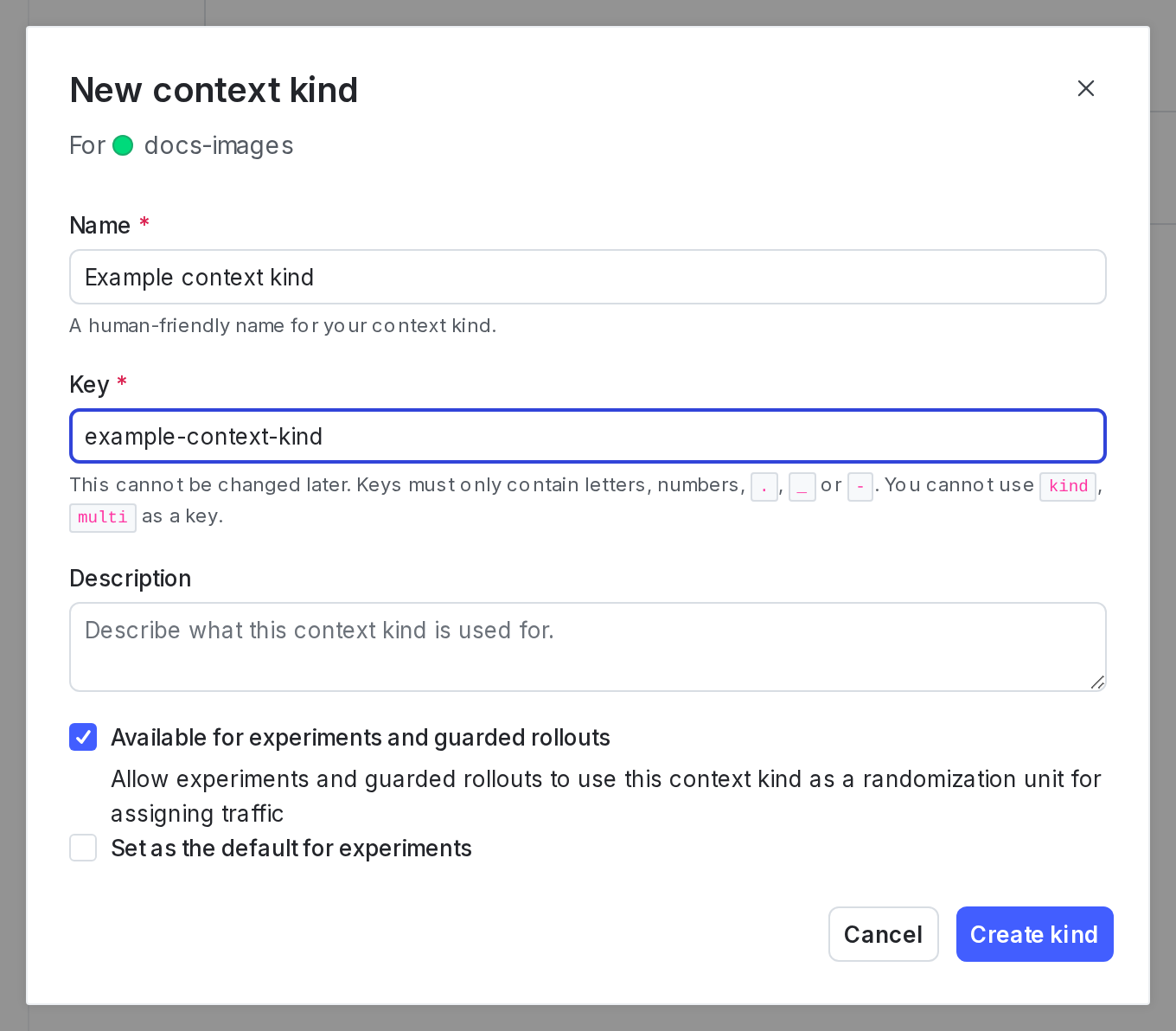
The "New context kind" dialog with the "Available for experiments and guarded rollouts" option checked.