
Using private context attributes
This topic explains how to create targeting rules that target contexts based on attributes that may or may not be stored in LaunchDarkly.
About private context attributes
You may not want to send all attributes back to, or store all attributes in, LaunchDarkly. The security or data protection requirements of your organization may require you to limit what customer data is transmitted to or stored within a third-party platform like LaunchDarkly. For example, you may want to target customers by their personally identifiable information (PII), such as their email address. You can mark the email address attribute as private, but still use it in targeting rules and segments.
You cannot mark attributes as private from within the LaunchDarkly UI. Instead, you must configure them within your SDK.
Configure private attribute settings in your SDK
There are multiple ways you can mark attributes as private:
- You can mark an attribute as private across all contexts of any context kind. You might use this if you want to ensure that an “email” attribute is never sent to LaunchDarkly, no matter whether it occurs in a user context, an organization context, or something else.
- You can mark an attribute as private within a particular context or context kind. You might use this if you want an “email” attribute to be private in a user context, but not in an organization context.
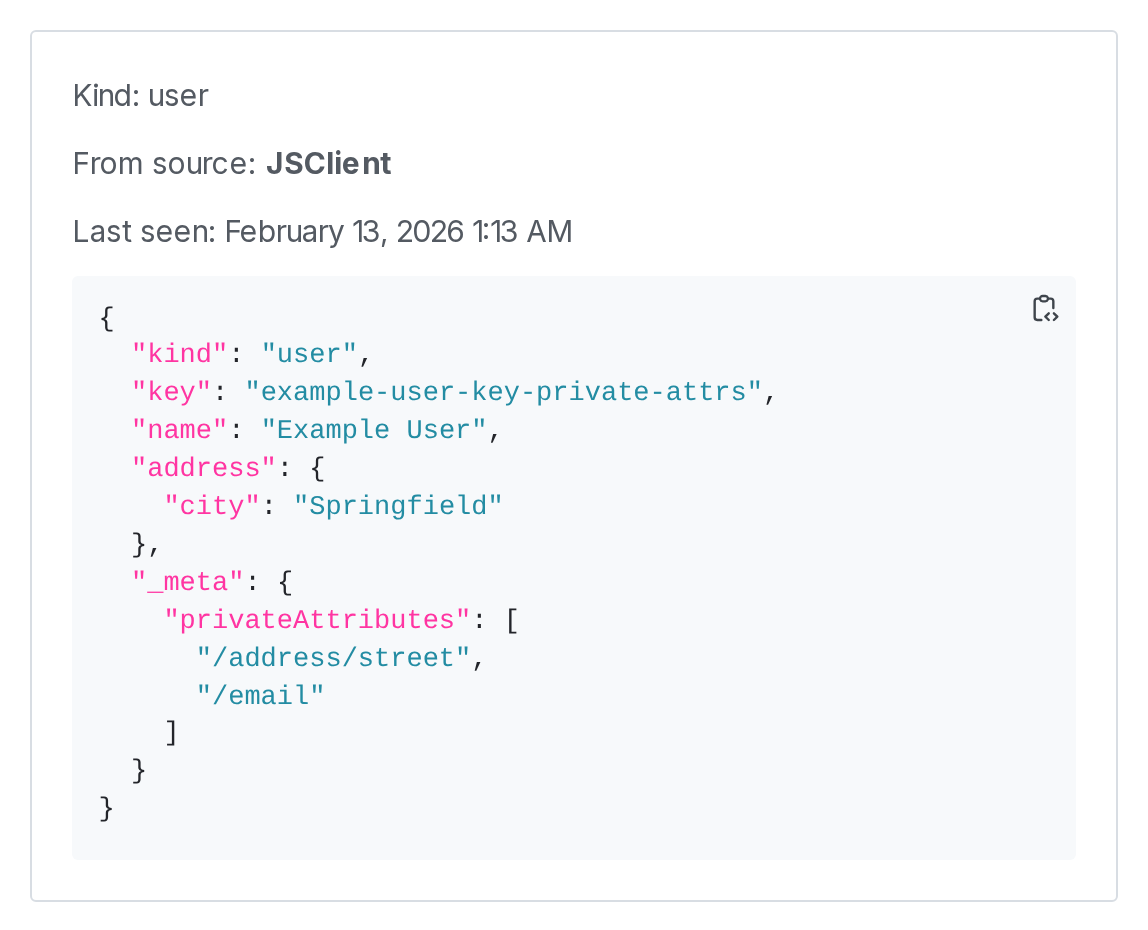
- You can mark some portions of an attribute as private. For example, if you have one attribute for address, you could mark the “street” field of the address attribute as private, but not the “city” field. You can still use all parts of the address in targeting rules, but only the city would appear in the LaunchDarkly UI.
On the context details page, private attributes appear under a _meta section. The values of these attributes are not displayed.
Here is a context details page that includes private attributes:

Configure your SDK: Private attributes
If a feature flag contains targeting rules that reference private attributes, context pages may not be able to calculate flag settings for your contexts. Each context page indicates when it is unable to calculate flag settings because of private attributes.
When creating a targeting rule, LaunchDarkly cannot autocomplete the values for attributes you have made private.