
SDK and integration configuration for segments
Segments synced from external tools and larger list-based segments are the two kinds of “big segment.” These segments are only available to customers on select plans. To learn more, read about our pricing. To upgrade your plan, contact Sales.
This topic explains the configuration process and requirements for synced segments and larger list-based segments.
You may be familiar with the concept of a “big segment,” which is a term we previously emphasized in the LaunchDarkly documentation and user interface (UI) to describe some segments.
These segments are either:
- a synced segment, or
- a list-based segment with more than 15,000 entries that includes only one targeted context kind.
LaunchDarkly uses different implementations for different types of segments so that all of your segments have good performance. Because the implementation for these segments is different than for rule-based segments and smaller list-based segments, there is some additional configuration work that you must complete before you can create one of these segments for the first time. This topic describes that configuration work.
You only need to perform the configuration steps in this topic if you wish to use these segments with a server-side SDK. Client-side SDKs support these types of segments by default. These types of segments are not supported on edge SDKs.
Set up a synced or list-based segment for use with a server-side SDK
For server-side SDKs, these segments require a persistent store within your infrastructure. LaunchDarkly keeps the persistent store up to date and consults it during flag evaluation.
To configure and use a persistent store to use segments with a server-side SDK, you must complete the following steps:
- Configure a persistent store
- Configure a persistent store integration or Configure the Relay Proxy
- Configure server-side SDKs
- Review and edit the integration as needed, including reviewing its connection status
Configure a persistent store
If you are using server-side SDKs, synced segments and larger list-based segments require a persistent store within your infrastructure. You can use either Redis or DynamoDB. We recommend using a dedicated Redis database or DynamoDB table.
LaunchDarkly stores the segments’ context keys in the persistent store, keeps the persistent store up to date, and consults it during flag evaluation.
If you are using Redis, you will need to know:
- Your Redis host
- Your Redis port
- Your Redis username, if any
- Your Redis password
- Whether or not LaunchDarkly should connect using TLS.
Expand Redis user permissions
Your redis user will need permissions to perform at least these operations:
GETSETSADDSREMDELWATCHPINGMULTIEXEC
If you are using DynamoDB, you will need to know:
- Your DynamoDB table name. The table must have the following schema:
- Partition key:
namespace(string) - Sort key:
key(string)
- Partition key:
- Your DynamoDB Amazon Web Services (AWS) region.
- Your AWS role Amazon Resource Name (ARN). This is the role that LaunchDarkly will assume to manage your DynamoDB table.
- An External Id to connect your AWS role with LaunchDarkly. LaunchDarkly provides this when you configure the persistent store integration.
Expand Creating the AWS role
To create your AWS role:
- In your AWS account, create an IAM Policy that grants the following actions on your DynamoDB table:
ConditionCheckItemGetItemPutItemUpdateItem
- In your AWS account, create a role for LaunchDarkly to assume:
- Select “AWS Account” as the Trusted entity type and use the account ID
554582317989
- Check the Require external ID checkbox. Enter the External Id that LaunchDarkly provides in the persistent store integration configuration panel.
- Attach the IAM policy you created in the previous step.
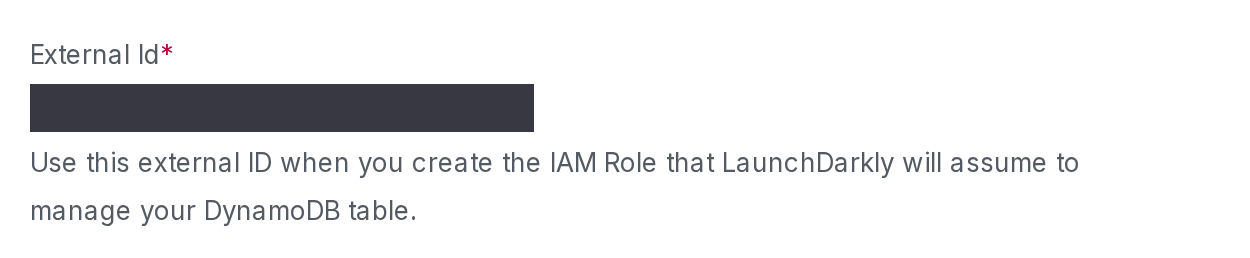
Whichever persistent store you use, you may also need to add the outboundAddresses from the LaunchDarkly public IP list to your infrastructure’s firewall. To learn more, read Public IP list.
LaunchDarkly keeps the persistent store up to date, using either a persistent store integration or the Relay Proxy. You must configure one or the other. Then, LaunchDarkly consults the persistent store during flag evaluation.
Implementation considerations when using a persistent store
There are a few implementation considerations to keep in mind when you are using a persistent store for segments:
- We recommend using a dedicated Redis database or DynamoDB table. The persistent store integration will have read and write access to this.
- If you are using AWS, we recommend using DynamoDB as your persistent feature store, rather than Redis, because DynamoDB is fully managed by AWS. This means any provisioning of larger hosts happens automatically as your segment data scales.
- The feature store and persistent store configurations for your SDK are separate. If you are using a feature store for your SDK, you can use either the same or a different persistent store for your segments. For example, if you configure your SDK to use Redis for a feature store, you can still configure it to use DynamoDB for the persistent store for segments. To learn more, read Storing data and Big segments in the SDK features documentation.
There are also a few performance considerations to keep in mind when you are using a persistent store for segments:
- LaunchDarkly uses the persistent store to hold the context keys of the contexts in your segments.
- For synced segments, the set of context keys is updated regularly. The cadence of this update is determined by the external tool you are using, such as Amplitude or Twilio Segment Audiences. The persistent store integration displays when the most recent sync occurred. To learn more, read Review and edit the persistent store integration and Update synced segments.
- For performance reasons, we recommend that your persistent store is co-located with your application. You can use multiple persistent stores if you host your application in multiple regions.
Configure a persistent store integration
Configuring a persistent store integration is the easiest way to ensure that LaunchDarkly keeps your synced segments and larger list-based segments up to date.
Here’s how:
- Click the gear icon in the left sidebar to view Organization settings.
- Click Integrations.
- Find the integration for your persistent store. You can search for “DynamoDB” or “Redis.”
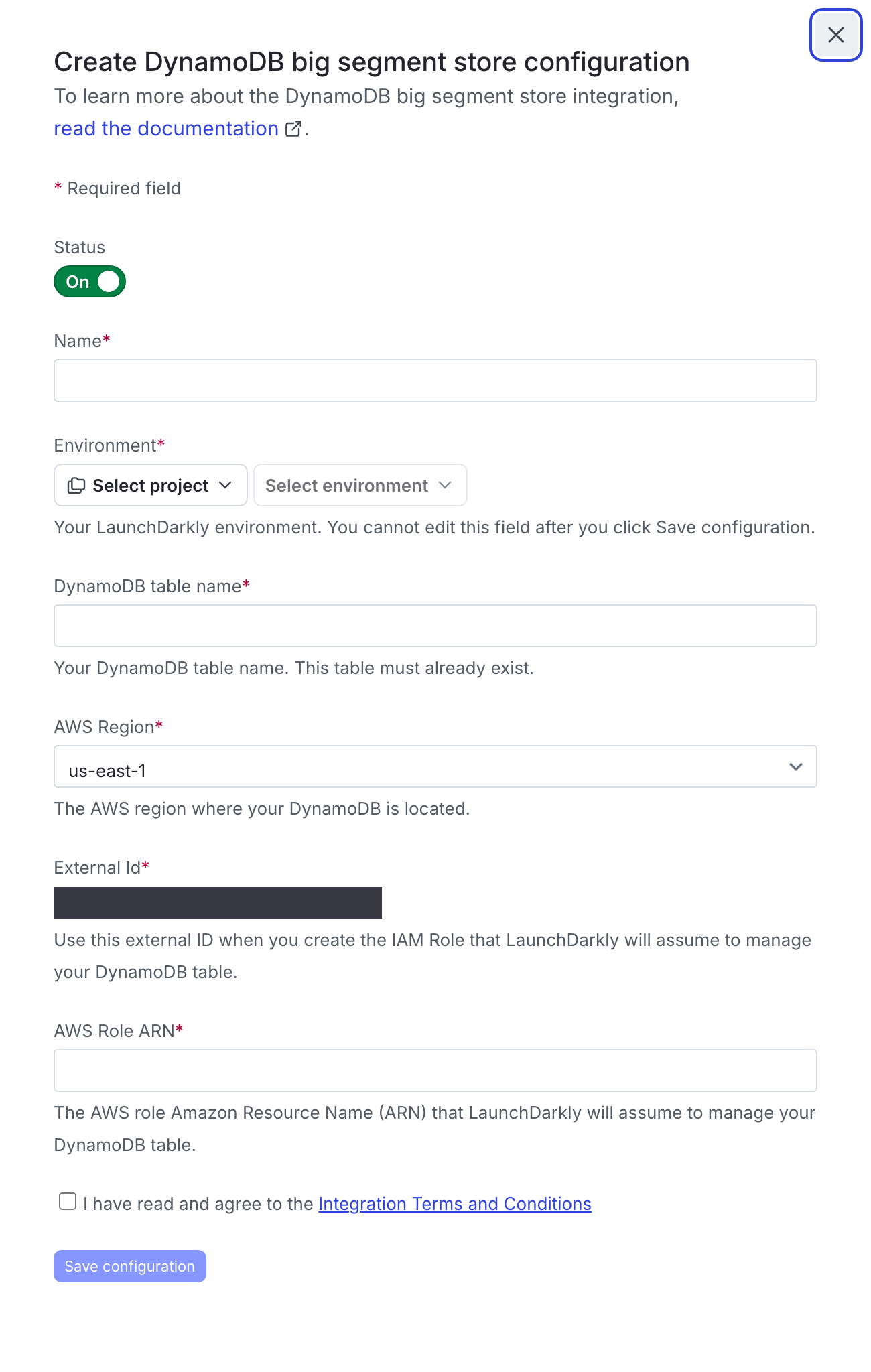
- Click Add integration. A “Create configuration” panel appears.
- Set the Status of the integration to On.
- (Optional) Enter a Name for the integration.
- Choose an environment from the Environment menu. This should match the environment where your segments are created. It cannot be changed after you create the integration.
- Enter information specific to your persistent store.
- For Redis, this includes the Redis host, port, username, password, and whether LaunchDarkly should connect using TLS.
- For DynamoDB, this includes the DynamoDB table name, AWS region, and AWS role ARN.
- After reading the Integration Terms and Conditions, check the I have read and agree to the Integration Terms and Conditions checkbox.
- Click Save configuration.
After your persistent store integration is configured, LaunchDarkly automatically keeps the persistent store up to date. For larger list-based segments, LaunchDarkly writes the segment contents to your persistent store when you create or update segments. For synced segments, LaunchDarkly writes the segment contents from your external tool to your persistent store. The segment data that is persisted to your infrastructure contains hashed values of context keys and LaunchDarkly segment keys. In both cases, the segment contents are readily available within your infrastructure, and LaunchDarkly consults your persistent store automatically during flag evaluation.
Flag evaluation references the segment contents in your persistent store. If your application evaluates flags that target segments while those segments are in the process of being synced with the external tool, the flag evaluation may be out of date for the time it takes to complete the syncing process. The LaunchDarkly SDKs log a warning in this situation.
Configure the Relay Proxy
You are not required to use the Relay Proxy to configure synced segments or larger list-based segments. You can use a persistent store integration instead.
We recommend using the Relay Proxy in certain situations. The Relay Proxy is not appropriate for all customer configurations. To learn more about if using the Relay Proxy is right for you, read Determining whether to use the Relay Proxy.
If you are already using the Relay Proxy with DynamoDB or Redis, you may decide to use it for your segments infrastructure as well. To learn how, read Configuring the Relay Proxy for segments.
Configure server-side SDKs
If you are using server-side SDKs, you must use an SDK version that supports big segments, and you must configure your SDK to use the persistent store that you have configured above, either through a persistent store integration or through the Relay Proxy.

Configure your SDK: Big segments
If you are using client-side SDKs, no persistent store, integration, or additional setup is required.
Review and edit the persistent store integration
You can review the status of your persistent store integration, and edit the configuration if needed. Here’s how:
- Click the gear icon in the left sidebar to view Organization settings.
- Click Integrations.
- Find the integration for your persistent store. You can search for “DynamoDB” or “Redis,” or for the name of your persistent store integration.
From here, you can review the configuration for this integration. This includes the following information:
- “Configuration name” column with the configuration name, project, and environment.
- “State” column with information on whether the persistent store integration is currently in sync with the segments in the LaunchDarkly environment.
- A state of “Healthy” means that the data in your persistent store matches the data in LaunchDarkly.
- Click “See error” to view details of any error. You can also find this information by clicking the overflow menu and choosing “View error log.”
- “Last successful sync” column with a timestamp of when the most recent sync occurred between the persistent store integration and the LaunchDarkly environment.

To edit the integration:
- Click the overflow menu for your persistent store integration and choose “Edit integration configuration.”
- In the panel, you can update the Status, Name, and some details specific to your persistent store integration.
- When you are finished, click Save configuration.
To delete the integration:
- Click the overflow menu for your persistent store integration and choose “Edit integration configuration.”
- In the panel, find the “Delete configuration” section.
- Click Delete.