Deployments
This topic explains how to use the deployments page in engineering insights. To learn how to configure this metric, read Send deployment information.
In LaunchDarkly, a deployment is a new code change your team has introduced to an environment. For example, a deployment occurs when your team merges one or more pull requests (PRs) into your main or release branch and all code from that branch is put into your production environment.
However, a deployment lacks information on which code paths are enabled for different customers. To fully understand how and when changes are going out to your customers, you need to track both deployments and releases. To learn more about how deployment and release metrics work together, read Release frequency.
The deployments page displays the number of deployments per day, as well as the total for the selected time range. It also includes a table of recent deployments, their details, and their statuses.
Deployments summary
The deployments summary includes the following information:
- Average deployments per day
- Total deployments
- Deployment error rate, determined by the percentage of deployments that you have rolled back
- Average deployment duration
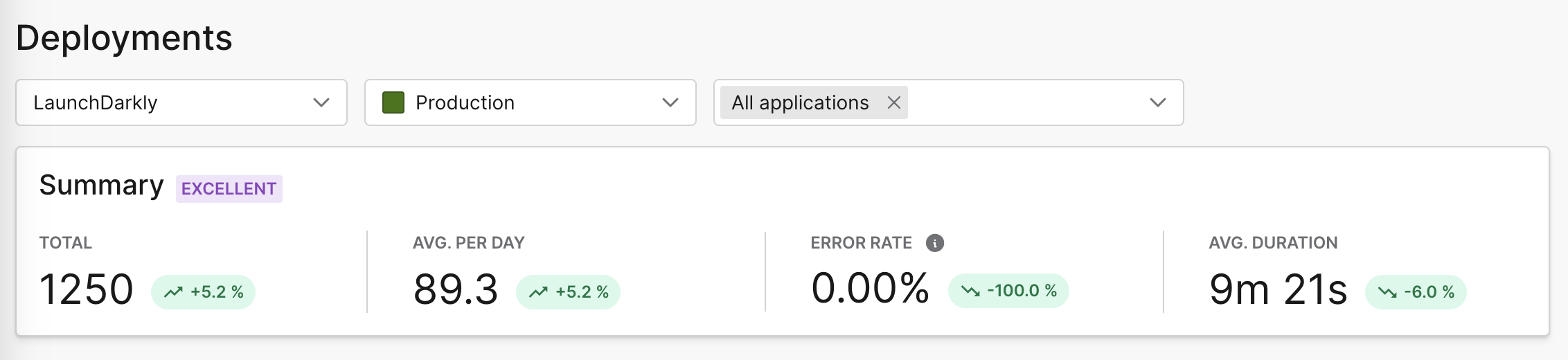
Use the selection menus to narrow your view to a specific LaunchDarkly project, environment, or one or more applications. You can also change the selected time range to the last 1, 2, 4, or 12 weeks, or a custom range.
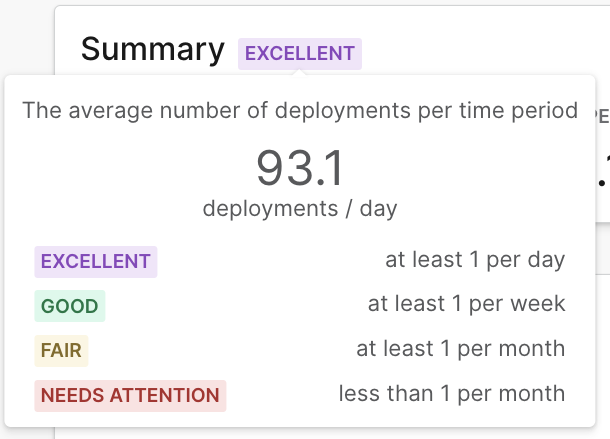
The deployment frequency summary displays an overall rating tier based on the average deployment frequency for your selected time range:
- Excellent: at least one deployment per day
- Good: at least one deployment per week
- Fair: at least one deployment per month
- Needs attention: less than one deployment per month
Deployment frequency
Each data point on the deployment frequency chart includes the number of deployments on that date.
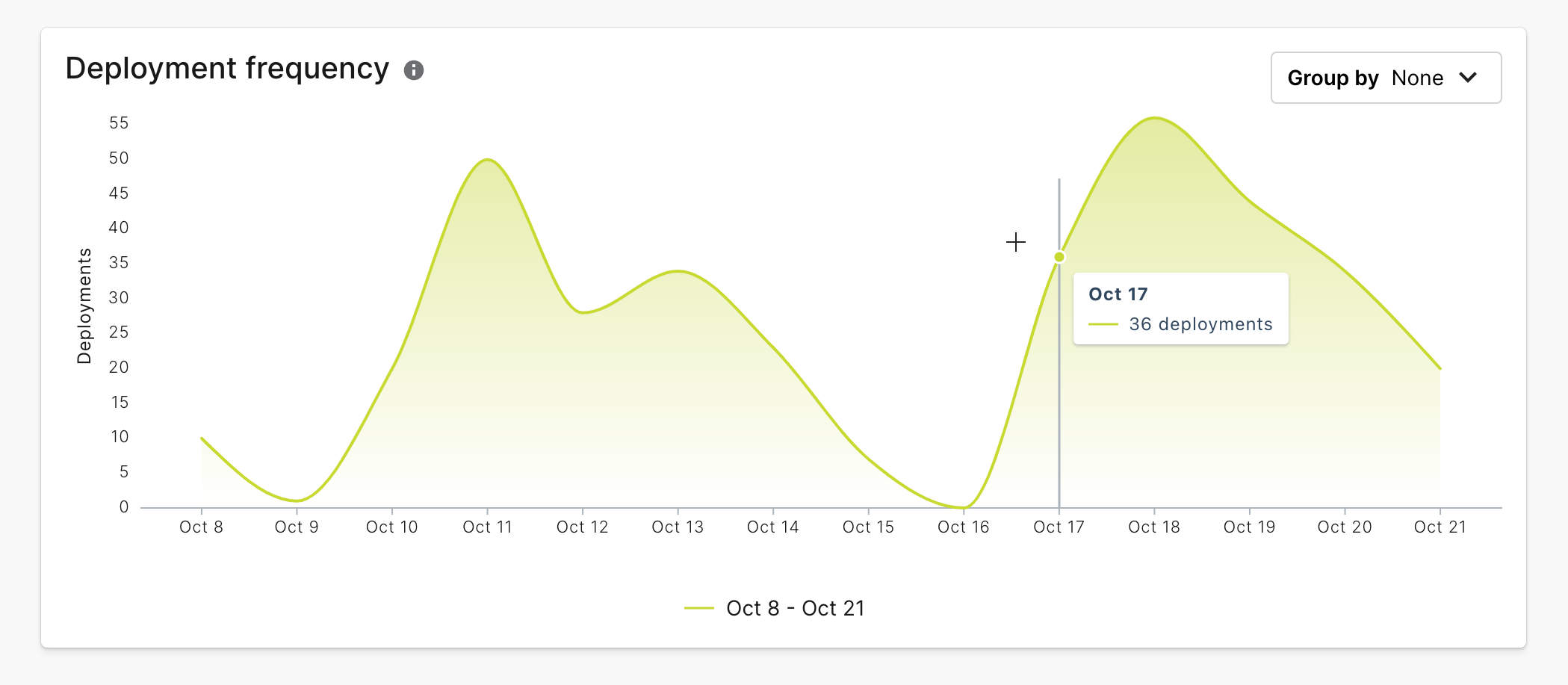
You can use the “Group by” menu to group the results by application or environment.
Deployments list
The deployments list displays the following information:
- The application name and application version deployed
- The environment deployed to
- How long ago the deployment occurred
- The deployment status, which can be one of:
- In progress
- Completed
- Failed
- The deployment kind, which can be one of:
- Rollback: Deployment for a version which was previously deployed more than one version ago
- Rolled back: All deployments registered between the initial deploy and the rollback deploy
- Redeployment: Deployment of the most recently deployed version
- Active: Deployment version that is live
LaunchDarkly automatically detects rollbacks by checking the SHA of the current deployment against the SHAs of all existing deploys in the target environment.
If LaunchDarkly finds a matching SHA, it will do the following:
- Label the new deployment as a “Rollback” in the “Kind” column
- Label all deploys registered between the initial deploy and rollback deploy as “Rolled back”
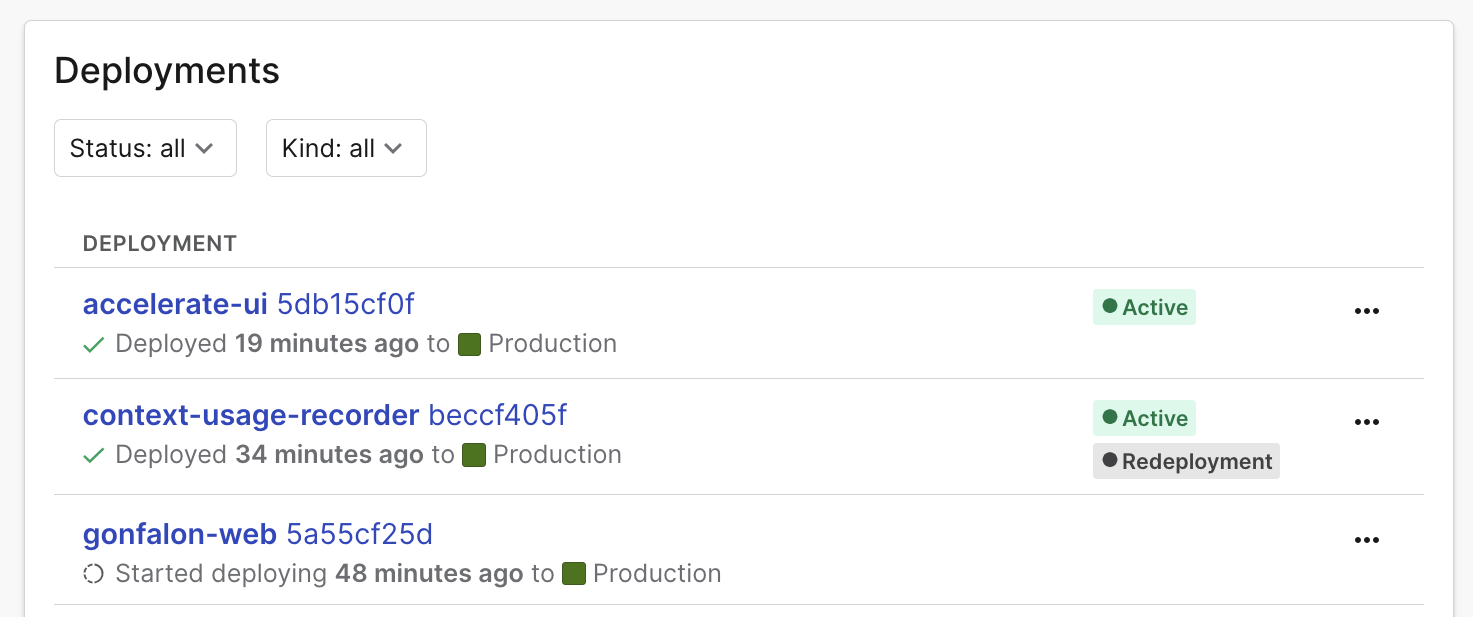
To hide a deployment from the list, click on the overflow menu and choose “Hide deployment.”
Deployment details
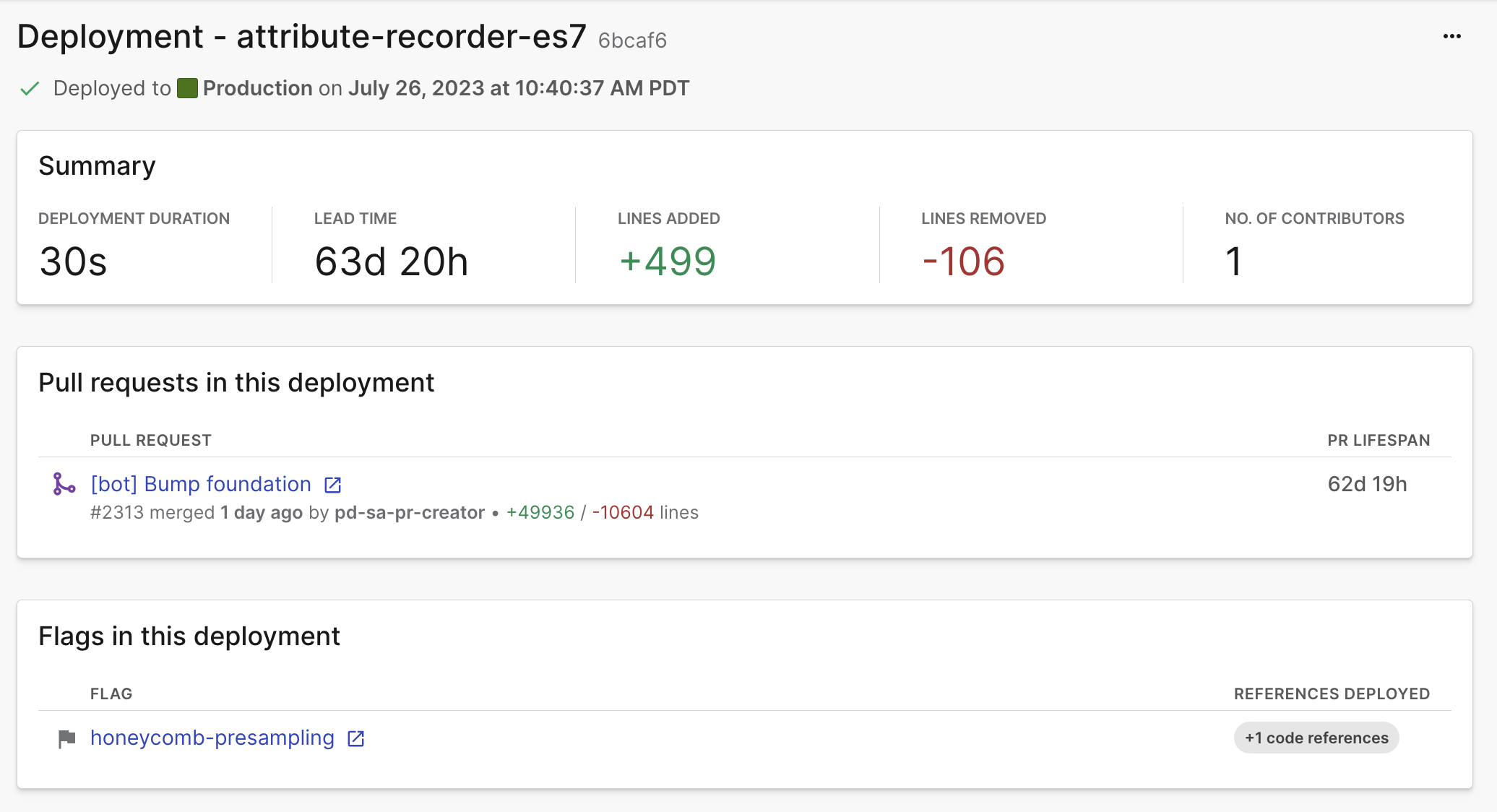
Click on the title of a deployment to open a details screen with more information.
The details screen includes:
- Deployment duration
- Lead time
- Number of lines added in the included PRs
- Number of lines removed from the included PRs
- Number of contributors to the included PRs
- A list of PRs included in the deployment
- A list of flags included in the deployment, if applicable
Edit deployments
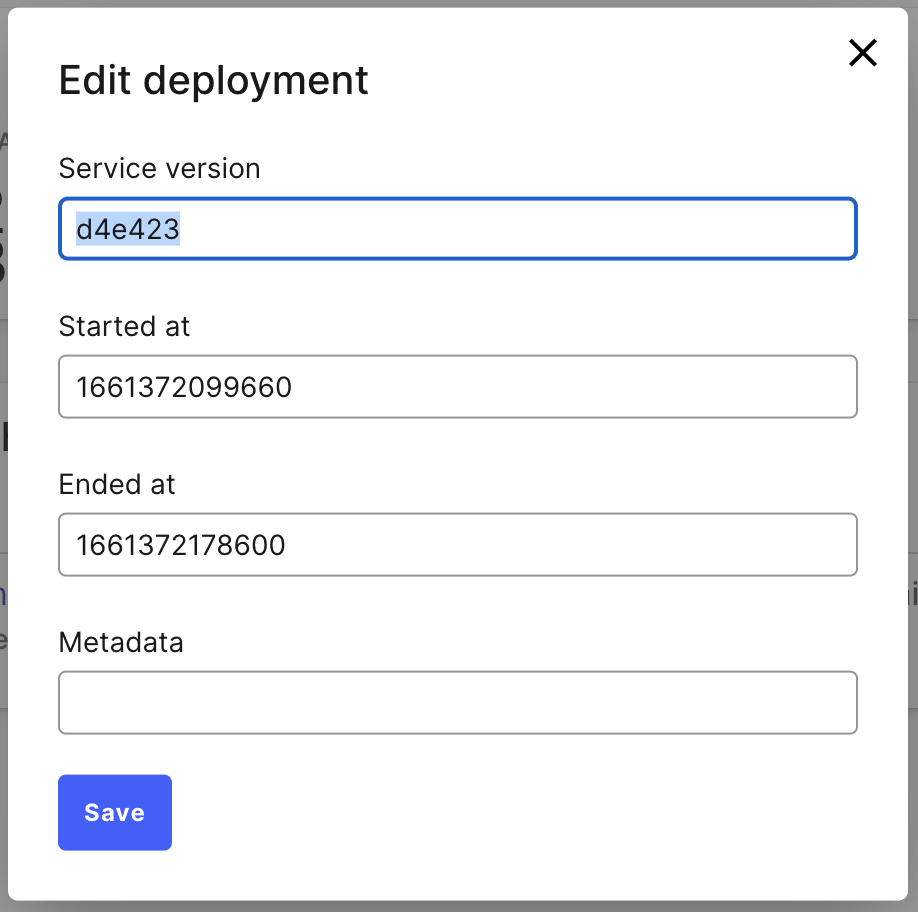
There may be times when your deployment pipeline doesn’t send completed deployment information to LaunchDarkly due to a pipeline interruption or error. If a deployment has completed, but LaunchDarkly hasn’t received the final deployment information, the deployment will appear as “In progress.” You can edit the deployment entry manually to correct this.
To edit the deployment entry, from the details screen, click on the deployment’s overflow menu and choose “Edit deployment.”