
Multi-armed bandits
Multi-armed bandits
This section contains documentation on multi-armed bandits (MABs), which are a type of experiment that uses a decision-making algorithm that dynamically allocates traffic to the best-performing variation of a flag based on a metric you choose.
Unlike traditional A/B experiments, which split traffic between variations and waits for performance results, MABs continuously evaluate variation performance and automatically shift traffic toward the best performing variation. MABs are useful when fast feedback loops are important, such as optimizing calls to action, pricing strategies, or onboarding flows.
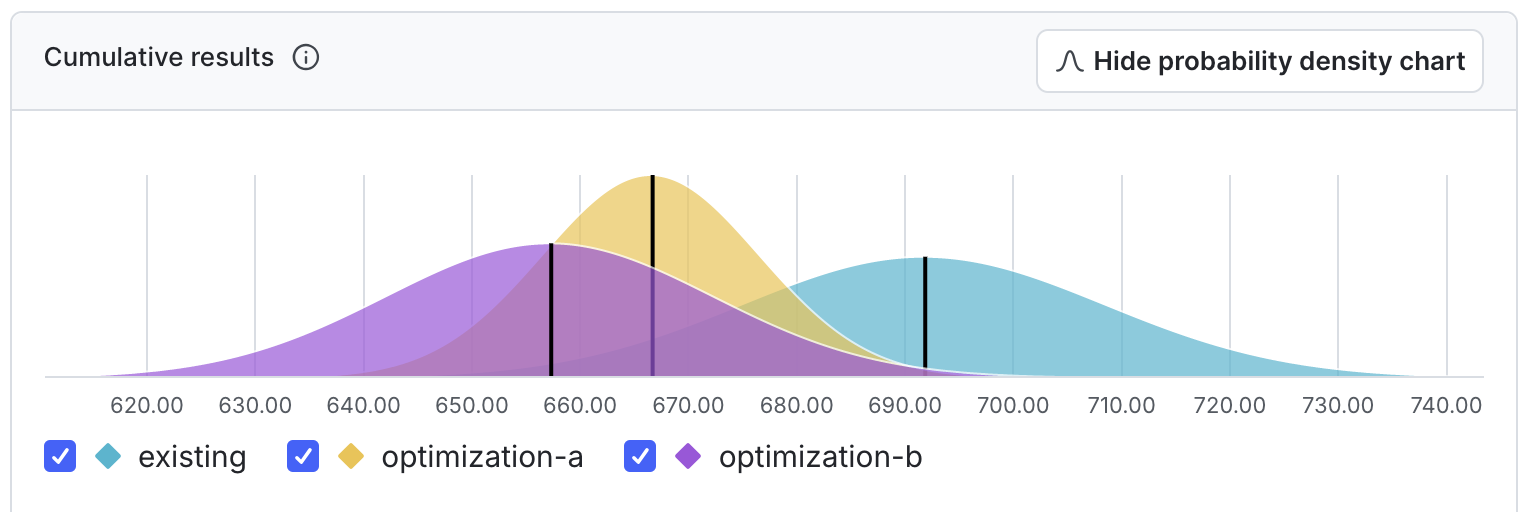
To learn how to create and read the results for MABs, read Creating multi-armed bandits and Multi-armed bandit results.
Methodology
LaunchDarkly’s multi-armed bandit implementation uses Thompson Sampling. Thompson Sampling is a Bayesian algorithm that balances exploration, which gathers data by allocating traffic across variations, and exploitation, which shifts more traffic toward the better-performing variation.
Thompson Sampling works by estimating posterior distributions for the mean of each variation. Then, LaunchDarkly estimates the probability that each variation is the best using the Monte Carlo method. Next, LaunchDarkly updates the MAB’s traffic allocation so each variation receives traffic equal to its probability to be best. You choose how often LaunchDarkly updates traffic allocation when you create the MAB.
To learn more about Thompson Sampling, read A Tutorial on Thompson Sampling.
The Multi-armed bandits list
You can view information about your new, running, and stopped multi-armed bandits on the Multi-armed bandits list.
The Multi-armed bandits list includes the following information about each multi-armed bandit:
- Name: The name of the multi-armed bandit
- Status: Not started, running, or stopped. Hover over the status to view more information.
- Duration: How long the multi-armed bandit has been running.
- Started: The date and time that you started the multi-armed bandit.
- Stopped: The date and time that you stopped the multi-armed bandit. If this column is blank, the multi-armed bandit has either not been started or is still running.
- Metrics used: Any primary or secondary metrics and any metric groups used in the multi-armed bandit. Hover over the metric name to view a full list of all metrics used.
- Maintainer: The member who created the multi-armed bandit.
You can show or hide any of these columns by clicking the Display menu at the top of the list, and selecting or deselecting the appropriate column.
Click the three-dot overflow menu for a multi-armed bandit to copy the multi-armed bandit key, copy a direct link to the multi-armed bandit, or archive the multi-armed bandit.
Click on a MAB name from the list to open the multi-armed bandit. You can then:
- Edit the MAB design
- View MAB results
- Stop the MAB or start a new iteration
- Leave comments about the MAB on the Discussion tab in the right sidebar
- View MAB data over set periods of time from the Iterations tab