
Requesting approvals
This topic explains how to create approval requests.
Create approval requests
You can request approval from any member or team within your LaunchDarkly organization for the following types of changes:
- Changes to a flag, segment, or Agentcontrol config’s targeting
- Changes to a flag or AgentControl config’s variations
- Starting, stopping, or editing an experiment
You can request approval for resource changes at any time after you create them. Members that do not have permission to approve requests can still open or review the request.
If you use approvals to gate a phase in release assistant, the phase must have an associated flag action. If the phase has no flag action, LaunchDarkly does not generate an approval request and the release phase completes automatically.
Create approval requests for flags, AgentControl configs, and segments
To request an approval:
- Make a change to any flag, AgentControl config, or segment.
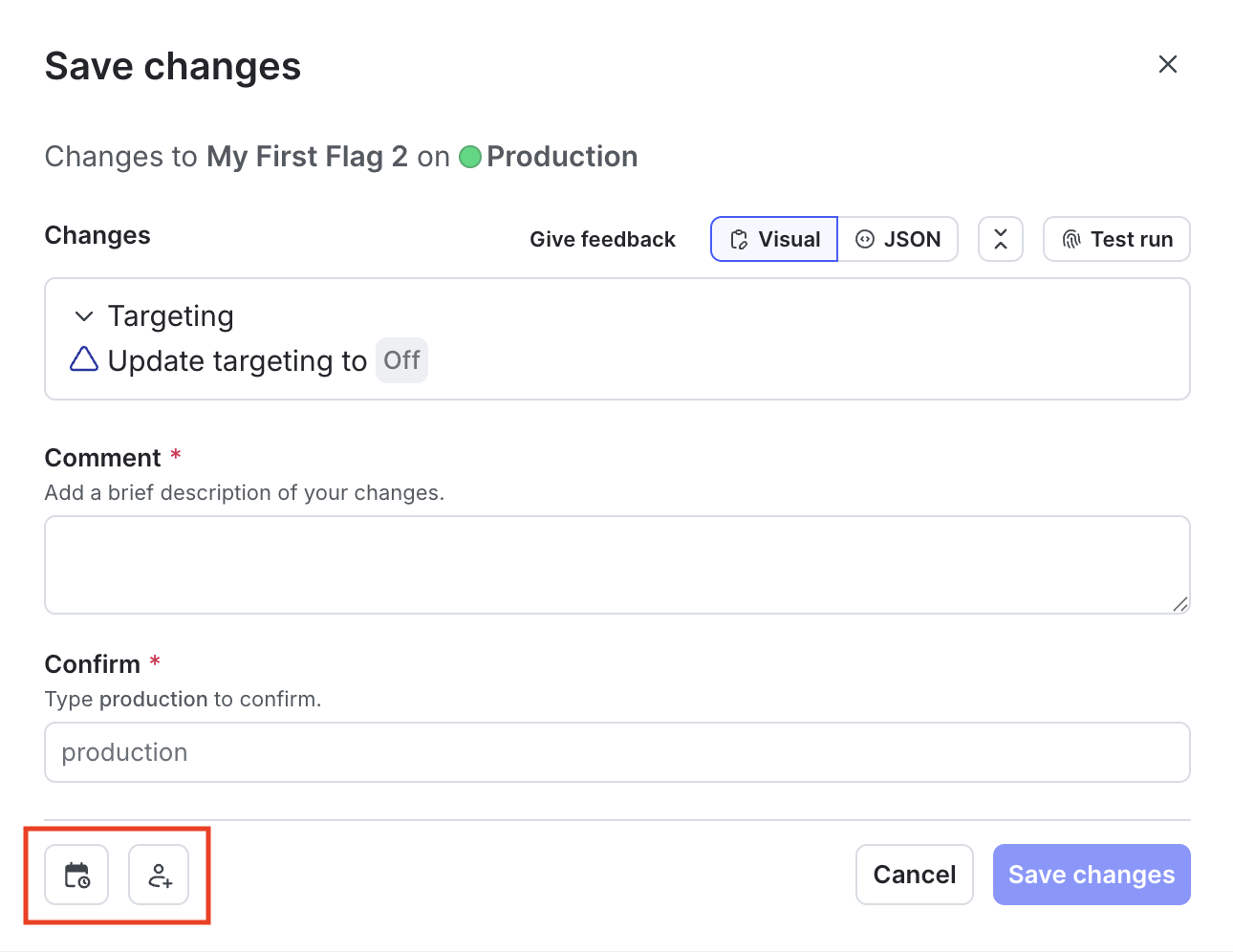
- Click Review and save. The “Save changes” dialog appears.
- Review the changes displayed in the dialog.
-
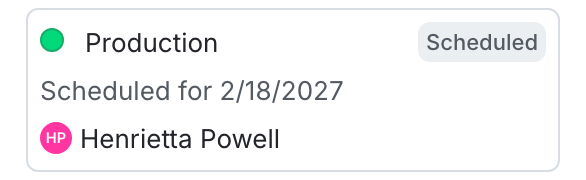
(Optional) Click the calendar icon to schedule the change.
- Select a date, time, and timezone.
- Click Update.
-
Click the person icon to open the Save changes menu.
-
Choose one or more reviewers from the Reviewer(s) menu.
-
Enter a Comment to add details that help your reviewers understand the changes you made. If your organization uses a third-party workflow management system for approvals, you may need to complete additional fields. To learn more, read Configuring approvals for an environment.
Your environment may require approvalsIf your environment requires approvals, Review and request approval is the default option. To learn more, read Configuring approvals for an environment.
-
Confirm your changes by entering the name of your environment.
-
Click Request approval.
Reviewers receive an email, an in-app inbox notification, and, if they use the LaunchDarkly Slack app, a Slack notification asking them to approve your changes.
If someone requests your approval on a flag or experiment change and you use the LaunchDarkly Slack or Microsoft Teams app, you will receive a Slack or Teams notification. AgentControl config and segment approvals are also sent through Slack, but are not sent through Microsoft Teams.
To learn more, read Reviewing approval requests.
The “Pending changes” section in the flag, AgentControl config, or segment’s right sidebar indicates that there are pending changes waiting for review. A flag or AgentControl config’s Targeting tab also updates with a number next to the checkmark pending changes icon.
You can request approvals for changes to flag and AgentControl config targeting or variations only, and to segment targeting only. You cannot request approval on other changes, such as updates to a flag’s settings.

You can also use the REST API: Create approval request for a flag
Create approval requests for experiments
You can create approval requests when you make a change to an experiment’s design, or when you want to start or stop an experiment.
Create approval requests for changes to experiments
To request an approval when you make a change to an experiment’s design:
- Navigate to an experiment’s Design tab, and make any changes needed.
- Click Save & request approval for new iteration. A “Request approval to start new iteration” dialog appears.
- Enter a Reason for changes.
- Click Continue.
- Choose one or more reviewers from the Reviewer(s) menu.
- Enter a Comment.
- Click Request to start new iteration.
Create approval requests for starting or stopping an experiment
To request an approval when you want to start or stop an experiment:
- Navigate to an experiment’s Design tab.
- Click Request approval to start or Request approval to stop. A “Request approval to start/stop experiment” dialog appears.
- Choose one or more reviewers from the Reviewer(s) menu.
- Enter a Comment.
- Click Request to start/stop experiment.
Required approvals
Enterprise customers can require approval requests for specific environments.
If your environment requires approvals, Review and request approval is the default option when you make a flag, AgentControl config, experiment, or segment change. If a team member has the bypassRequiredApproval custom role action, they are not required to request approval. Instead, they have the option to Save changes. The bypassRequiredApproval custom role action applies to flag approvals. To bypass required approvals for segments, use the bypassRequiredSegmentApproval custom role action. You cannot bypass required approvals for AgentControl configs.
When you copy flag settings between environments, if the environment you’re copying changes to requires approval, then Review and request approval is the default option. To learn more, read Compare and copy flag settings between two environments and Configuring approvals for an environment.
You can also use the REST API: Create approval request to copy flag configurations across environments
To learn how to delete approval requests, read Deleting approval requests.